What's New in AirPlx: June 2026 (Part 2)
Published on June 30, 2026 • 7 min
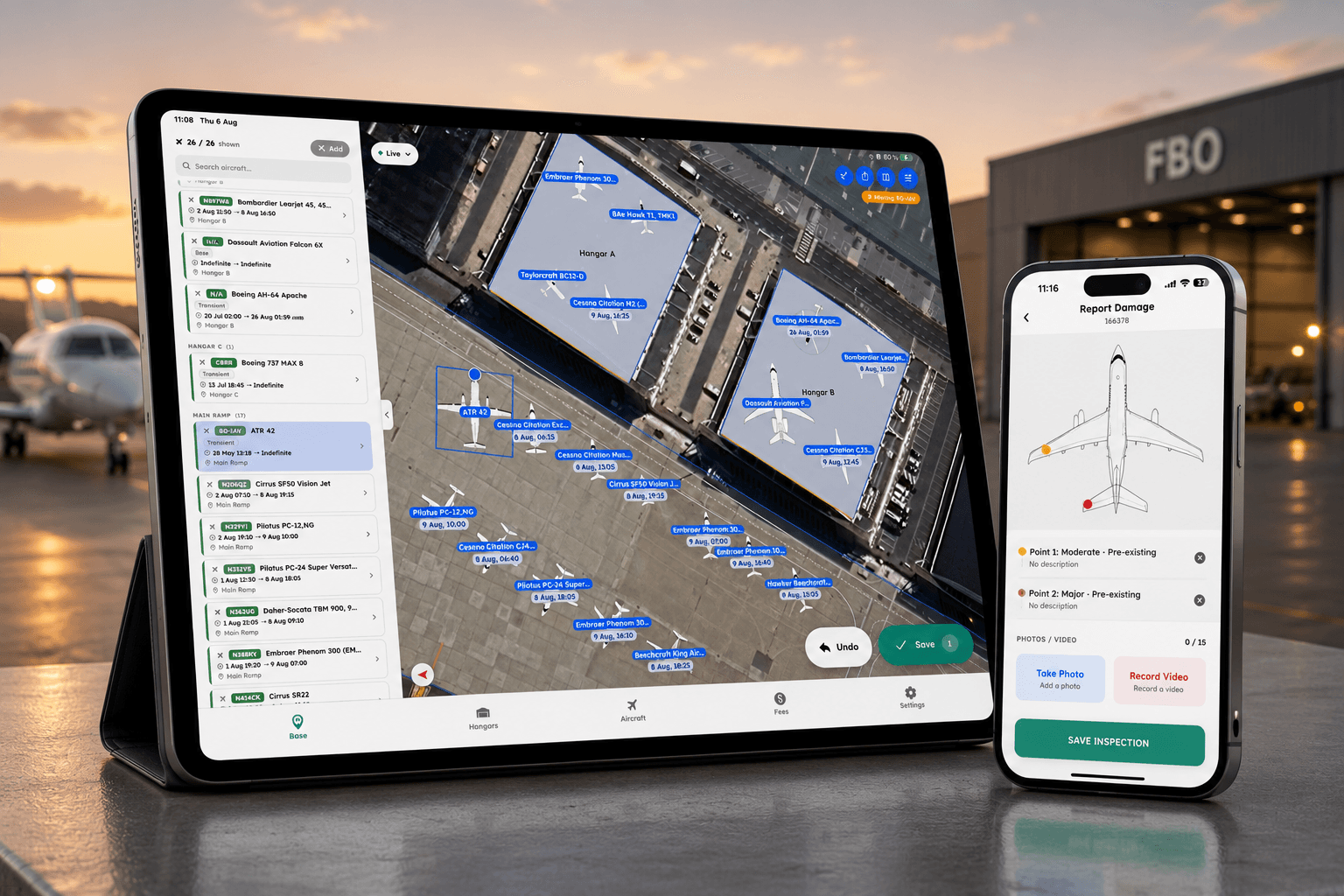
Part one was about how the board looks: your statuses, your colors, your rules. This half is about how it thinks, plus a pile of upgrades to planning, stacking, and reporting that landed in June.
Here's the rest of what shipped.
Stacking Profiles
You've got one hangar layout that's the real one, the one your crew works off of all day. But you also want to try things. What does the floor look like for the July 4 rush? What if we train the new dispatcher without letting them touch the live board?
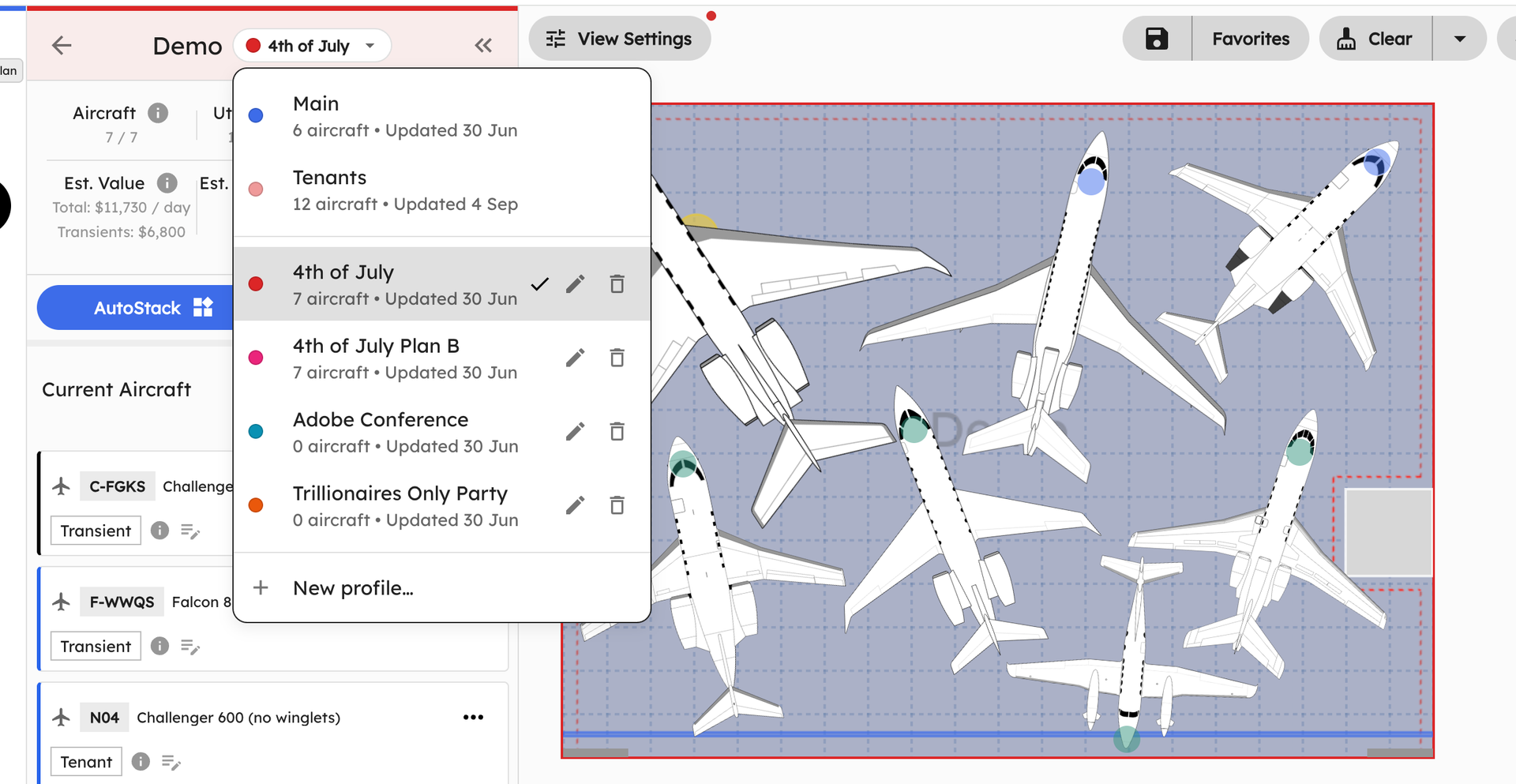
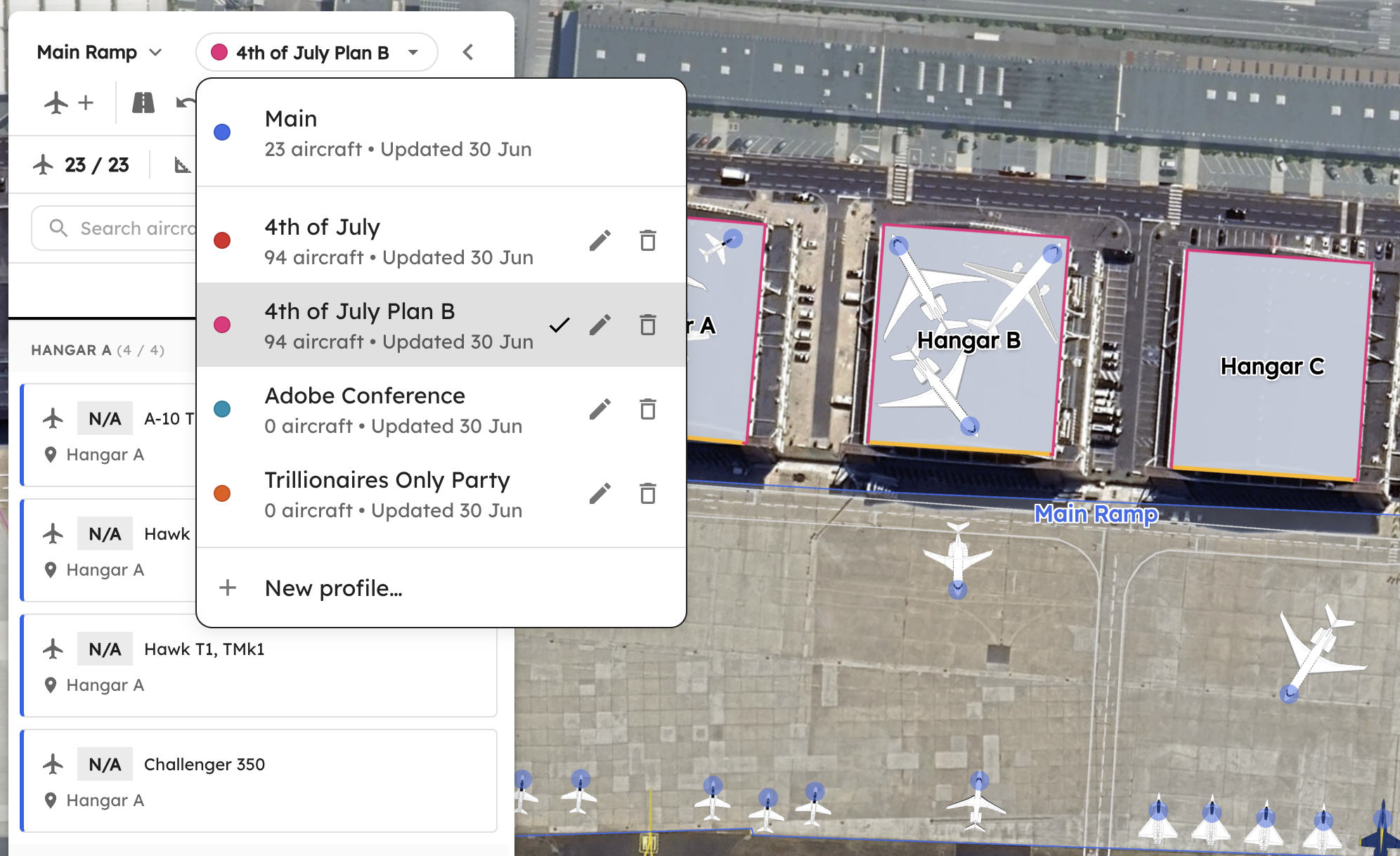
Stacking Profiles give you that room. Save multiple named, base-wide layouts and switch between them freely, without ever touching "Main." It's a safe scratch space: plan a big event in one profile, run a training exercise in another, and your working layout stays exactly where you left it.
Your base layout (left) and a separate July 4 profile (right). Switch and compare without touching Main.
Each profile's color shows up as the hangar outline so you always know which one you're looking at, and you can pick a profile when you build a custom report. Different events, same real estate, no more saving screenshots to remember what the plan was.
Planning for the next generation of aircraft?
AirPlx includes 1,000+ aircraft models with verified dimensions. Stack your hangar before the aircraft arrives.
See AutoStack in actionSmarter, Safer Stacking
Auto-stacking is only as good as its picture of the hangar. A real hangar isn't a clean empty box, and a plane being worked on isn't sitting in flight configuration. June taught the stacker to see more of what's actually on the floor.
Jacks-Aware Stacking
MRO shops keep aircraft on jacks all the time, and a jacked plane takes up space differently, it's lifted, and the footprint underneath changes. Now you can mark an aircraft on jacks, set the jack height, and lock it. Overlap detection and auto-stacking both respect the elevated height instead of treating it like a plane on its gear.
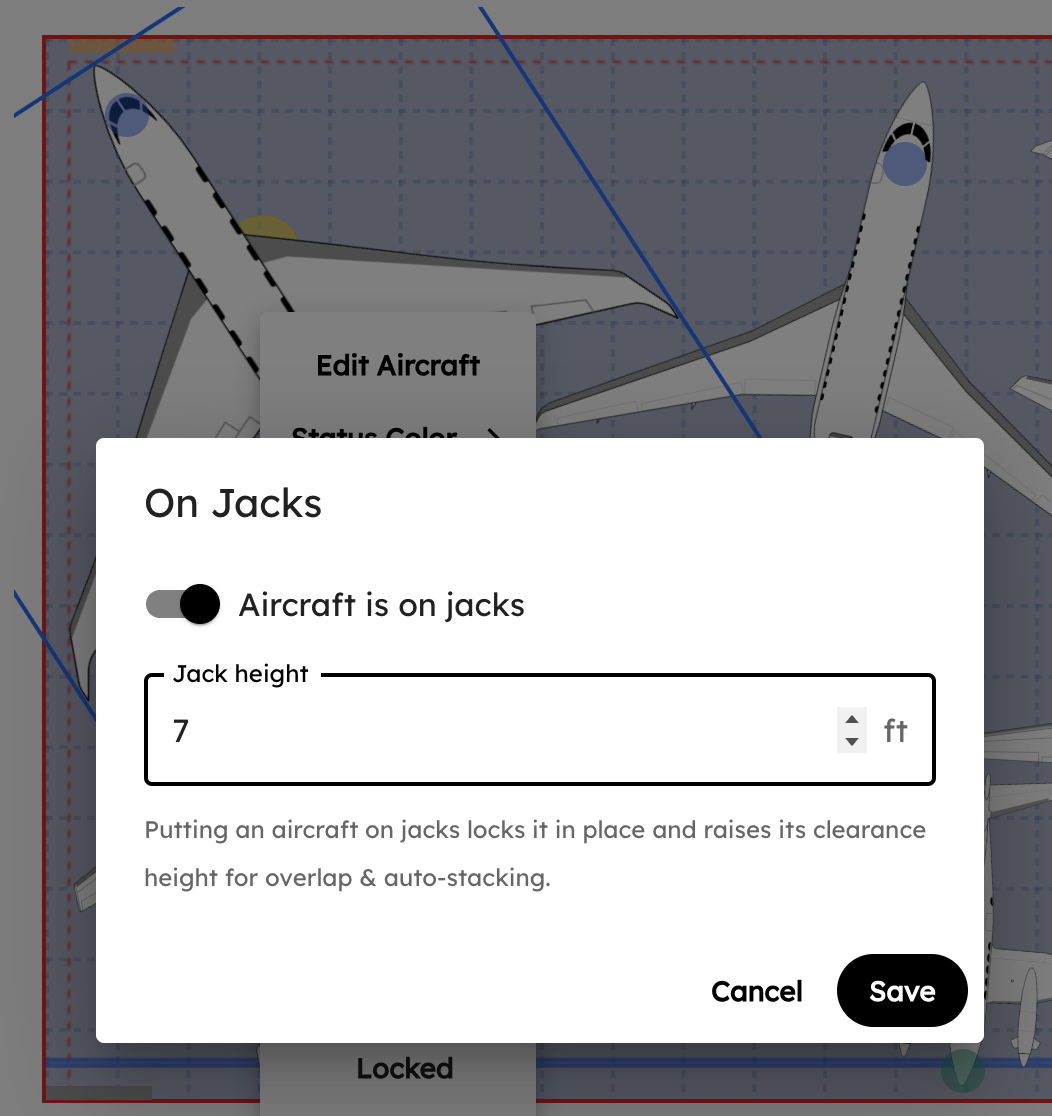
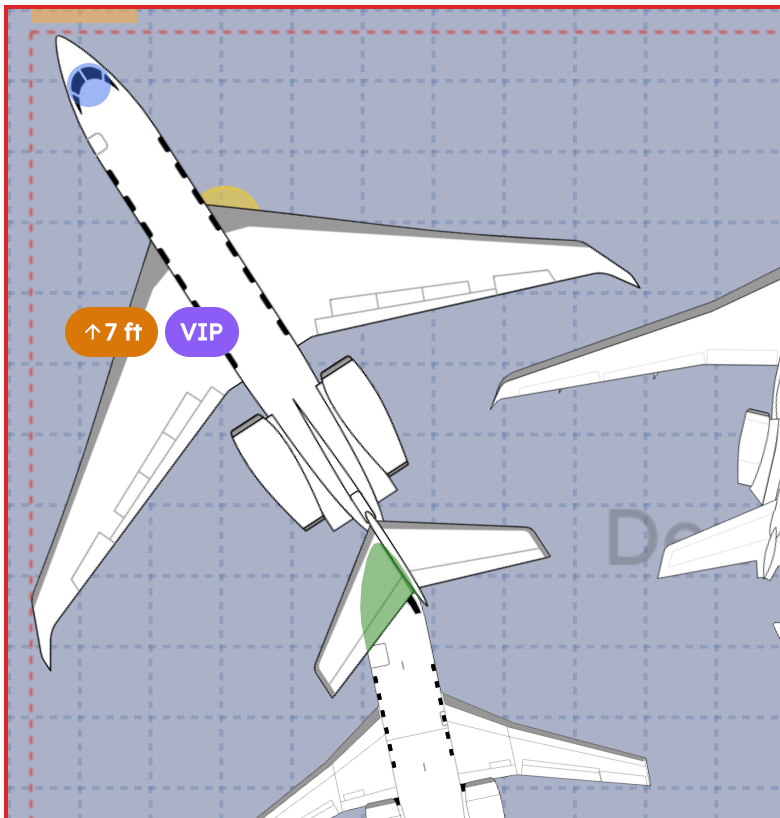
Mark a plane on jacks and set the height (left). Overlap and stacking honor the elevated footprint (right).
A car-jack icon shows on the card and an elevation badge sits on the canvas label, so anyone glancing at the board knows it's up. (Remember May's wings-off C-130? This is the same idea: we model the airplane your team is actually parking against, not the one in the brochure.)
Tow Limit Warning (beta)
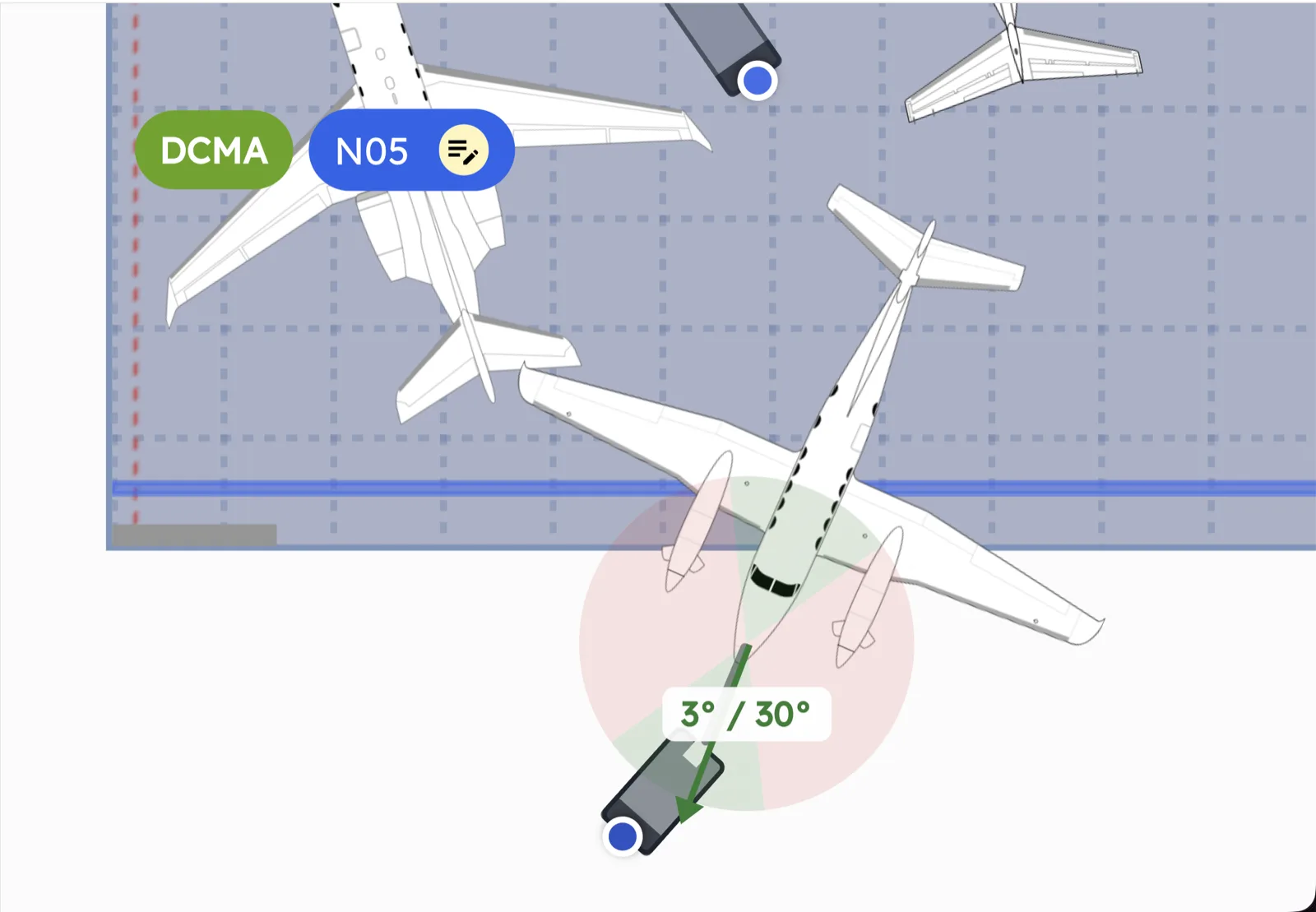
Tow a plane past its limit and you risk damage you really don't want to explain. The new Tow Limit Warning watches as you simulate a move and tells you when you're getting close, green when you're fine, yellow as you approach, red when you've gone too far.
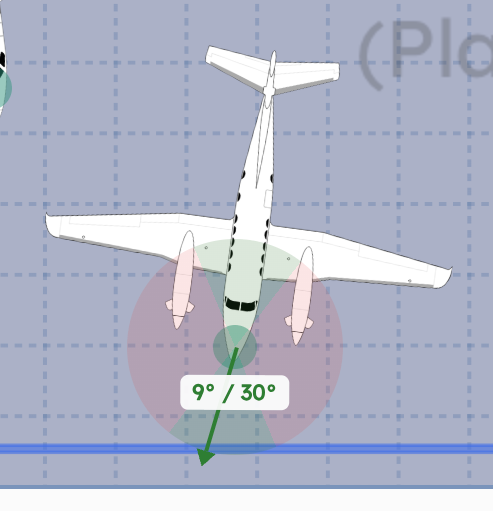
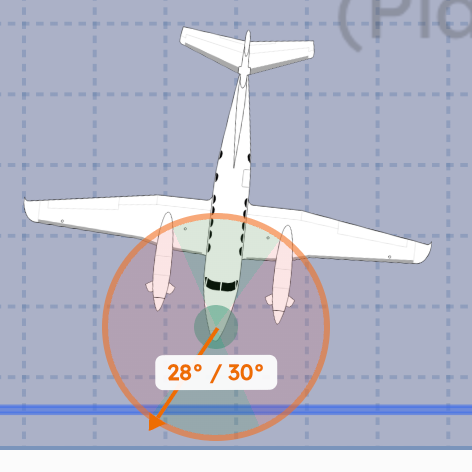
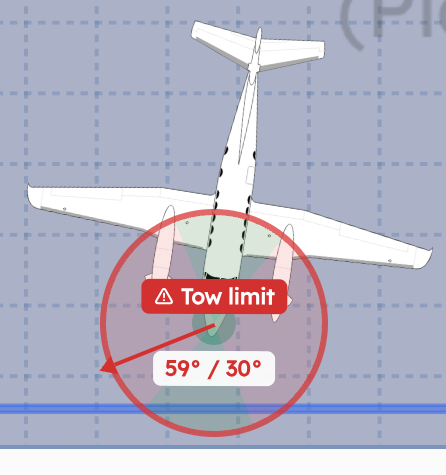
Green, yellow, red. The warning tracks how close a simulated tow is to the aircraft's limit.
It's in beta. Flip it on in your settings to try it.
Overhead Obstacles
Hangars almost never come as clean rectangles. There are cranes, fans, ducts, and low corners up near the ceiling that quietly decide what fits where. We added first-class support for overhead obstacles: set them up by clearance height, alongside the ground obstacles AirPlx has handled for a while.
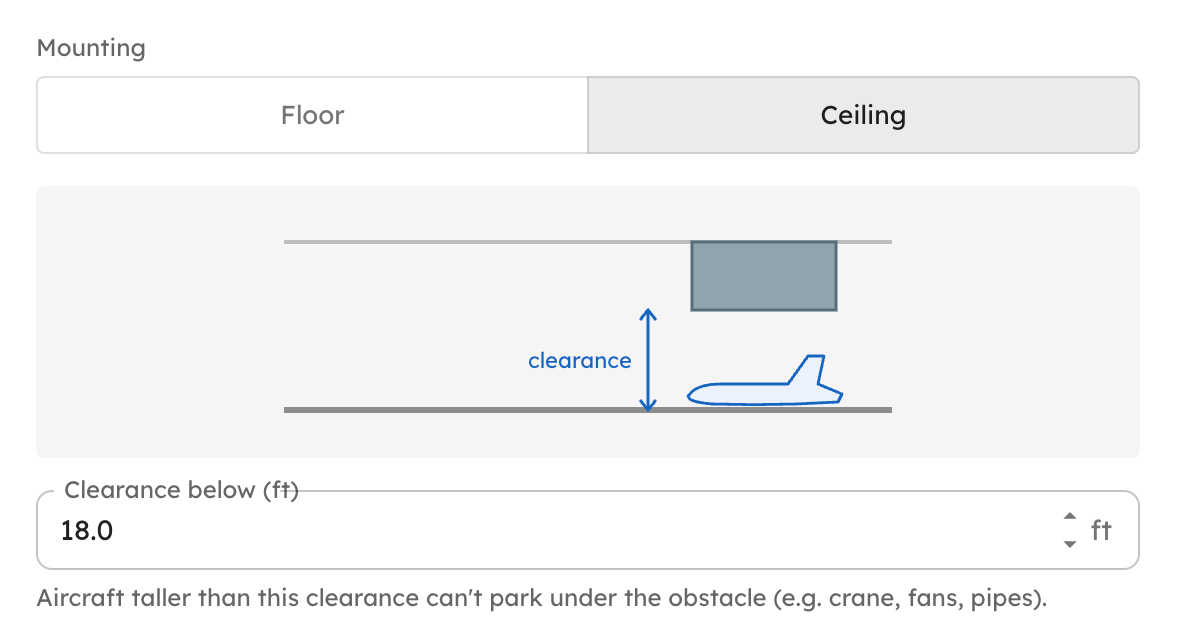
Overhead obstacles, defined by clearance. Auto-stacking routes around them for a more accurate fit.
The payoff is accuracy: overlap and auto-stacking now account for what's overhead, so the stacks AirPlx generates actually match the building.
Master Orientation Locks
Some shops have firm rules about how a given airframe parks, nose in or tail in, every time. Master Orientation Locks let you pin a specific aircraft type to one orientation. It overrides the Nose-In/Tail-In slider for that type whenever you auto-stack or add it to a hangar.
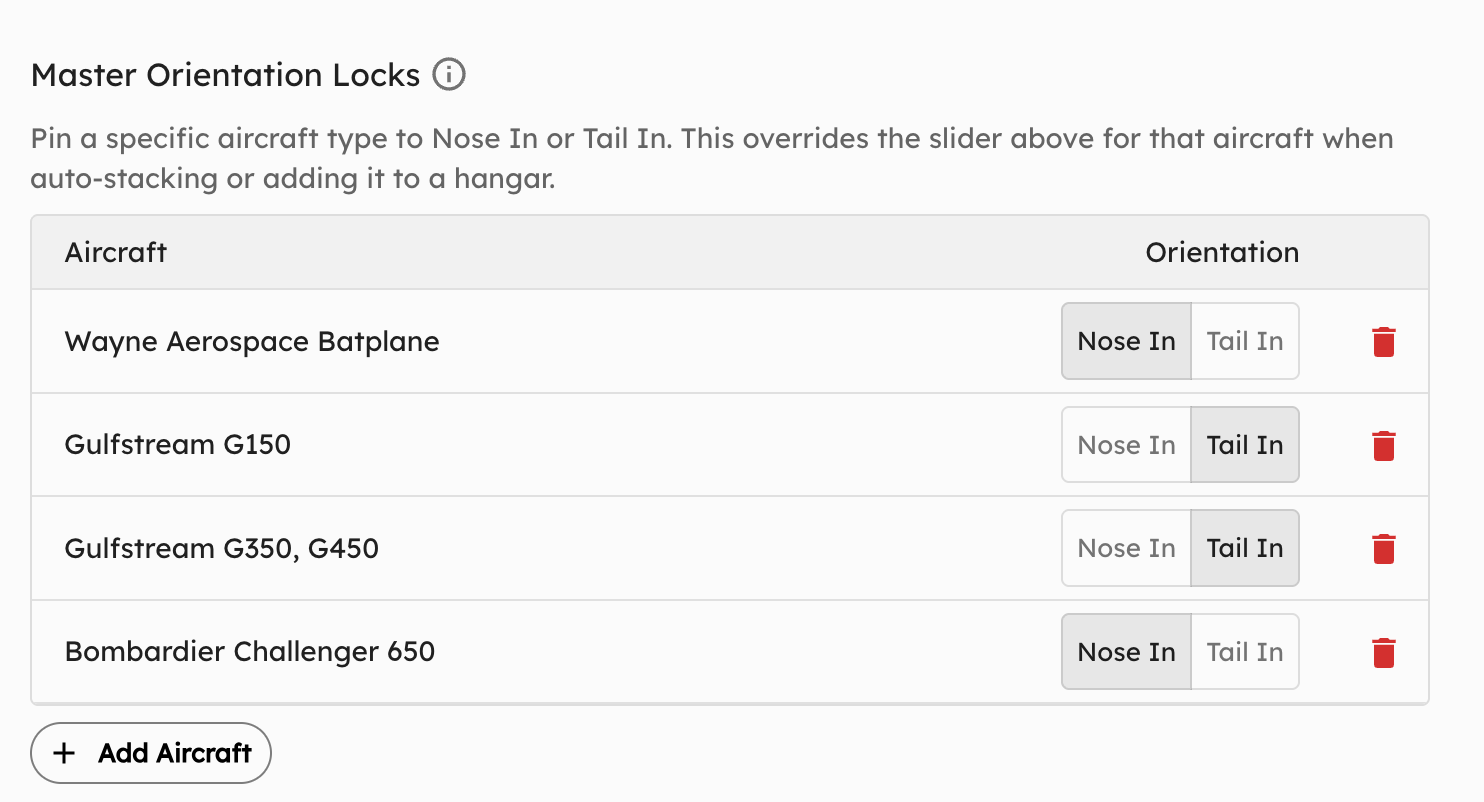
Pin an aircraft type to Nose In or Tail In. Auto-stacking picks it up for every layout it generates.
This one came straight from a customer with a standing SOP. Set it once, and every layout AirPlx produces honors it.
Mark Up and Print the Base View
A customer told us they were printing the base view and drawing on it with a marker. Fair enough, but you shouldn't have to leave the app to do that.
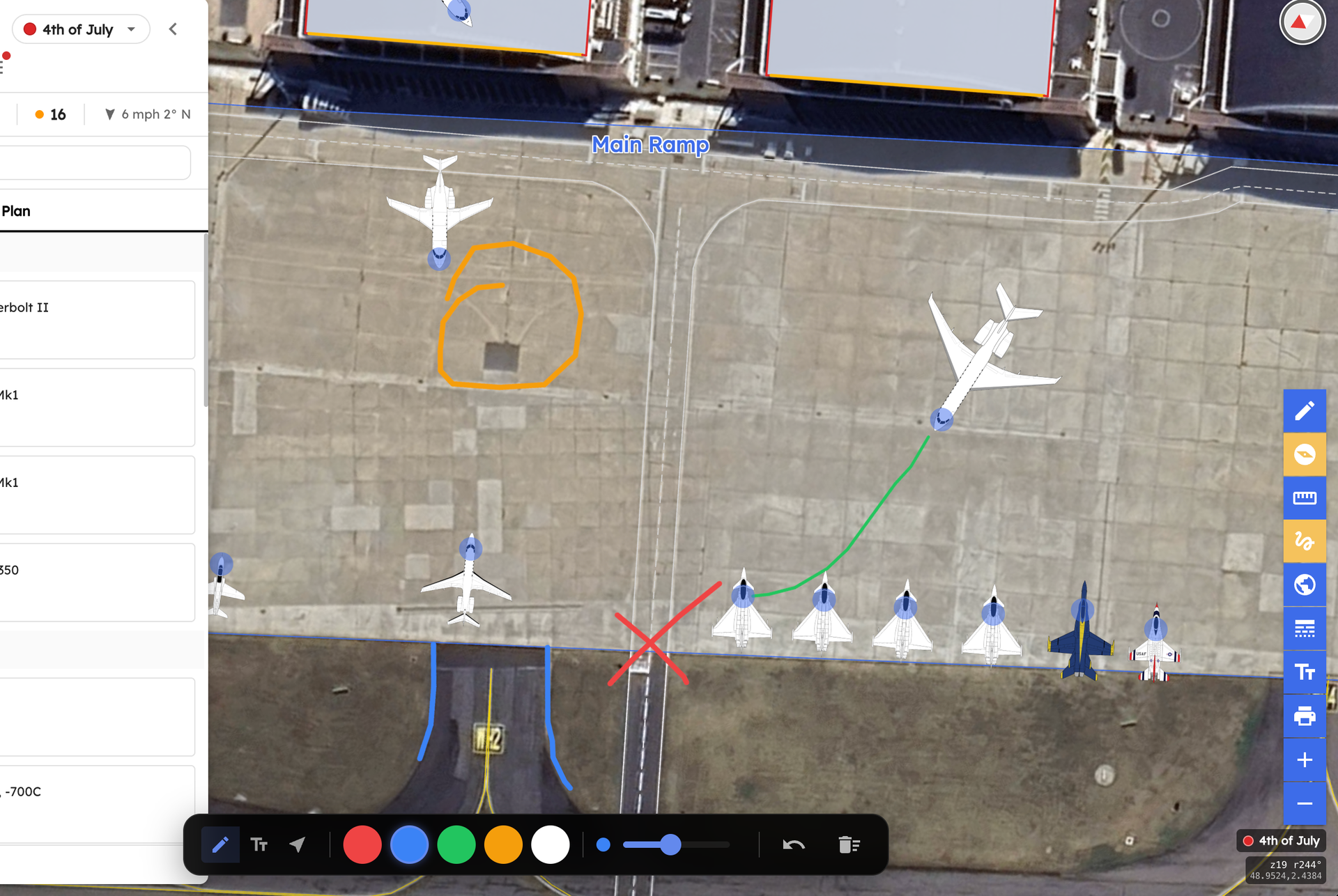
Click the scribble icon, mark up the base, and share it with your team. No printer required.
Now you can click the scribble icon, draw right on the base view, and share the marked-up plan with your team. A few more base-view upgrades came with it:
- Print from Base View. Another customer request: print the whole base so you can hand your team the entire plan on paper.
- Base-wide wind. Wind for your entire field now shows on the base view, not just inside a single hangar.
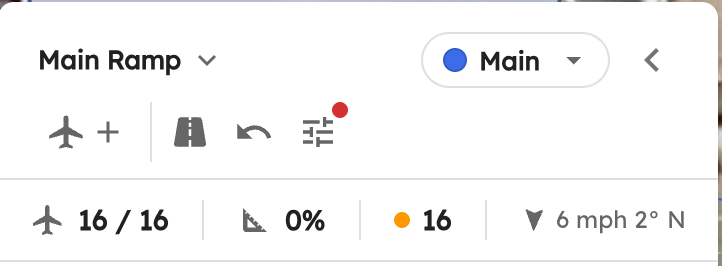
Base-wide wind. The whole field's conditions, at a glance.
- Clean Ramp / Clear All. Right-click a hangar or ramp to clear every aircraft off it at once, with a confirm so you don't do it by accident.
Report Builder Upgrades
The custom Report Builder picked up three requested controls:
- Global Text Size control, so a report reads well whether it's on a tablet or printed for the wall.
- Include aircraft outside the hangar, so the report reflects everything on the property.
- Stacking-Profile selector, so you can build a report off any saved profile, not just Main.
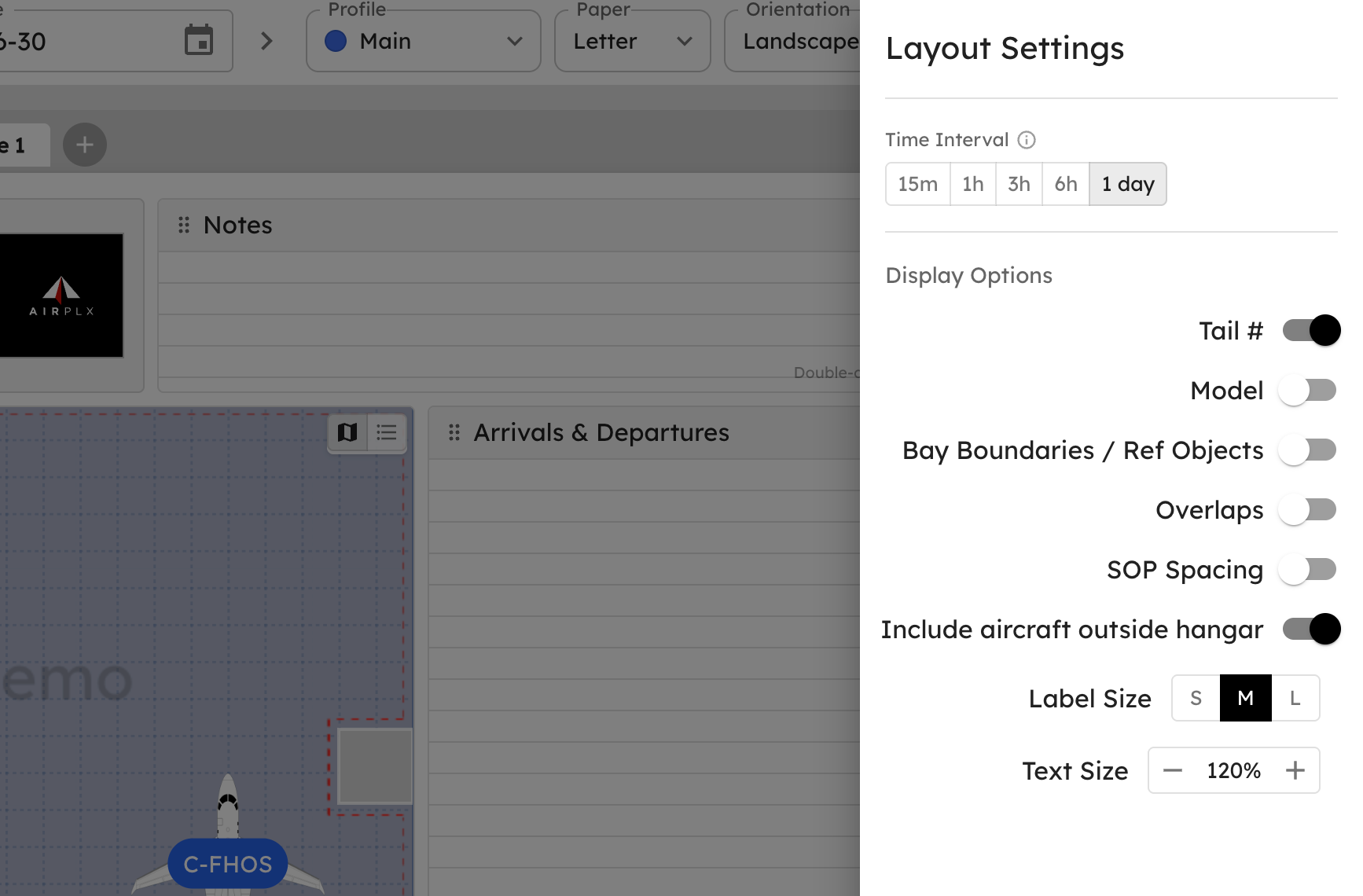
Three new Report Builder controls: text size, aircraft outside the hangar, and which Stacking Profile to use.
Small Stuff That Adds Up
None of these gets a headline. All of them save somebody a few clicks a day.
- ISO dates everywhere. Trips, schedule, and timeline now use
YYYY-MM-DDacross the board, dropping the US-only MM/DD/YYYY that trips up international customers. A request from our friends Down Under. 🇦🇺🦘 - Bulk operations in tenant view. Operate on multiple records at once instead of one at a time.
- Plan-Mode-Only permission. A new permission you can set on a role so those users can plan without ever touching the live board, handy for trainees and analysts.
- Redesigned aircraft cards in Hangars and Ramps. Current Aircraft cards now match the Base View style and lead with the tail number (N/A when there isn't one).
- Improved "Create New Hangar" workflow, including naming the hangar as you make it.
- Delete button now visible to FBO admins.
- Outside aircraft show in hangar-card thumbnails, clipped to the box, so the thumbnail matches the real layout.
Bug Fixes
- Live-mode removals refresh immediately. Pull an aircraft off the board in Live Mode and the view updates on its own, no manual reload.
- Nightly Report can exclude holding-area aircraft, so the report only shows what's actually parked.
- Print fixes. Labels and planes now appear correctly in PDFs, and we fixed the oversized print files (yes, the 540 MB jam).
- Various other stability fixes from customer reports. If you flagged something and it's working now, thank you.
What's Next
The big one is still the mobile app: AirPlx in your pocket, out on the ramp, for the workflows your crew shouldn't need a laptop to run. It's significant enough that it's getting its own dedicated post, coming soon.
As always, the roadmap is shaped by what you tell us. Email us at hi@airplx.com.
Want to see these features in action? Schedule a quick demo or email us: hi@airplx.com