What's New in AirPlx: June 2026 (Part 1)
Published on June 30, 2026 • 5 min
April you could see your whole field. May you could run it live. June you can make it yours.
June was a big enough month that we're splitting it in two. This first part is about one thing: making the board speak your operation's language. Your statuses, your colors, your rules. Part two, in a few days, covers the rest, smarter stacking, Base View markup, and a pile of planning upgrades.
We love feature requests. If you're using AirPlx and not telling us what's bugging you, other customers are making those decisions for you. Email us: hi@airplx.com.
Here's what shipped.
Labels & Status, Your Way
Every shop runs its board a little differently. An MRO has a checklist a mile long before a plane rolls out: inspections signed off, panels back on, paperwork closed. An FBO cares about fuel, catering, and a clean cabin before the owner shows up. The status that means "ready" at one base means nothing at the next.
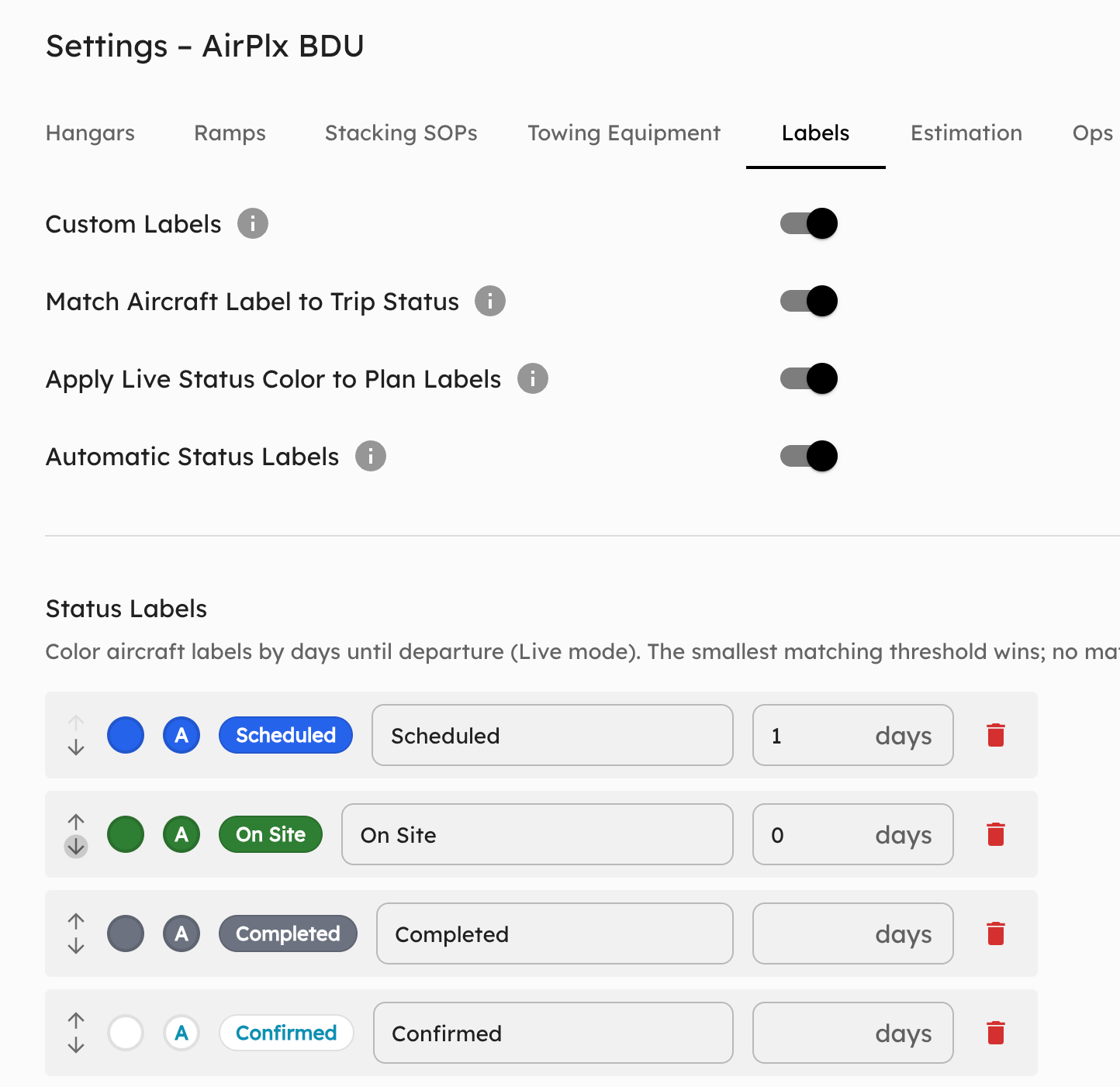
So we stopped guessing and handed you the keys. Head to Settings → Labels and build the statuses your team actually uses, each with its own fill color and text color, scoped per FBO. The board finally matches the language on your radios.
Settings → Labels. Build your own statuses, pick the fill and text colors, and they're scoped to your FBO.
The piece people keep asking for: departure-proximity auto-coloring. Instead of someone remembering to flip a label, the status shifts color on its own as departure time approaches, on rules you configure per FBO. A jet that's green at 0800 quietly walks to yellow, then red, as wheels-up gets close. Glance at the board and you know what's tight without reading a single time.
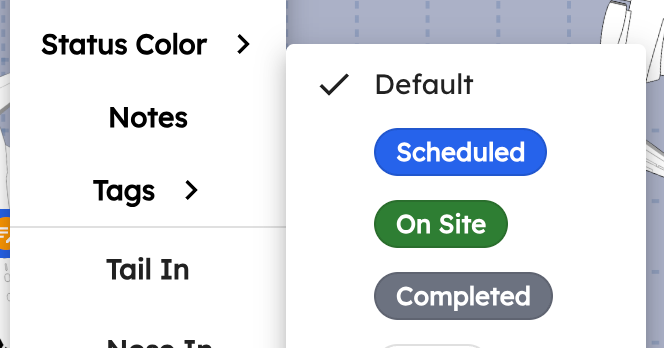
Departure-proximity auto-coloring. Labels move from green to yellow to red on their own as the clock runs down.
The point isn't the color. It's that nobody has to remember. Miss a wheels-up because someone forgot to flip a label and you've got a fueler and a lav cart idling on the ramp while the jet sits.
A few more things that came with it:
- Unified across Plan and Live. One consistent display in both modes, with the option to match an aircraft's label color to its trip status so the whole board reads the same way.
- Inline trip editing. Edit a trip right in the trips list. The separate Actions column is gone, fewer clicks to change a date or a detail.
- Sensible defaults for everyone else. Don't want to build your own set? FBOs that skip customization still get automatic aviation and temporal statuses derived from trip dates, so the board is useful on day one.
- "Ended Trips" is now "Completed Trips." Small rename, clearer meaning.
If your team has a dozen steps that have to happen before a plane departs, this is the feature that finally lets the board show all of them, in your colors, on your schedule.
Planning for the next generation of aircraft?
AirPlx includes 1,000+ aircraft models with verified dimensions. Stack your hangar before the aircraft arrives.
See AutoStack in actionCompleted Trips: Extend or Forget
Speaking of completed trips: they used to end and vanish. But plans slip, and customers kept needing to push a departure a day without digging back into a finished trip to do it.
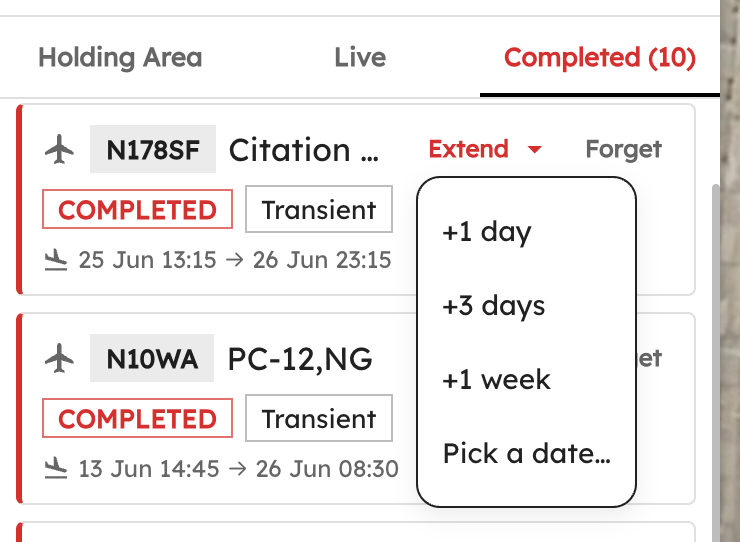
Completed Trips collect in the sidebar. Extend a departure in a click, or forget the trip, without re-editing it.
Now completed trips collect in the sidebar, where you can extend a departure date in a click or forget the trip entirely. No more hunting for something you thought was done.
New Aircraft: the airshow circuit came to the hangar
Most months the new-aircraft list is a grab bag. This month it formed up and flew past in formation. Three national demonstration teams landed in the library, plus their support crews and a long tail of everything else.
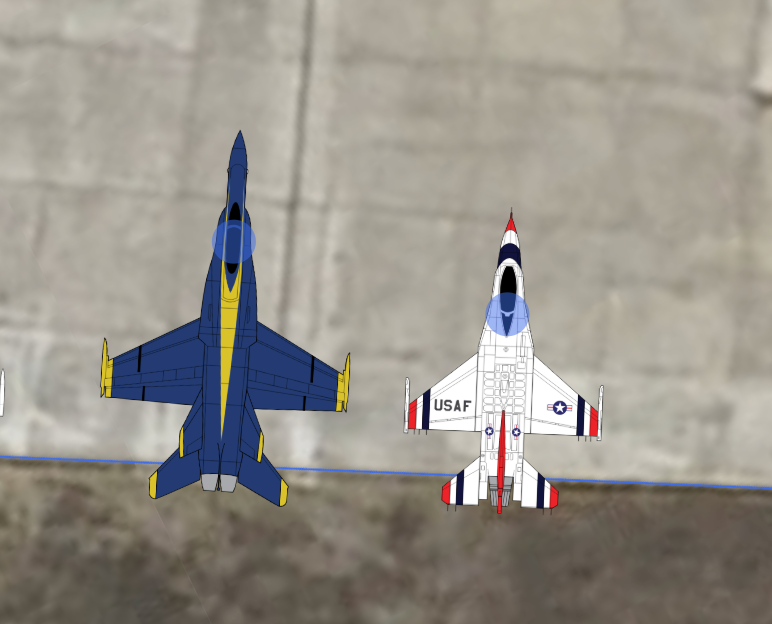
The headliners. Three demo teams reported to the hangar this month.
The headliners:
- Boeing F/A-18E Super Hornet, the U.S. Navy Blue Angels.
- Lockheed C-130 "Fat Albert," the Blue Angels' support Herc.
- Lockheed Martin F-16C/D Block 52, the USAF Thunderbirds.
- Canadair CL-41 Tutor / CT-114, the Canadian Forces Snowbirds.
And the rest of the formation, about eighteen in all: SAAB 340B, North American T-28C Trojan, DHC-6 Twin Otter Series 300, Douglas A-26 Invader, Hiller H-23 Raven, Cessna T-37 Tweet, Grumman G-44 Widgeon, Fouga CM.170 Magister, the Bombardier CRJ900 and CRJ-1000 (carrying on from May's CRJ-550), the Tecnam P2010 TwentyTen and P-Mentor, and a TLD JST-25 tug for the equipment crowd.
One more, because you asked: an Imperial-class Star Destroyer. Yes, really. We built it. You're welcome.
Don't see one you fly? Funny you should ask, just tell us and we'll build it.
What's Next
That's the first half of June. Part two lands in a few days and it's a big one: Stacking Profiles you can save and compare, auto-stacking that finally respects jacks and overhead obstacles, the Tow Limit Warning beta, Base View markup and printing, and a stack of smaller wins. The mobile app is still coming too, and it's getting its own dedicated post.
As always, the roadmap is shaped by what you tell us. Email us at hi@airplx.com.
Want to see these features in action? Schedule a quick demo or email us: hi@airplx.com