Introducing AirPlx Mobile
Published on September 3, 2026 • 3 min
You can now take AirPlx onto the ramp.
The AirPlx mobile app lets you see everything happening at your base and make updates on the fly, and it keeps your whole team in sync. It is available on iPhone and Android, included with your subscription.
- Live Base View on a phone or tablet, so anyone can see where every aircraft is
- Tow safety checklists worked at the aircraft, tracked from the first check to the final position
- Walkaround inspections before anyone touches the airplane
- Damage reports marked right on the aircraft, with photos and video
- Hangar and ramp logs done on the floor instead of from memory
- Every event logged automatically, so it lands in your reports without anyone chasing paperwork
It is built for the people doing the work: buttons big enough to hit with gloves on, type you can read in bright sun, screens that open instantly, and it keeps working when there is no signal on the ramp.
This is not a day-one release. About a dozen customers are already running it in production today.
Take a quick tour
See how your team manages the base, moves aircraft, documents condition, and stays informed.
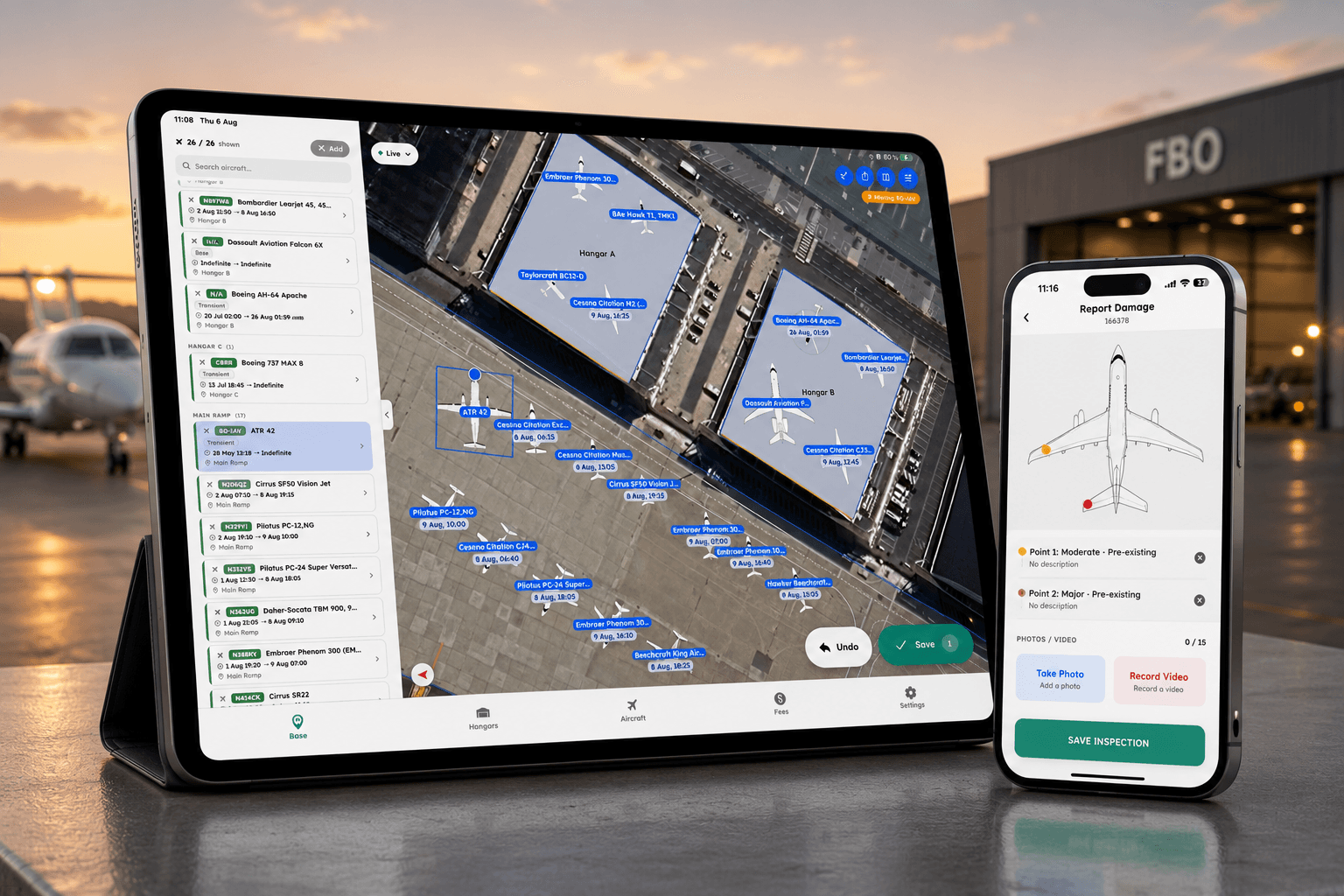
Base View on an iPad, live.
Your line crew can be using this before their next shift
Mobile is included with your AirPlx subscription and already switched on for your base. No procurement, no per-seat math, no rollout project. Send them the QR code and they are in.
Talk to us about rolling it outKeep everyone in sync
The desk and the ramp have always worked off two different pictures. The CSR knows what the schedule says. The line knows what is parked out there right now. Put the same live board in both hands and that gap closes.
- Live Base View with every aircraft location, status, and departure
- No more radio calls just to find out where an aircraft is parked
- Hangar and ramp logs worked on the floor, not reconstructed later
- Hangar fees easily available
- Updates from the ramp, without walking back inside
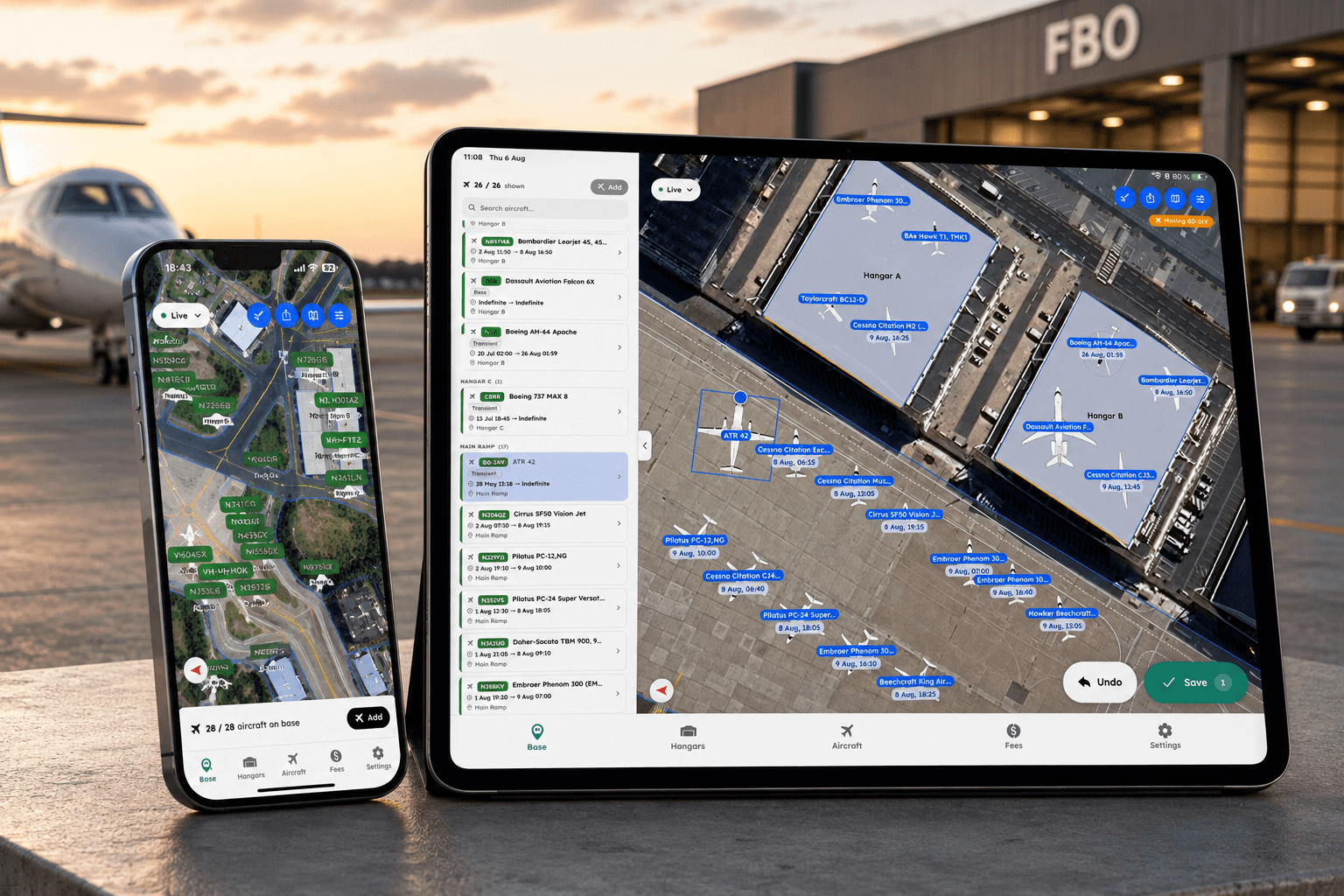
One base, two screens. The tech outside and the CSR at the desk see the same thing.
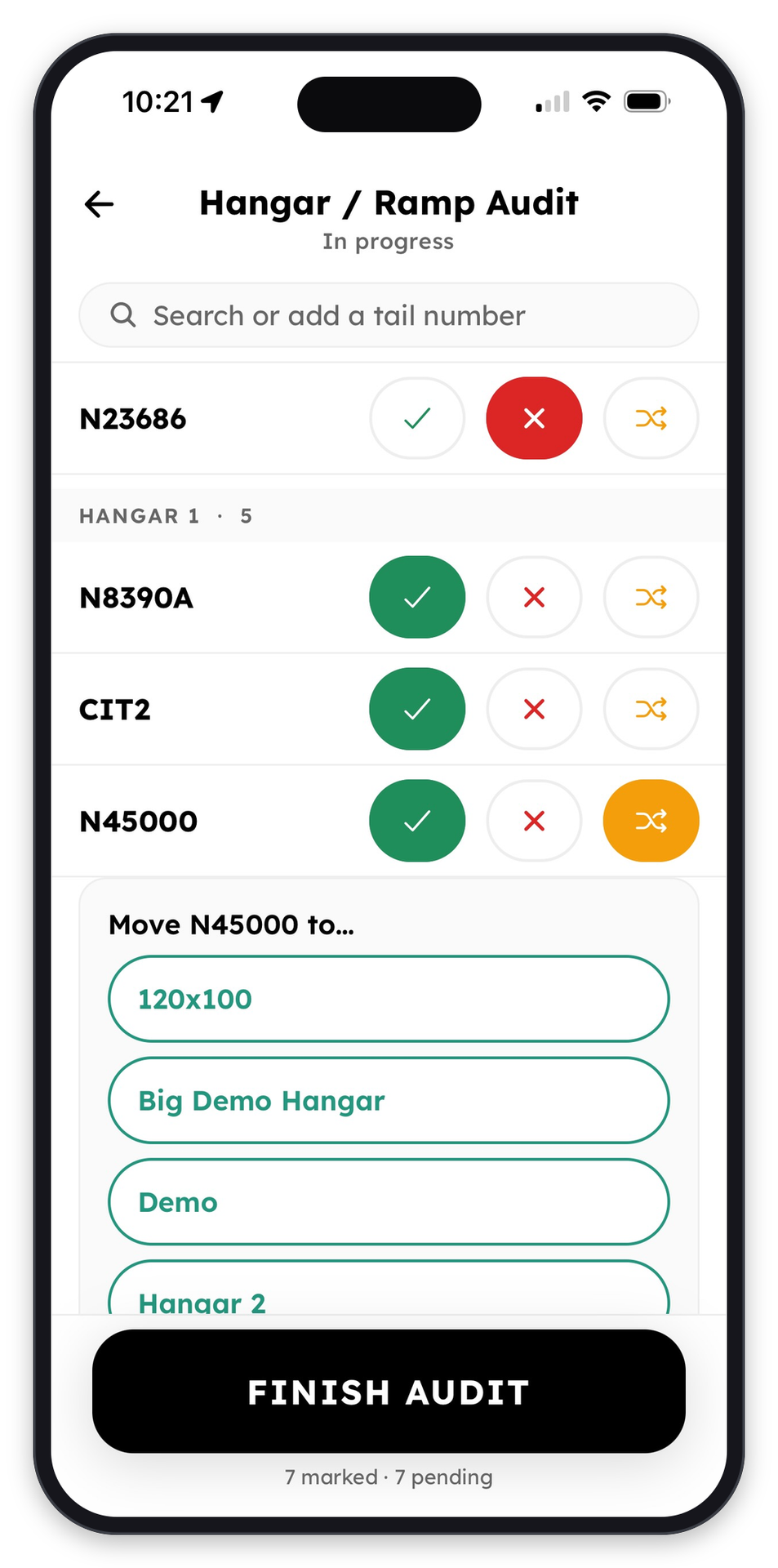
Walk the floor and mark each tail present, missing, or moved. Seven marked, seven to go.
Move aircraft safely
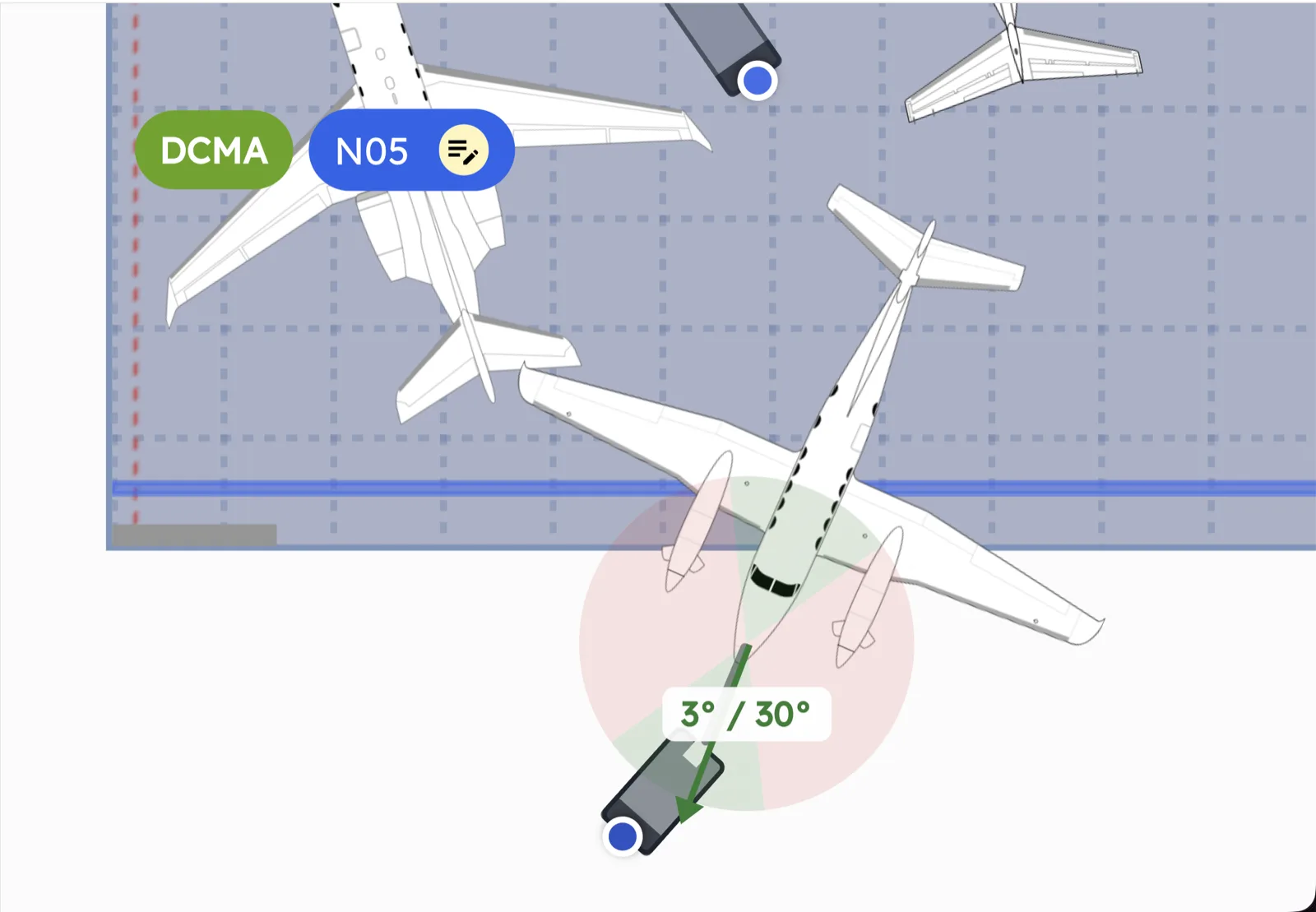
The difference between a clean tow and an expensive one is usually whether the procedure was in someone's hand or in someone's memory. AirPlx Mobile puts it in their hand. Open the aircraft and the checklist that comes up is the one you wrote for that airframe, carrying its tow limits and the people it requires. Every movement runs the same way, whoever is on shift.
- Pre-tow safety checks for that airframe, not a generic list someone learned to skip
- The towing operator and wing walkers the procedure calls for, named before anything moves
- Aircraft-specific towing information: tow limits, gear pins, the infamous "apple"
- Procedures you configure yourself, so the checklist matches your SOP instead of ours
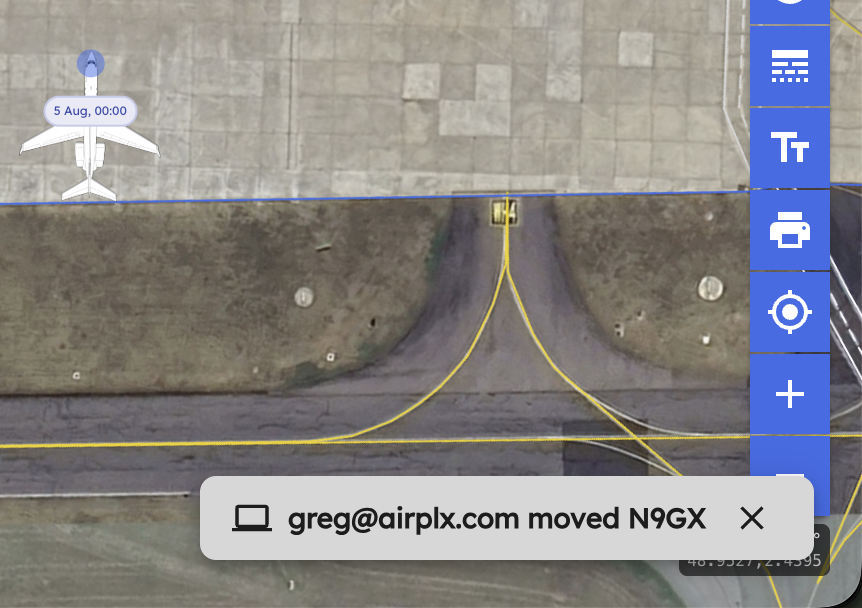
- Tracking during the tow, so the board is right while the aircraft is still moving
- The final location recorded when the tow ends, so nobody has to ask where it went
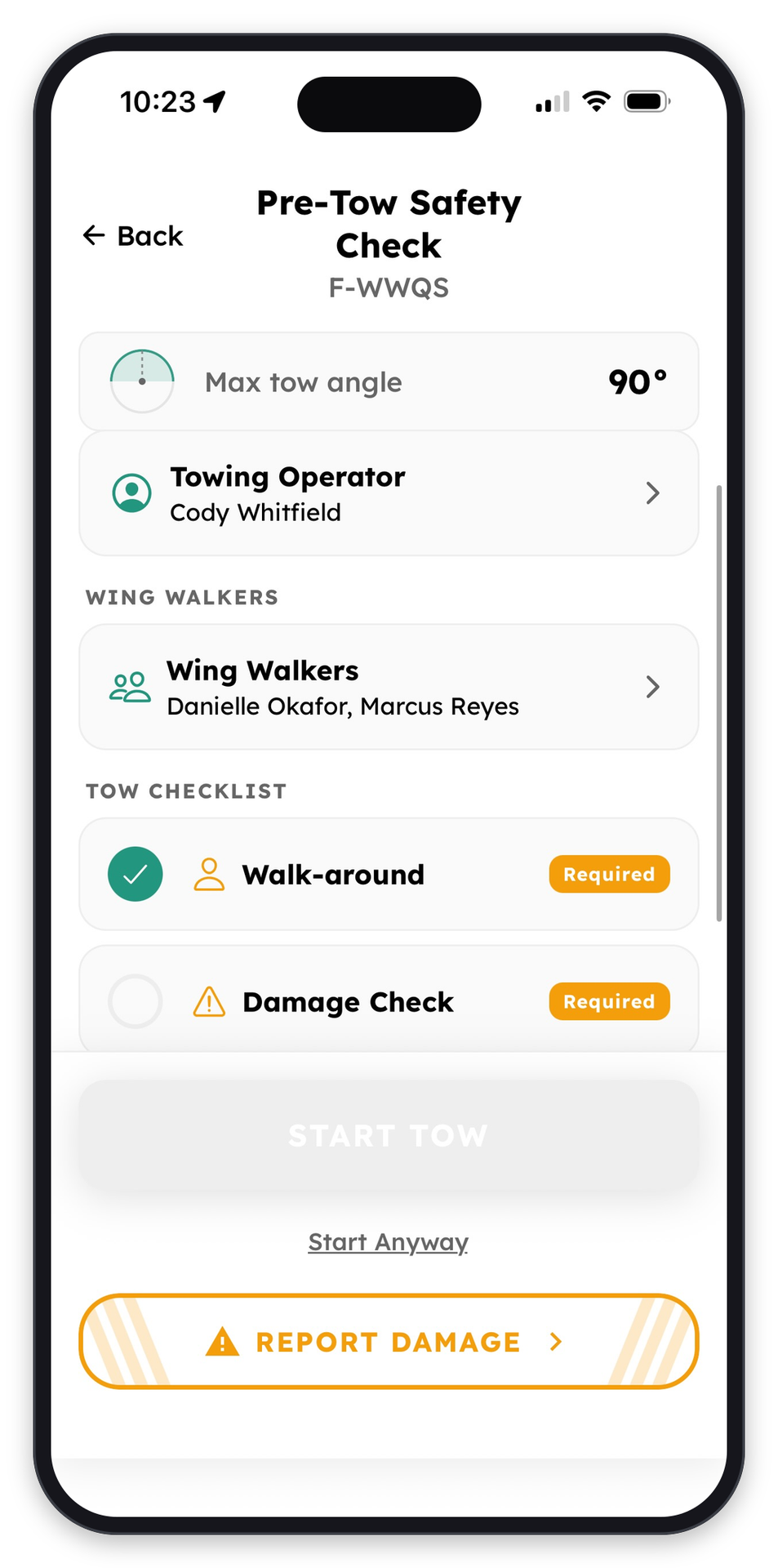
Max tow angle, who is on the tow, and the checks that have to clear. Start Tow stays gray until they do.
Document aircraft condition
Most damage disputes come down to one question nobody can answer afterward: was it like that when it arrived? A walkaround on the phone takes about thirty seconds and settles it in advance. That is the difference between a conversation and an argument.
- Walkarounds with photos and video attached as you go
- Damage marked directly on the aircraft, by tapping the spot on the diagram
- Severity and pre-existing flags, so old damage does not become your problem
- Typed or voice-to-text commentary, because nobody types well in gloves
- Everything attached to that tail number, for good, and there when someone asks in six months
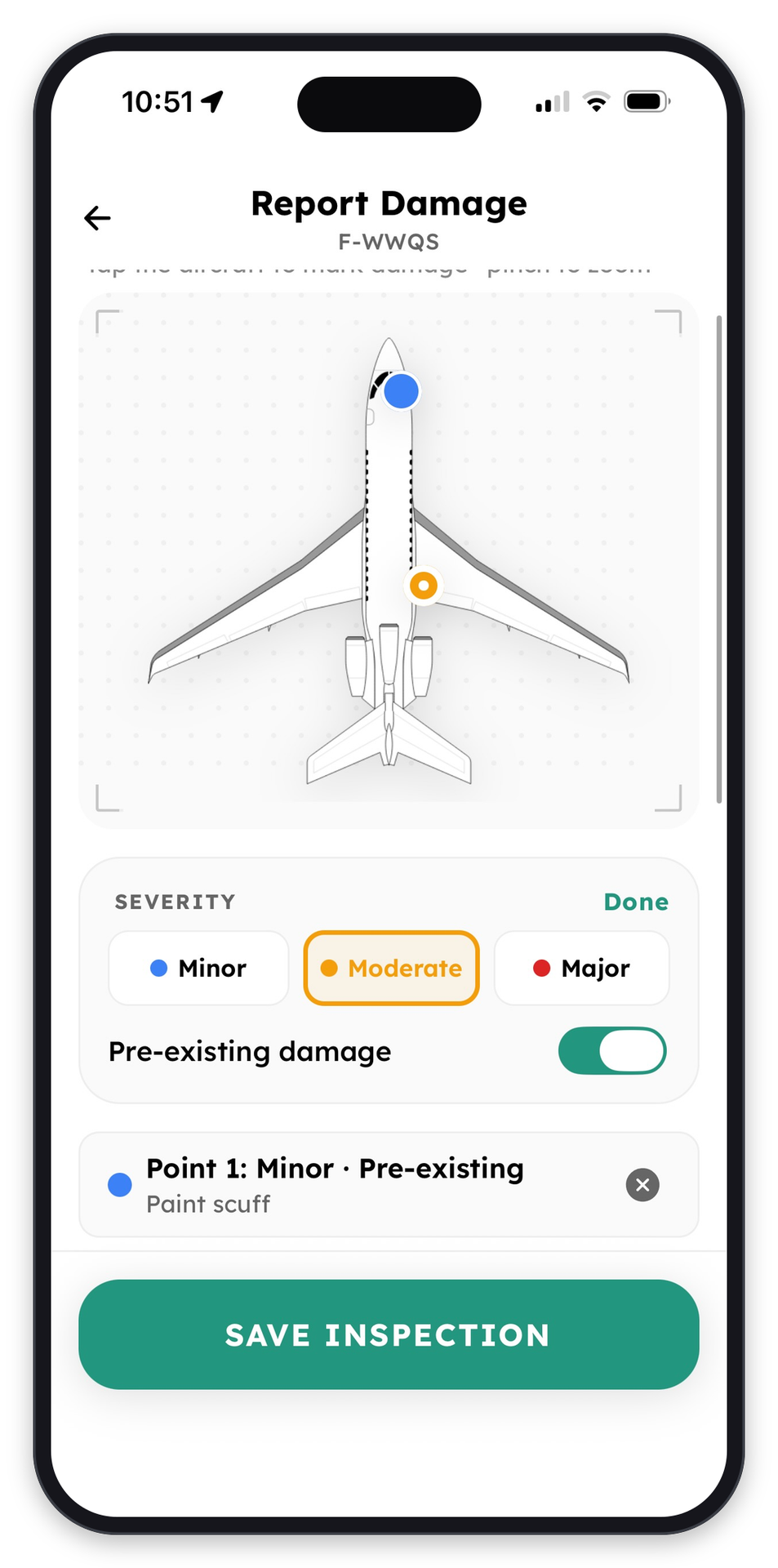
Tap the airframe to mark the spot, set the severity, and flag what was already there. This one is a minor, pre-existing paint scuff.
Stay up to date
The person who finds the problem is rarely the person who needs to know about it. A damage report raised at the aircraft should reach the front desk, the GM, and next week's safety numbers without anyone carrying it there by hand. What happens on the ramp does not stay on the ramp.
- Damage and safety notifications, while the tech is still at the aircraft
- Aircraft arrival updates, so the desk knows what is inbound
- Nightly occupancy, what was on the field when the day closed
- Hangar and ramp logs, what the last walk actually found
- Line activity, who did what and when
- Safety compliance, which required checks were completed
All of it fills in on its own.
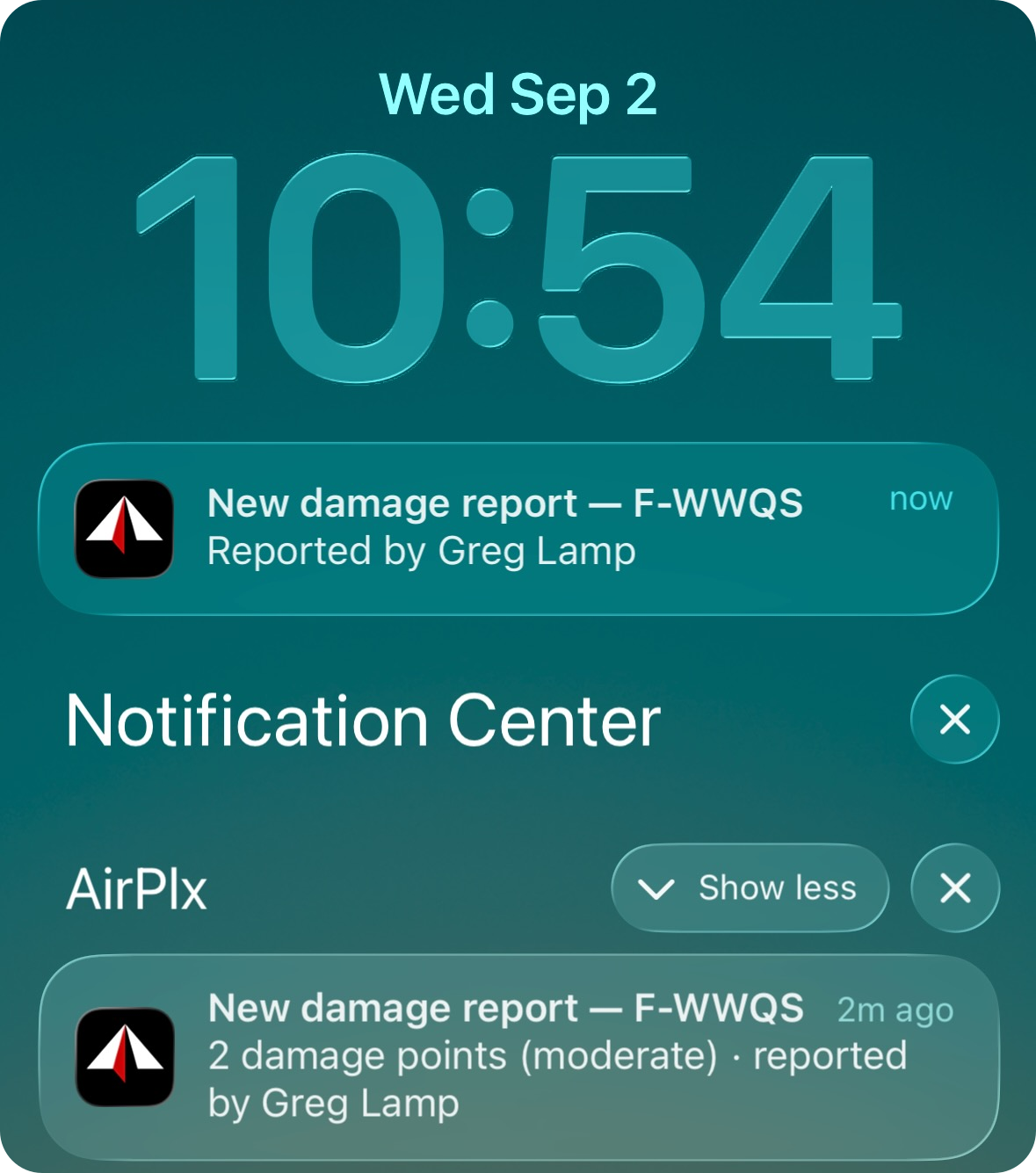
"New damage report, F-WWQS." The office finds out before the tech walks back inside.
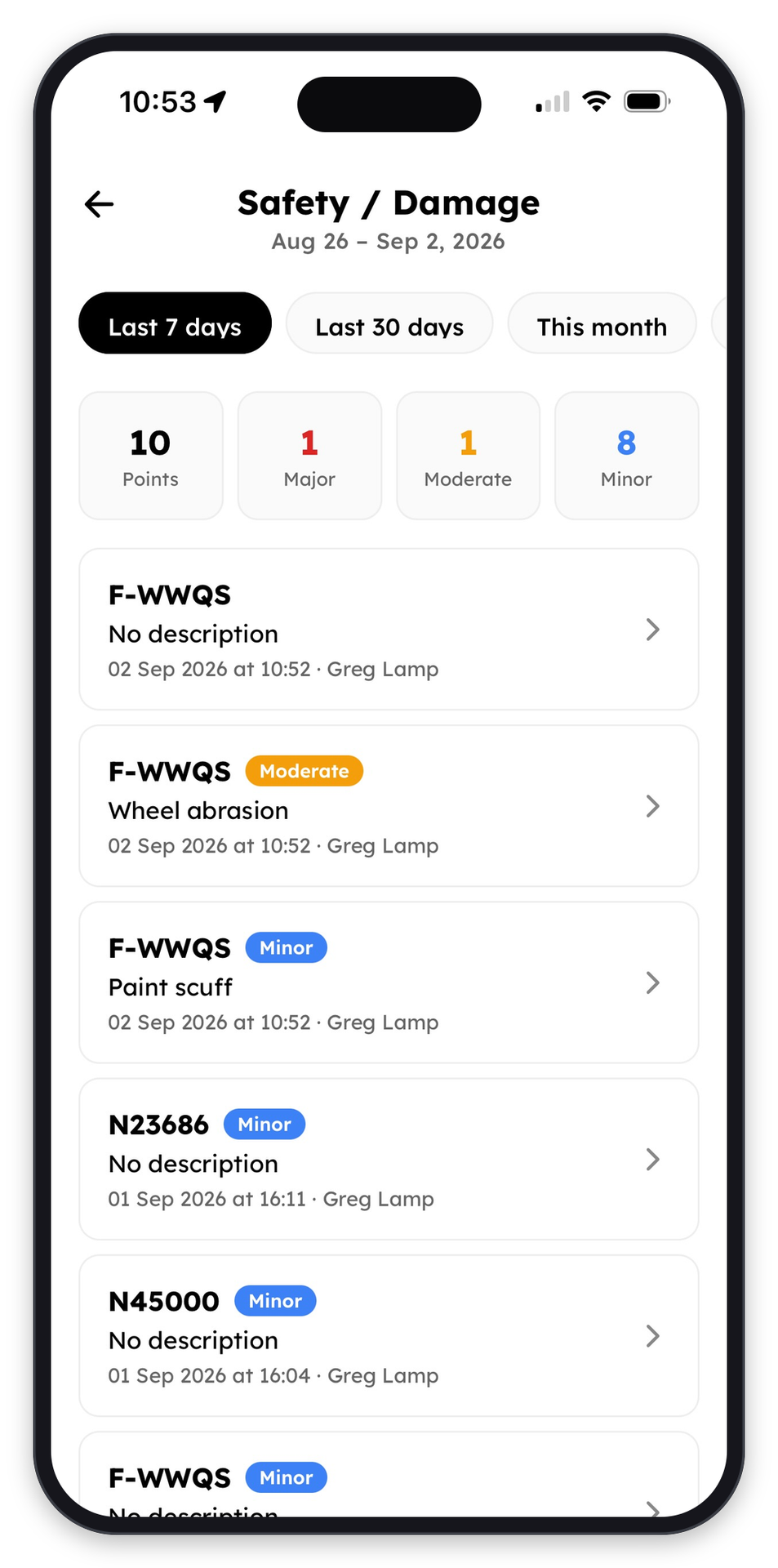
And it is already counted in the week's numbers. Ten points, one major, one moderate.
AirPlx Mobile is ready for your team
Already enabled for your base.
Download for iPhone or Download for Android

Or point a phone camera at either code.
As always, the roadmap is shaped by what you tell us. Email us at hi@airplx.com.
Want to see these features in action? Schedule a quick demo or email us: hi@airplx.com