Track operations
Every shift starts from what the last shift did.
Location, status and movement history stay current, so the picture is already right when somebody opens it.
The outcomeNobody starts a shift by walking the ramp to find out where things are.
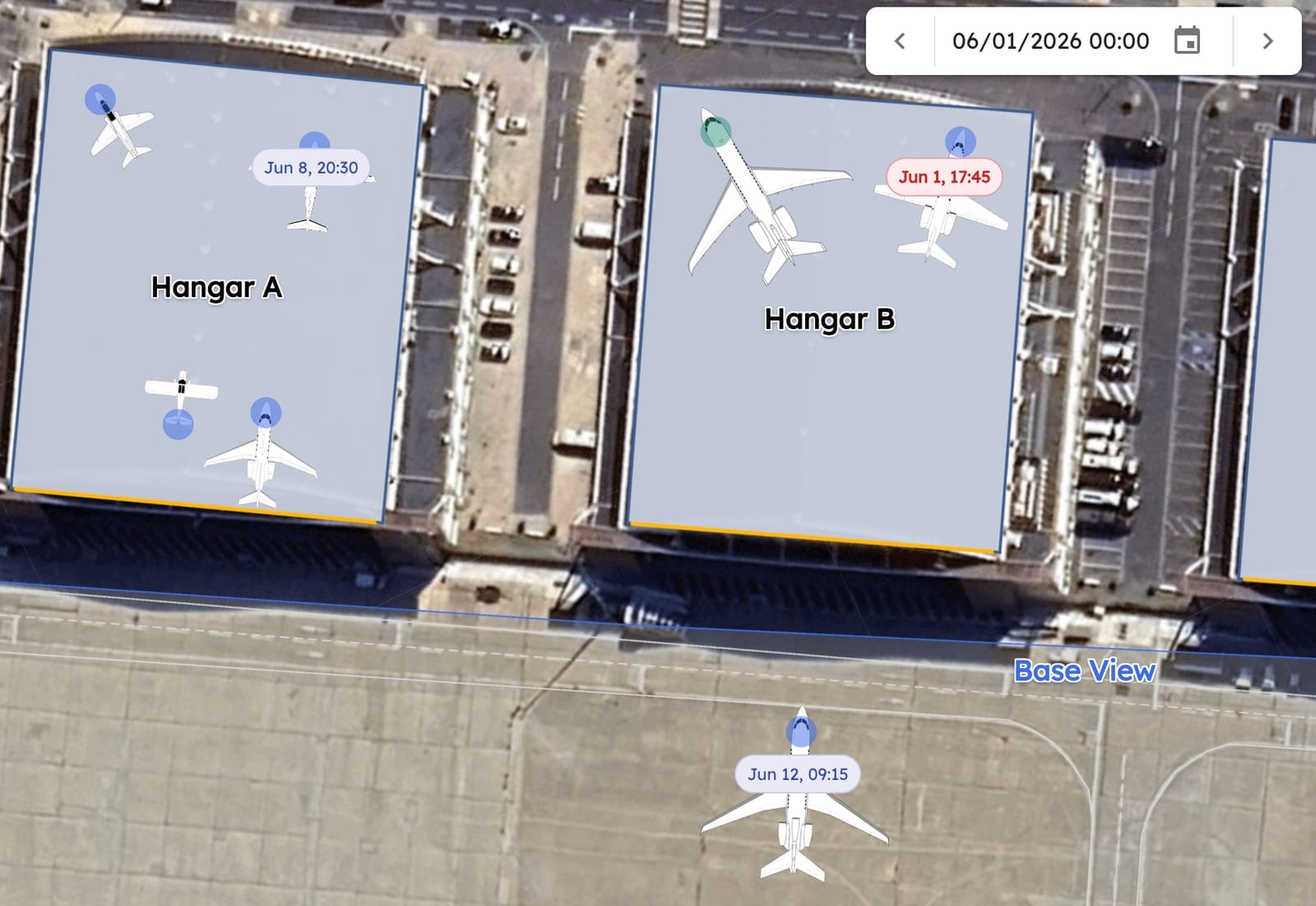
“The team is constantly looking at it, constantly changing it if we need to. Sometimes they even come up and suggest a different way to stack things.”
How it works
Updated where the work happens.
 01
01Update at the aircraft
Location and status change on a phone, at the aircraft, in the moment they change.
- 02
Everyone sees it
Front desk, dispatch and the line are all looking at one current picture.
 03
03History accumulates
Movements, services and condition stack up against the aircraft as the day runs.
 04
04Handover is already done
The next shift opens the same view. There's nothing to brief.
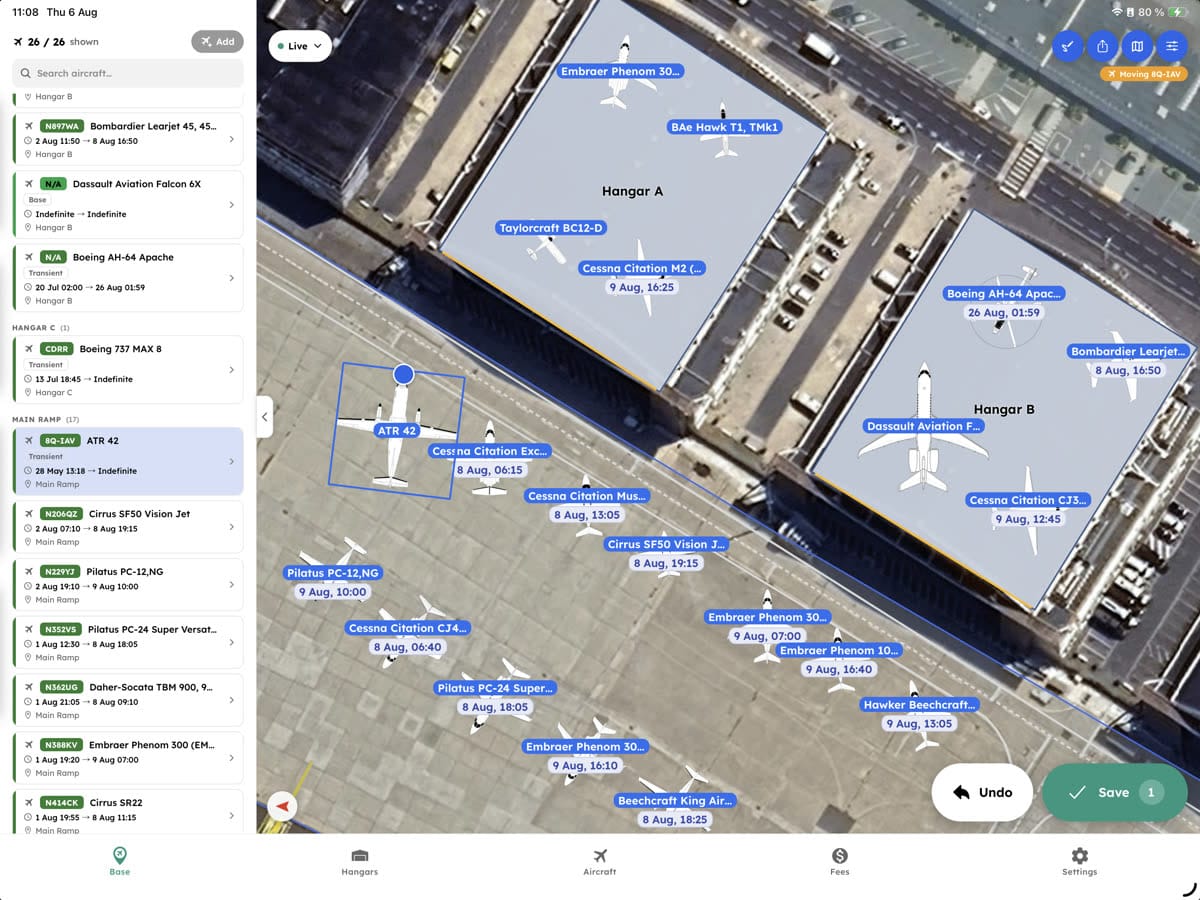
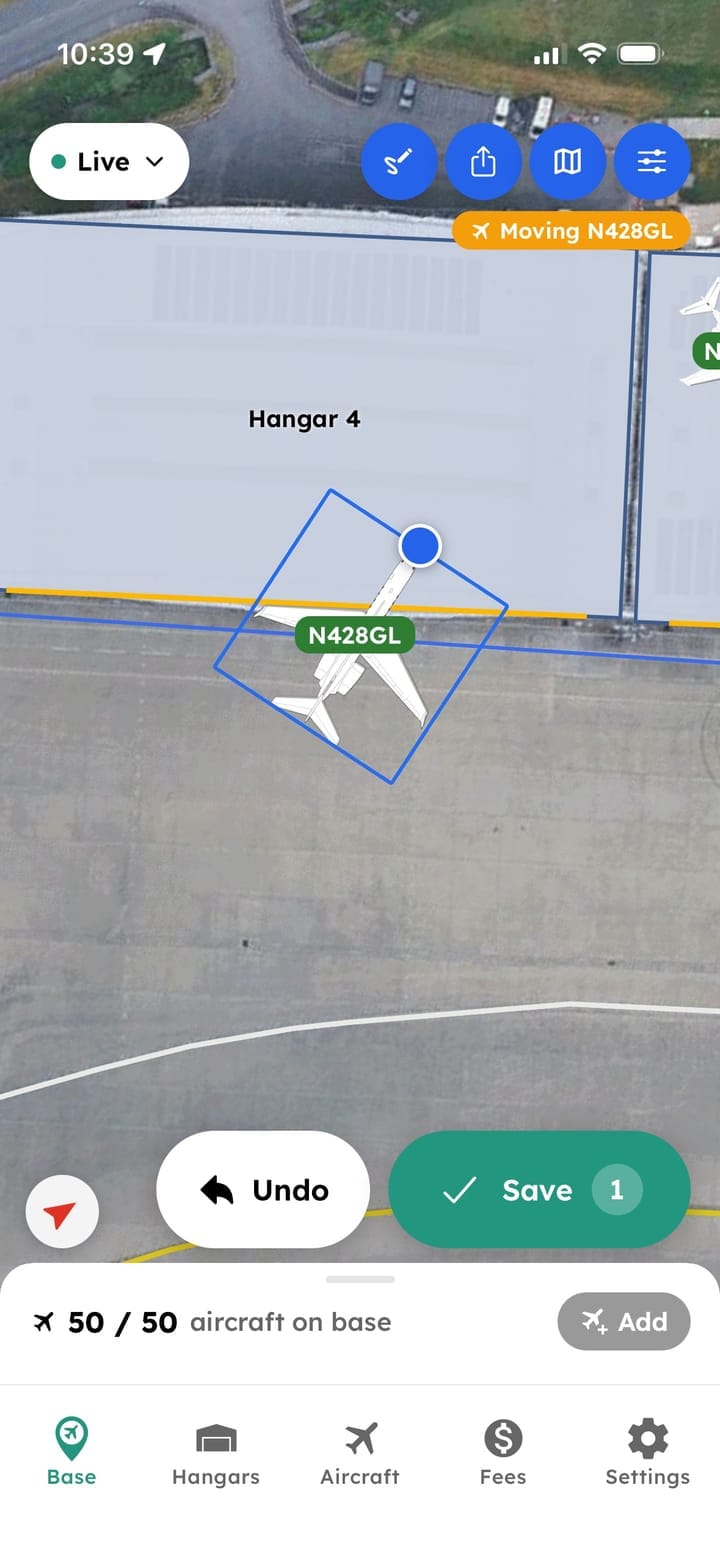
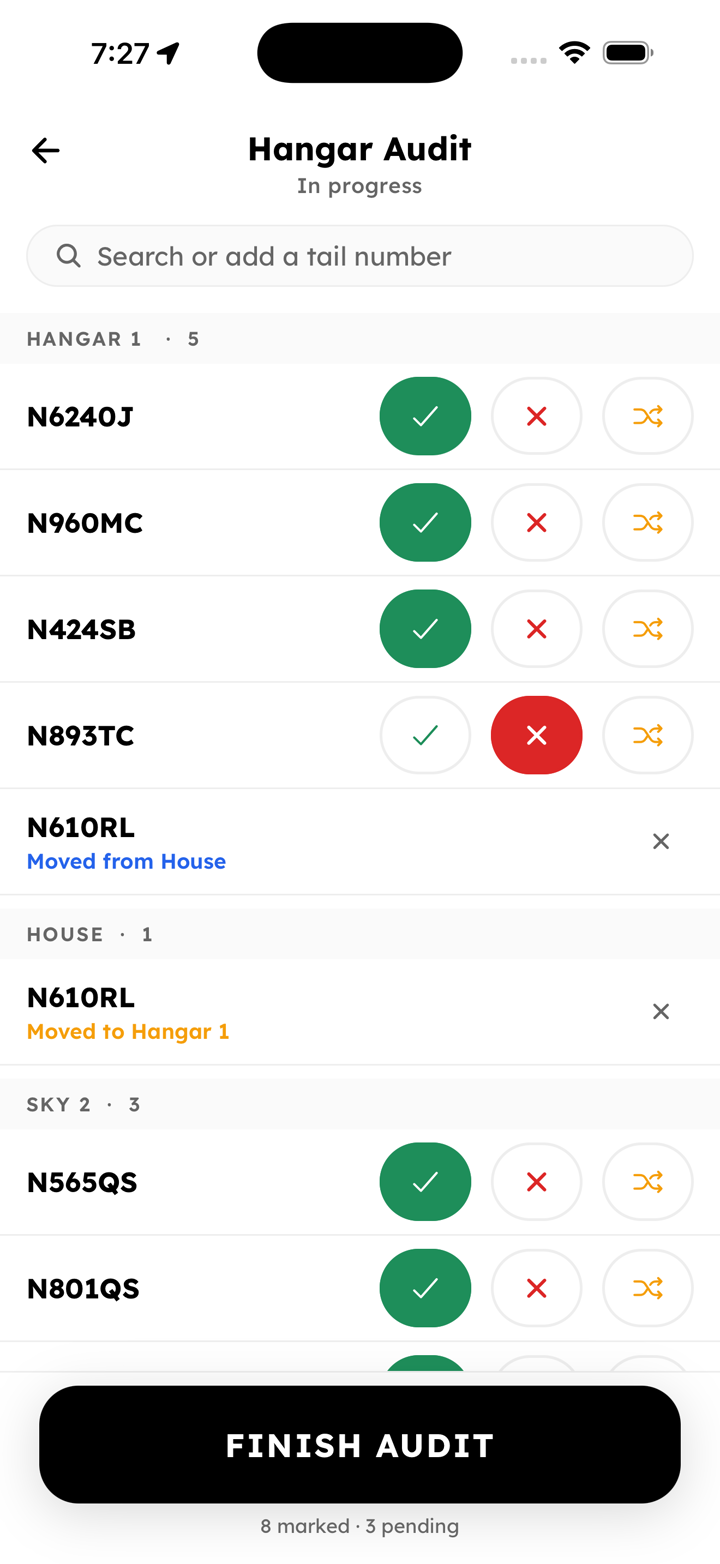
01Update at the aircraft
Simple, because your line team told us to make it simple
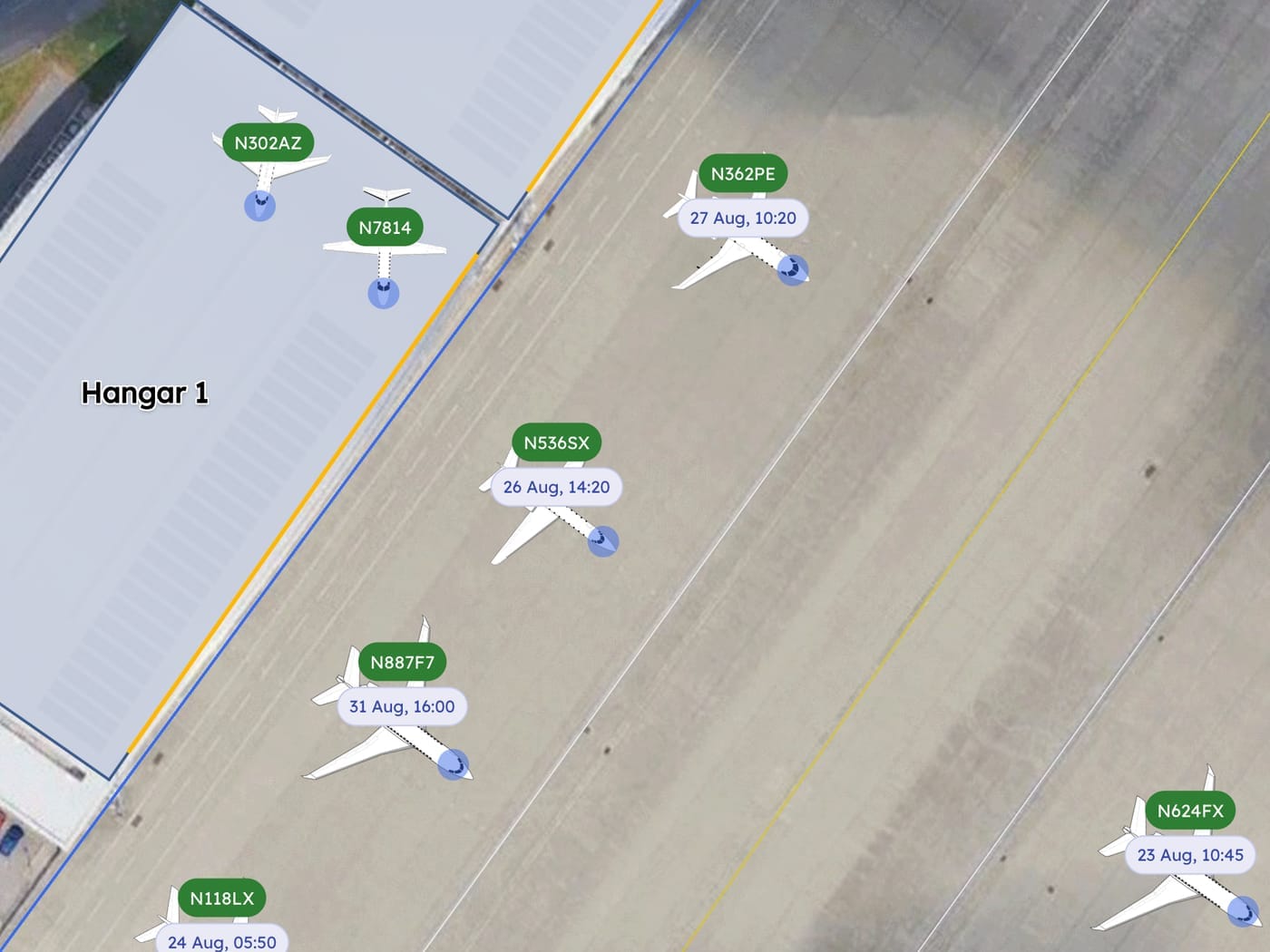
Almost every decision about this screen came from watching line techs use the last version of it. Anything that needs a walk back inside doesn't get done on a busy day, so location updates, status changes and notes all happen out where the aircraft is, in a couple of taps, one-handed.
- Update location and status from the ramp
- Attach notes to the aircraft
- Works one-handed while doing something else
- Nothing to close out back at a desk
02Everyone sees it
The front desk and the ramp, on the same picture
An update made at the aircraft is on the front desk screen before the person who made it has walked away. Nobody relays it over the radio. Nobody keeps a second version of the truth on a clipboard, and then defends it.
- Changes from the ramp appear in the office immediately
- One live view of the base, shared by everyone
- Nobody has to call in to ask where an aircraft went
- The same picture for the line, the desk and management
03History accumulates
The record builds itself while people work
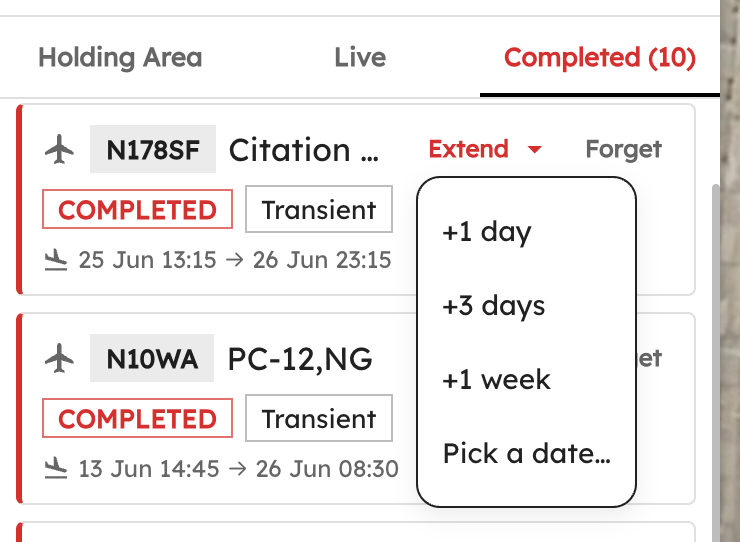
Nobody sits down at the end of a shift to write up what happened. Every move, status change and note is already against the aircraft, which makes the history a by-product of doing the job instead of a job of its own.
- Every completed move logged with person, time and place
- Built while the work is happening
- Searchable per aircraft and across the base
- There when somebody asks about last Tuesday
04Handover is already done
Nothing to hand over at 06:00
Handover is where an operation quietly loses things: the exception nobody mentioned, the aircraft that moved at four. Ten minutes of one person telling another person what they can remember. There is nothing to tell, because it is all already on the screen they both open.
- Movement history for the whole day
- The exceptions written down when they happened
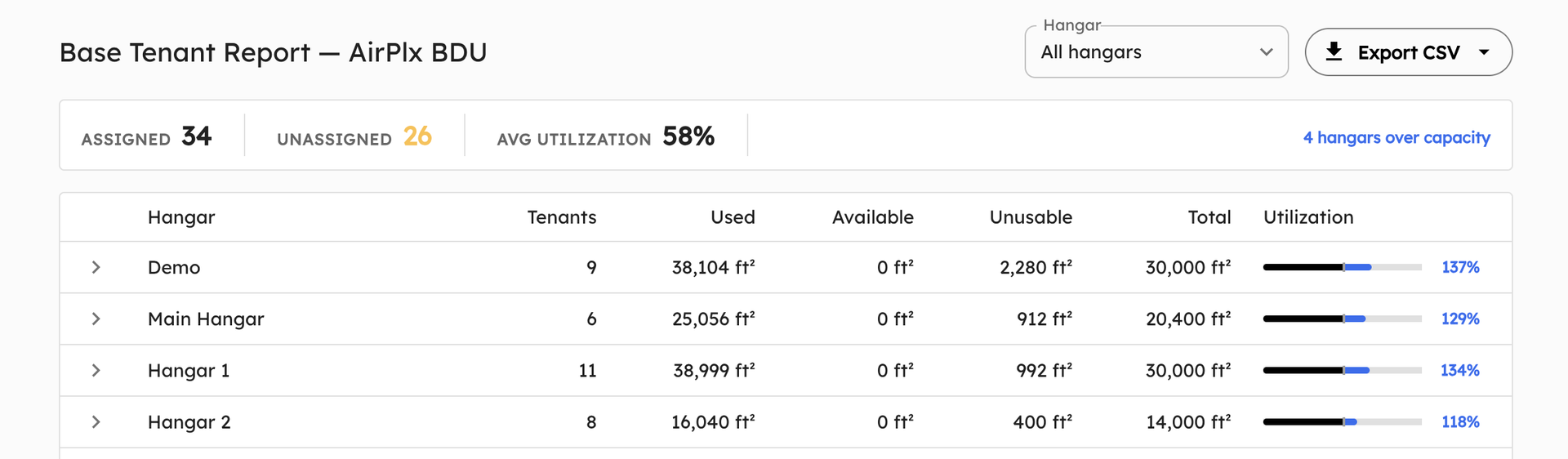
- Reporting on aircraft and time on base
- No ten minutes of somebody remembering
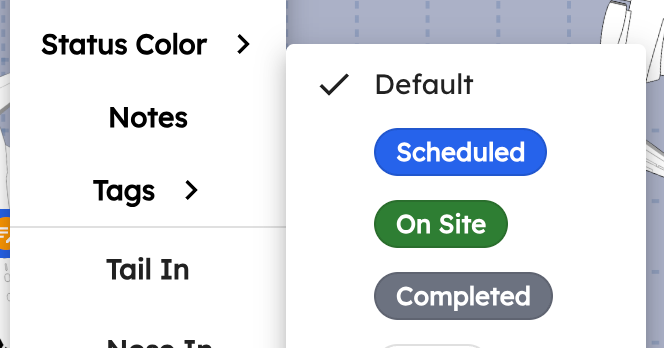
Status
Your operation. Your terminology.
The states on screen should be the ones your team says out loud, so you set them, and you change them again in March when the operation has moved on. No change request, no waiting on us, and nobody translating a generic label into what it means at your base.
- Status labels and colors you set yourself
- Changed whenever the operation changes
- Exact current location, down to the position
- Know where each aircraft is
What it replaces
The handover that lives in a group chat.
- Verbal handovers that lose the exceptions
- Calling the line to ask what happened overnight
- Two people holding different versions of the truth
- Notes on the back of a printed layout
Next

Book a demo
See what your handover could look like.
Think of a shift change that went badly. We'll show you what would already have been on the screen that morning.