What's New in AirPlx: January 2026
Published on February 1, 2026 • 4 min
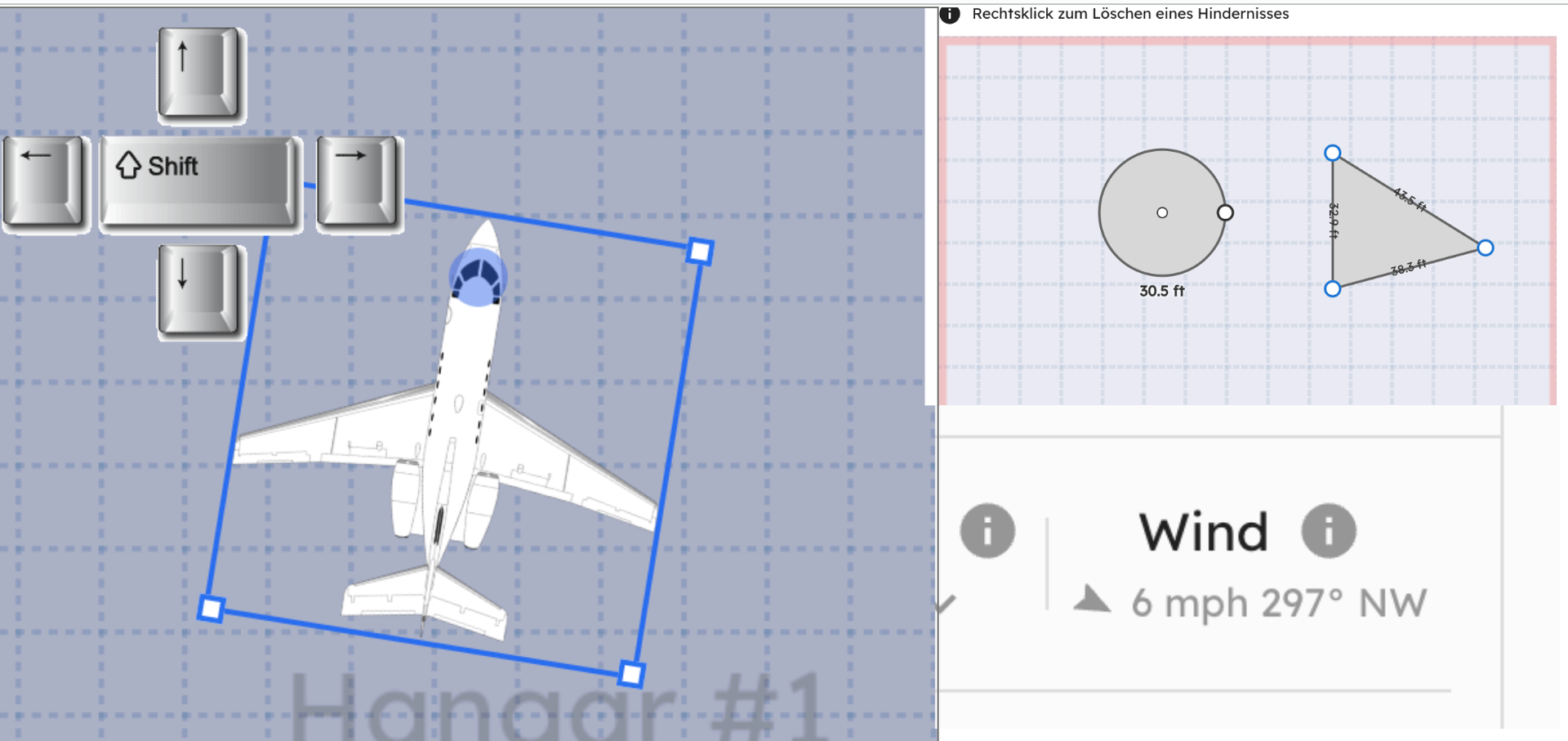
January's update came directly from customer feedback. Every feature on this list? Someone asked for it.
We crave feedback. Seriously. If you're using AirPlx and not asking for stuff, you're missing out. The customers who email us, who message during demos, who send feature requests at 2am—they're the ones shaping what gets built next.
Here's what shipped.
Tail Number Hover Display
Previously, tail numbers were either always visible or always hidden. Simple, but not ideal for every situation.
The new "hover" option shows tail numbers only when you mouse over an aircraft.
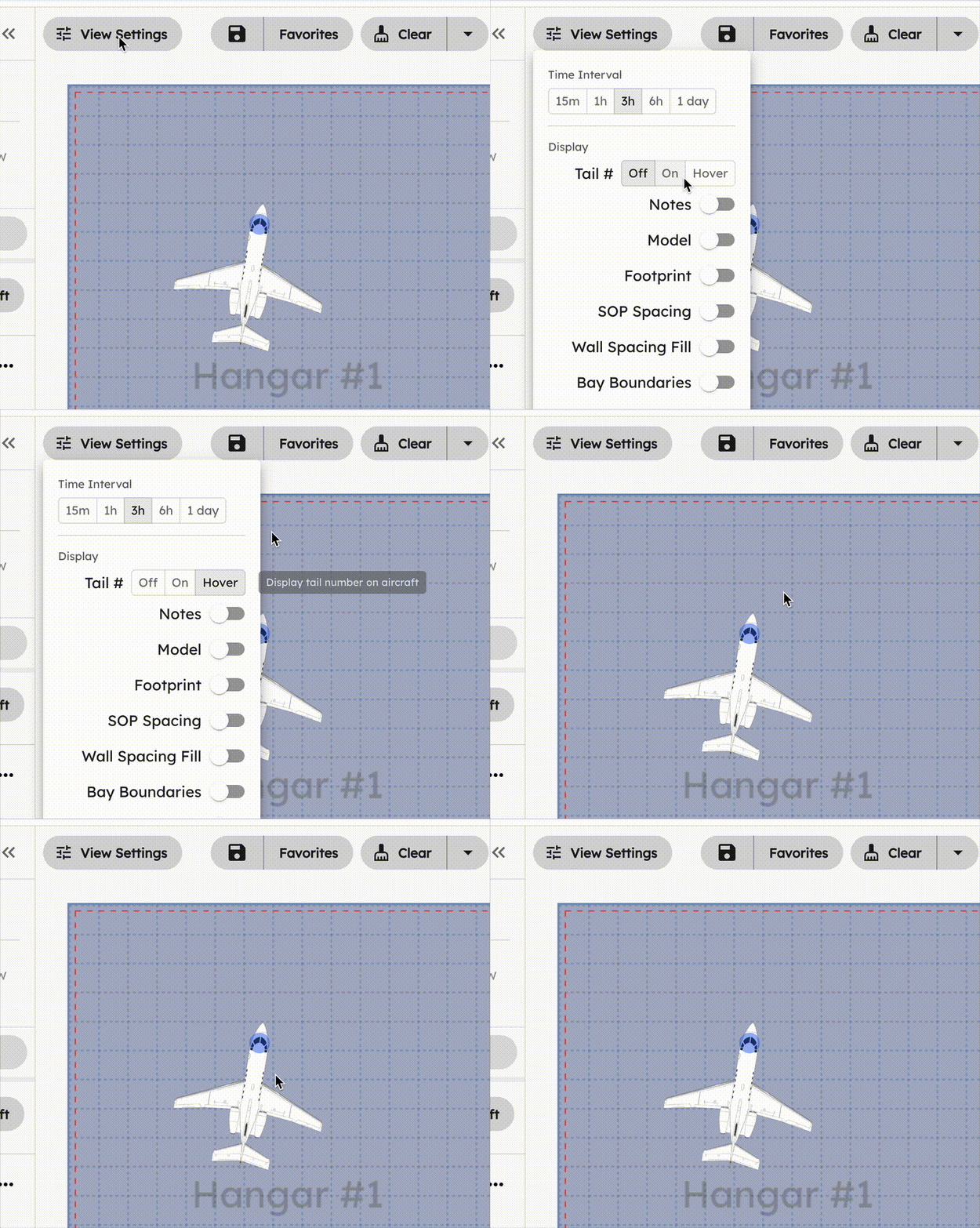 Tail numbers appear on hover, keeping the view clean until you need them.
This works especially well for:
- Large ramp views: When you're looking at 30+ aircraft, permanent labels create visual clutter. Hover gives you a clean overview while keeping tail numbers one mouse movement away.
- Dense hangar layouts: Tightly packed aircraft can have overlapping labels. Hover eliminates that problem entirely.
- Presentations and screenshots: Show a clean layout, then hover to reveal specific aircraft when needed.
The setting is per-user, so each team member can choose their preference. Find it in View Settings > Tail #.
Planning for the next generation of aircraft?
AirPlx includes 800+ aircraft models with verified dimensions. Stack your hangar before the aircraft arrives.
See AutoStack in actionKeyboard Shortcuts for Aircraft Movement
Moving and rotating aircraft with the mouse works fine. But when you're positioning 20 aircraft in a hangar, fine adjustments get tedious.
You can now use keyboard shortcuts:
- Arrow keys: Move the selected aircraft in any direction
- Shift + Arrow keys: Rotate the aircraft
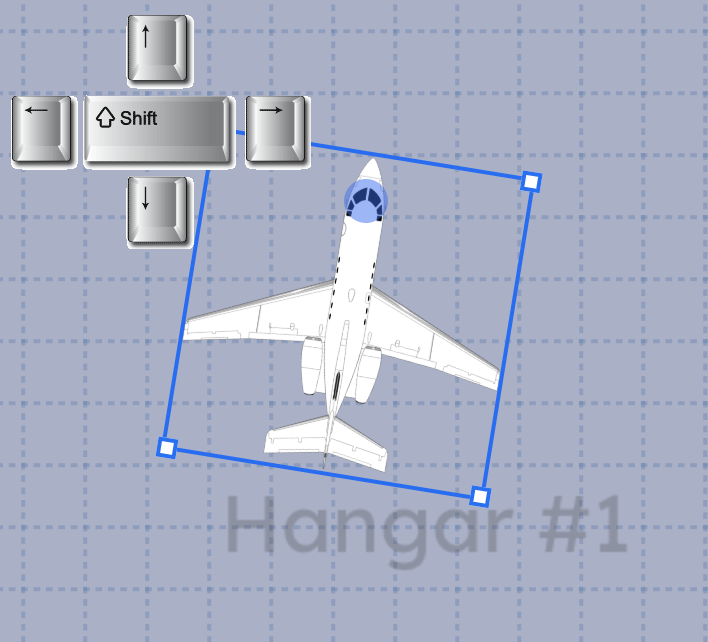 Arrow keys move, Shift + arrows rotate.
Each keypress moves the aircraft by one grid unit or rotates by 5 degrees. Hold the key down for continuous movement.
This is particularly useful for final positioning when you need to nudge an aircraft a few inches without overshooting. Select the aircraft, tap the arrow key, done.
New Obstacle Types
Hangars have weird stuff in them. Fire suppression panels that stick out at odd angles. Support columns that aren't square. Equipment zones that don't fit a rectangle.
Previously, AirPlx only supported rectangular obstacles. That worked for most cases, but not all.
You can now add circular and polygon obstacles to your hangar layouts.
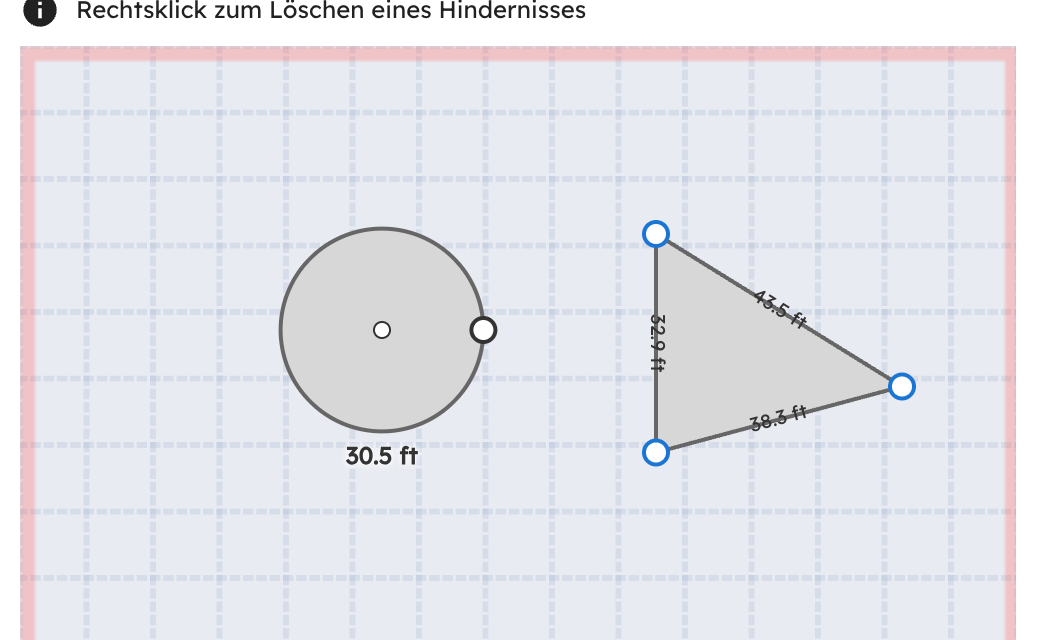 Circle and polygon obstacles for columns, curved walls, and irregular equipment zones.
Circles work for round support columns, fire extinguisher stations, or any cylindrical obstruction. Polygons let you trace irregular shapes: angled walls, L-shaped equipment zones, or those weird multi-sided structural elements that architects apparently love.
The aircraft stacking algorithm respects these new shapes the same way it handles rectangles. Draw the obstacle once, and AirPlx routes aircraft around it automatically.
Real-Time Wind Conditions
Wind direction matters for ramp operations. Which way aircraft are positioned, where you stage equipment, how you plan pushbacks—all of it depends on current conditions.
AirPlx now displays real-time wind data directly on the ramp view.
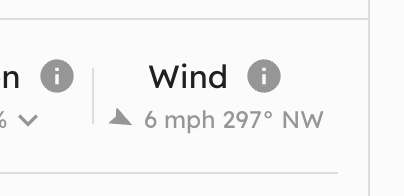 Current wind direction and speed, updated automatically.
The wind indicator shows direction (as an arrow) and speed. Data updates automatically based on the nearest weather source for your location.
For FBOs with specific wind operation thresholds—like suspending ramp activity above 25 knots—this keeps that information front and center without switching to a separate weather app.
Location-Specific SOP Overrides
Different hangars have different rules. Maybe Hangar A allows aircraft facing either direction, but Hangar B requires all aircraft nose-out. Maybe your main ramp has 10-foot spacing requirements, but the overflow ramp uses 15-foot.
You can now set SOP overrides at the hangar or ramp level.
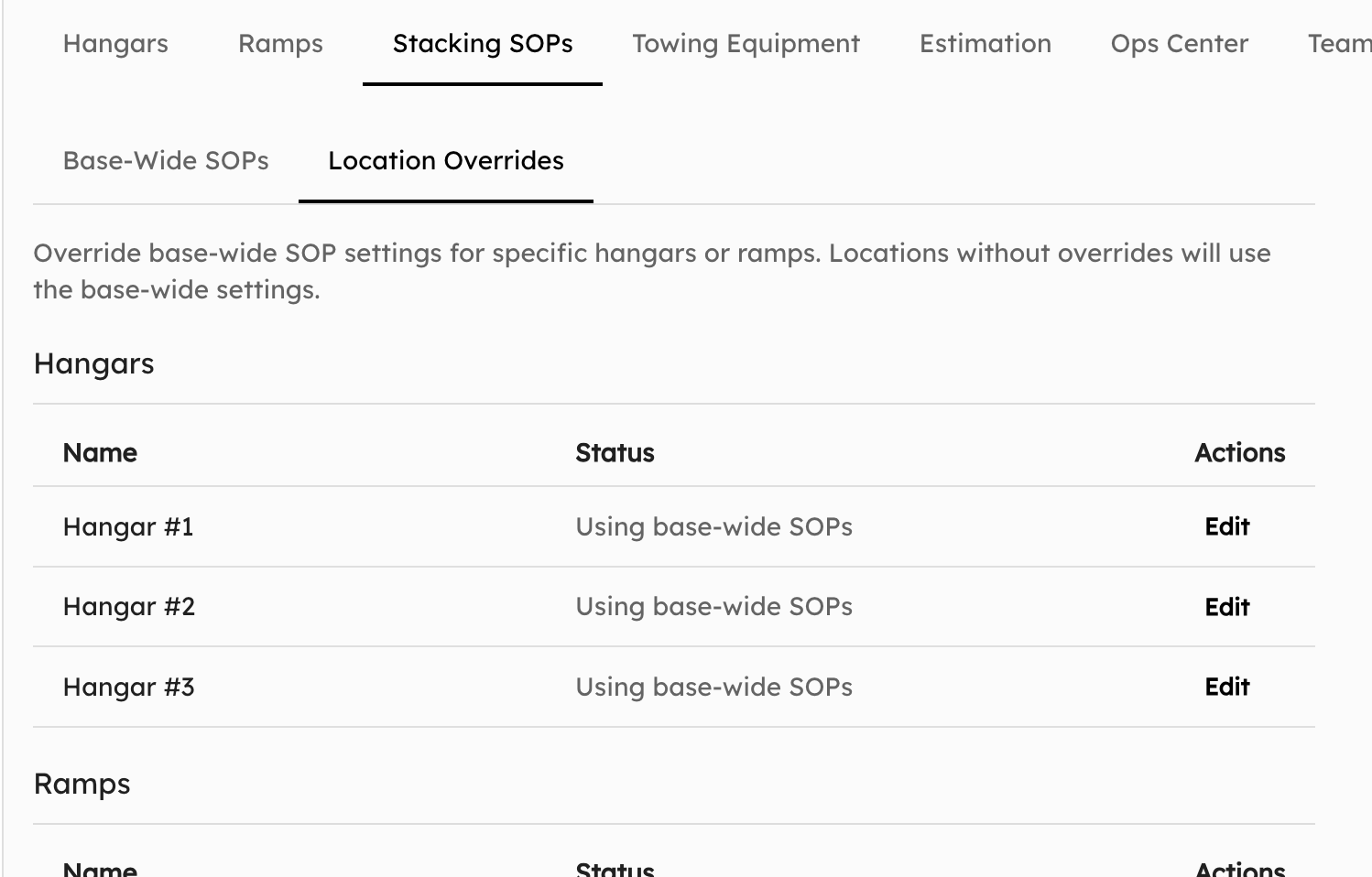 Override default SOPs for specific locations.
Available overrides include:
- Horizontal spacing
- Vertical spacing
- Overlapping
Set your organization-wide defaults as usual, then customize individual locations as needed. The stacking algorithm automatically respects location-specific rules when generating layouts.
More Aircraft
We've added 8 new aircraft to the library this month, including the Stinson 108-3.
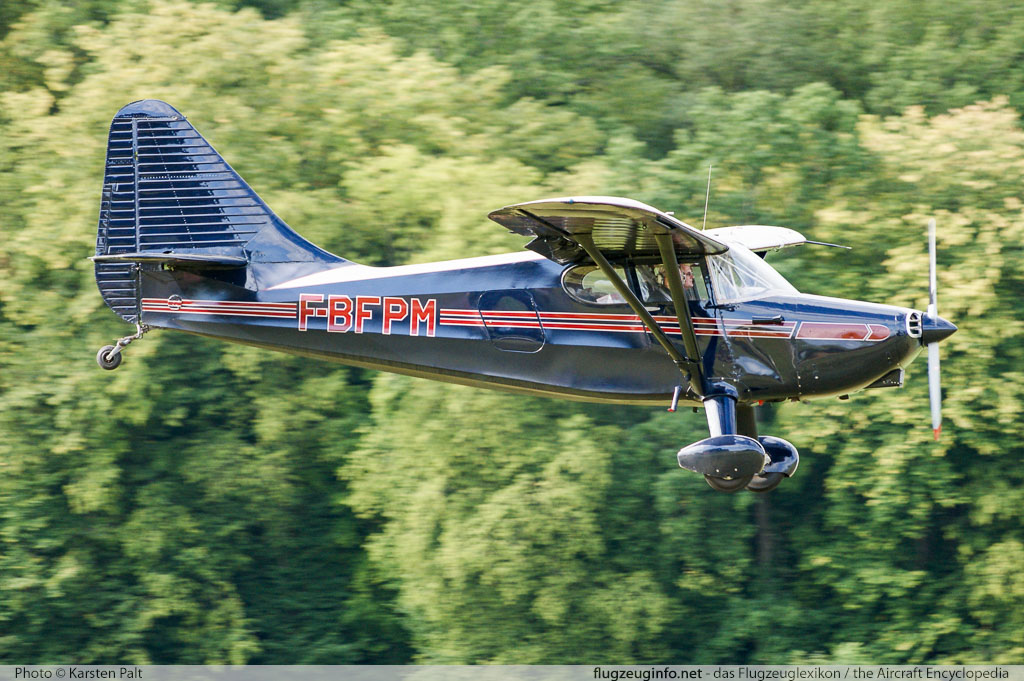 The Stinson 108-3, one of 8 new aircraft added this month.
If you need an aircraft that's not in the library, let us know at hi@airplx.com and we'll add it.
More Towing Equipment
We've expanded the equipment library with additional tug and towbar models. If you're using equipment that wasn't previously available, check the updated list in Settings > Towing Equipment.
Alpha Support for German
AirPlx now supports German (Deutsch) as an interface language.
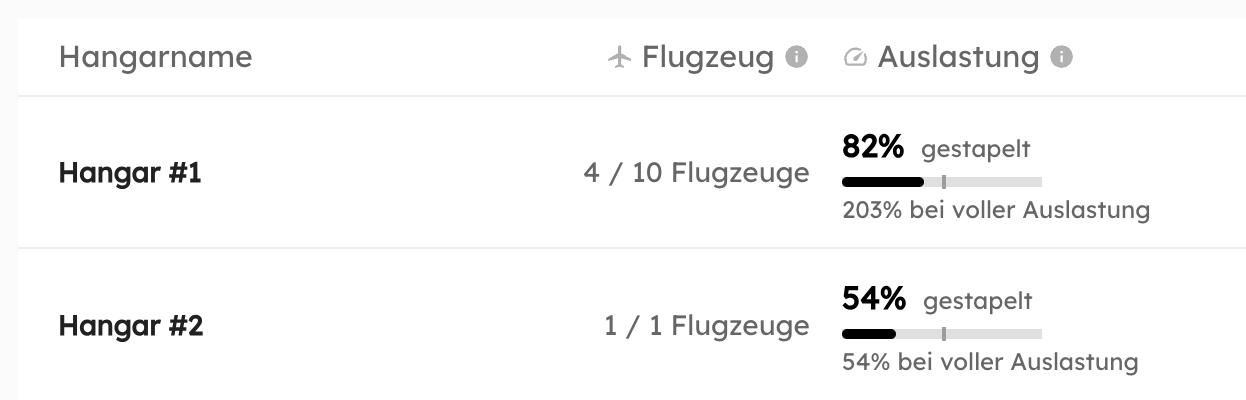 German interface with aviation terminology translated by native speakers.
This is an alpha release, meaning we've translated the core interface but are still refining edge cases. If you spot a translation that doesn't quite work (or worse, is just wrong), let us know: hi@airplx.com.
Like our Spanish and French translations, we worked with native German speakers to get the aviation terminology right. Generic translation tools don't understand the difference between "Schleppen" (towing) and "Ziehen" (pulling), but your German-speaking staff does.
German joins English, Spanish, and French as available interface languages. Each team member can select their preference independently in Settings.
Bug Fixes
- Tenant page loading: Fixed an issue where the Tenant management page occasionally wouldn't load on first attempt. Root cause was a race condition in the data fetch. Now loads reliably.
What's Next
We're continuing to expand language support based on customer locations. If your team needs a language we don't yet support, let us know.
Keyboard shortcuts are just the beginning of faster workflows. We're exploring additional shortcuts for common operations like duplicating layouts, switching between hangars, and quick-saving positions.
Questions about these features? Schedule a quick demo or email us: hi@airplx.com
Related Articles

Start AutoStacking
See how AirPlx plans, parks, and predicts your ramp moves in one place
 Copyright 2024, AirPlx, Inc.