What's New in AirPlx: April 2026
Published on May 6, 2026 • 5 min
April was a heavy month. Seven features, five new aircraft in the library, an infrastructure win on tail-number resolution, and a handful of bug fixes. If this month had a theme, it'd be "open the app, see your whole operation."
We love feature requests. If you're using AirPlx and not telling us what's bugging you, other customers are making those decisions for you. Email us: hi@airplx.com.
Here's what shipped.
Base View
How many hangars and ramps are you bouncing between just to read your operation? If you've got more than three, you've probably wished for one screen that shows everything where it actually sits.
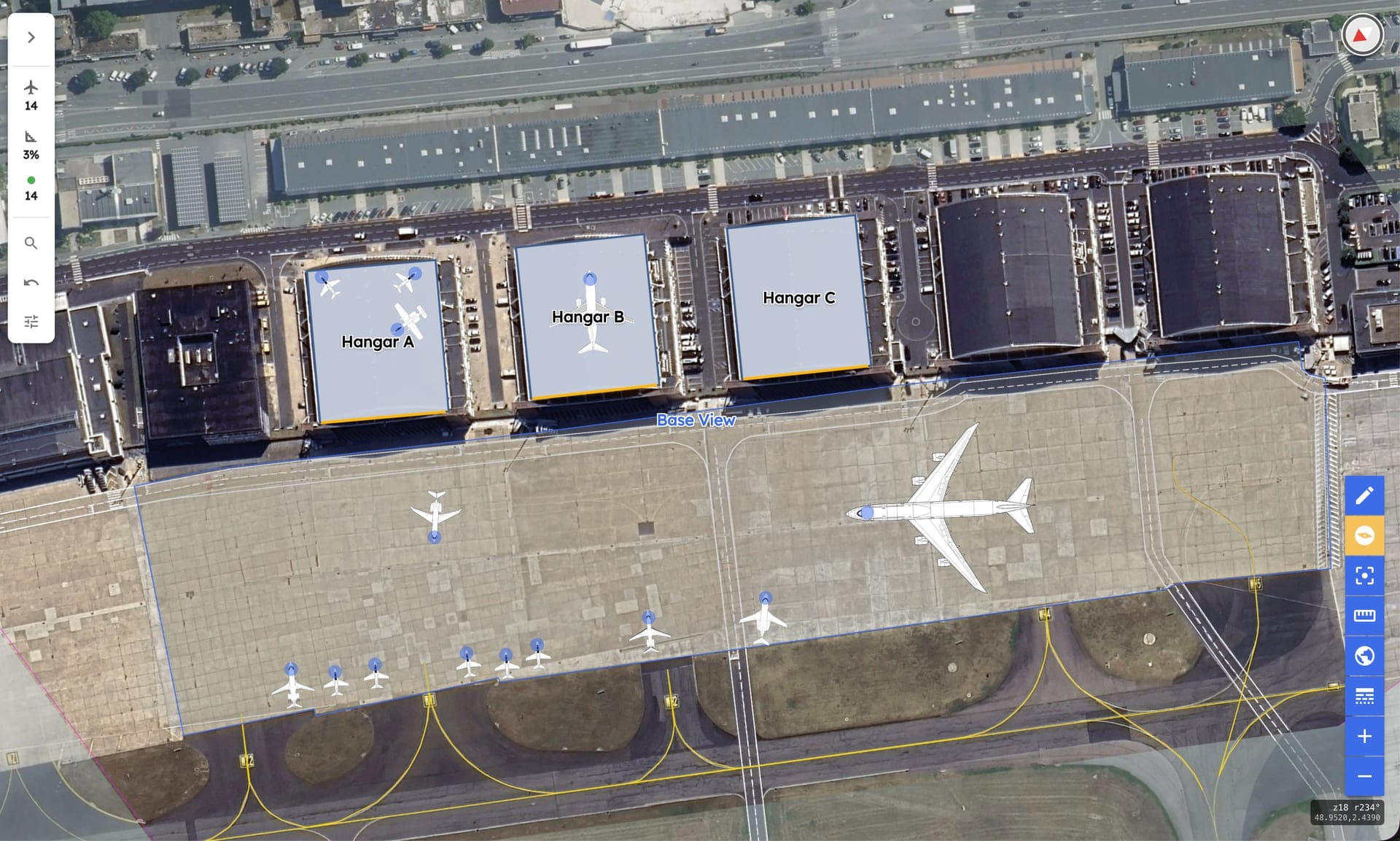
Base View is that screen. Every hangar and ramp at your FBO, stitched together on a single aerial map at their real-world coordinates, with aircraft positioned on the actual building footprints. It's the closest thing to walking out onto the ramp without the jet wash.
Base View. Every hangar and ramp at their real coordinates. Aircraft sit on the actual buildings.
Drag an aircraft and it moves. Drag it from one hangar to a neighboring ramp and the assignment updates everywhere: schedule, hangar view, mobile. No more "let me close this tab and open that one." The same gestures that work in the individual hangar view work here, just at field scale.
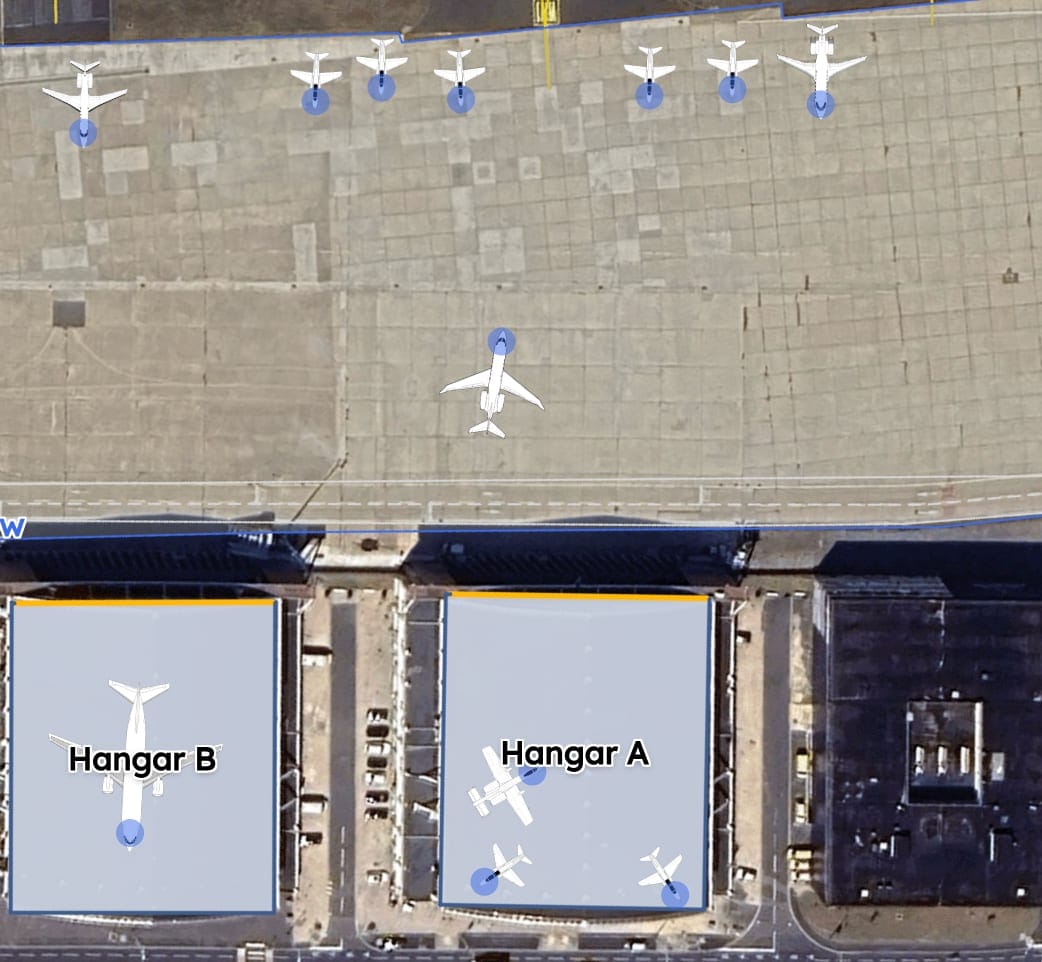
Drag an aircraft across the field. The assignment updates everywhere it shows up.
A note on the imagery: when we set up Base View for your FBO, we clean up the satellite tile so you're looking at an empty field. No random jets, no fuel trucks, no parked GSE in the background. We also overlay any new ramp pours, hangar expansions, or under-construction areas that the aerial provider hasn't caught up to yet. The map you're looking at should match the field you're standing on, not the field somebody flew over two years ago.
A few keyboard shortcuts worth knowing. These quietly add up over a shift:
+/-to zoom in and outShift + ←/Shift + →to nudge map rotation by 1°⌘K(Mac) orCtrl + K(Windows) to toggle the Base Overview side panel and jump straight into search
Tooltips on each control show the binding if you forget.
It's available now in the side nav.
Planning for the next generation of aircraft?
AirPlx includes 1,000+ aircraft models with verified dimensions. Stack your hangar before the aircraft arrives.
See AutoStack in actionBase Tenant Utilization Report
Where does each base tenant actually live, and how much of your hangar is committed to long-term storage versus open for transients?
This one came directly from Jeff at one of our partner FBOs. He wanted a single page that showed, per hangar, who's based there, how much square footage is committed, and where the gaps are. Reasonable ask. Here it is.
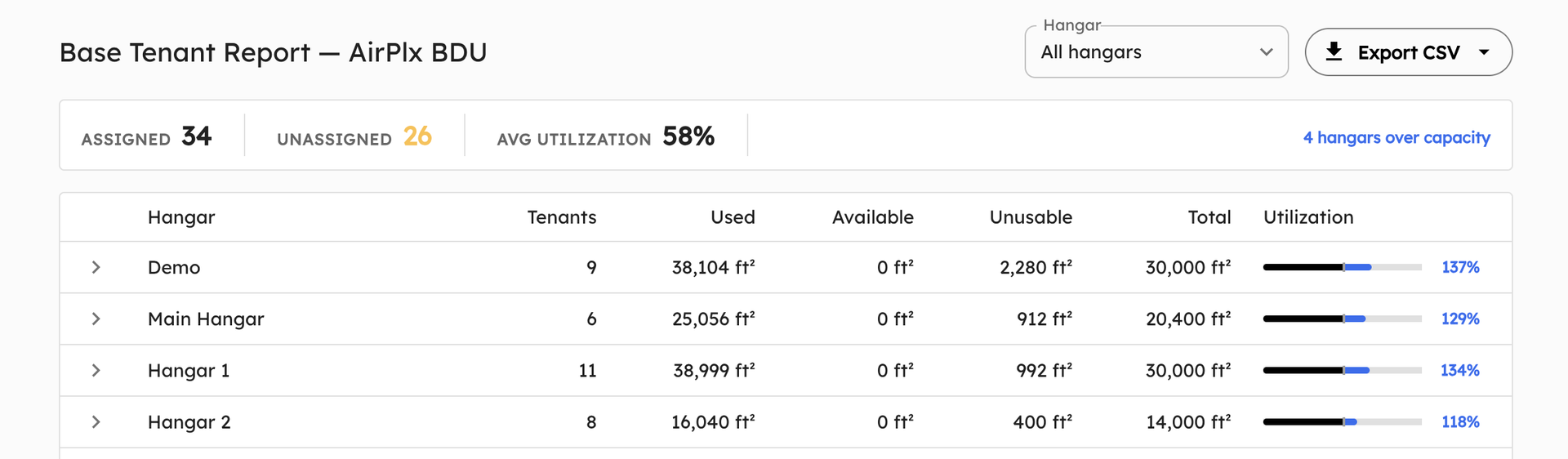
One row per hangar. Capacity bars, assigned vs. unassigned tenants, and over-capacity flags up front.
Each row is a hangar. You see assigned and unassigned tenant counts, total and unusable square footage, and a capacity bar that highlights anything over 100%. Click a row to expand it inline and see the actual tenant list. No separate page, no drilling down through navigation.
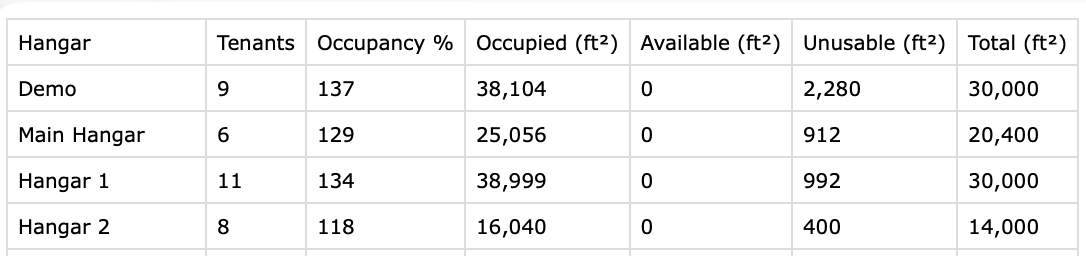
Same data, spreadsheet-ready. Hand it to billing or finance and they'll know what to do with it.
Every report exports cleanly to CSV. Hand the file to billing and they can stop chasing you for monthly tenant reconciliations.
Find it under Reports > Base Tenant Report. And if there's a custom report you've been building in a spreadsheet because we didn't have it, tell us. Most of what's in the Reports section started as a one-line email from a customer.
In-App "What's New" Announcements
We've been writing these monthly recaps for a while now. We're proud of them. We also know that almost nobody finds them. You're heads-down running an FBO, not browsing a software vendor's blog.
So we built a path inside the app. Product updates now show up in AirPlx itself: a help icon in the side nav with a small dot when there's something you haven't seen. Click it and you get the most recent announcements with a one-line description and a link out to the full post (yes, like this one).
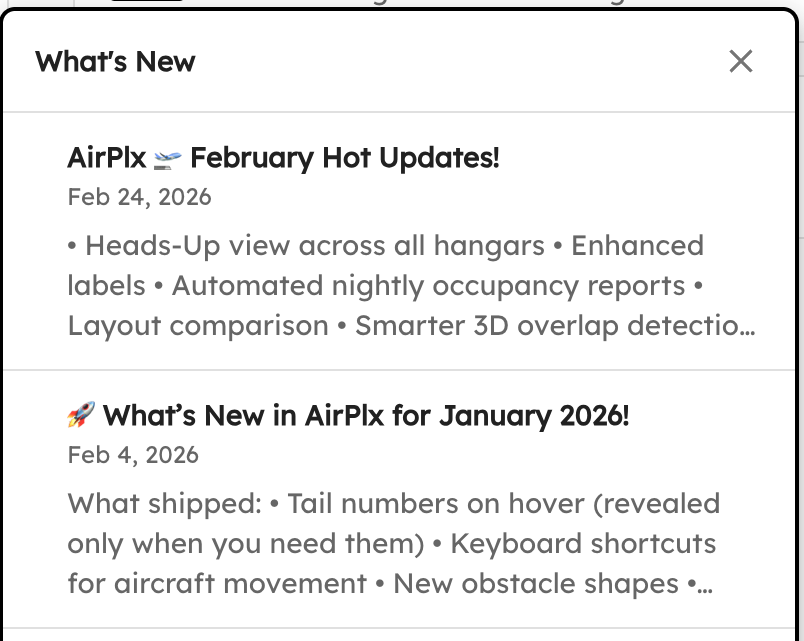
Side nav → unseen dot → announcement cards. The dot clears once you've opened the popover.
For the ops team that doesn't read marketing emails (i.e., almost all of our users), this is the path. The blog isn't going anywhere — these monthly recaps are still where the details live — but now you don't have to remember to come look for them.
Faster Tail Number Resolution
How fast can we resolve a tail number we don't already know? Today, about five seconds.
Some context: AirPlx already covers an estimated 95% of active tail numbers out of the box, including the international, recently re-registered, and otherwise unusual ones. The cases this feature actually targets are the real long tail: delisted or blocked tails (think aircraft on the FAA's LADD program), plus tails that simply don't surface in standard tracking data feeds. Until April, those came in as support requests, and our team did the lookup the same way you would. Pull the registry, cross-check with operator data, sometimes call around. Average time to resolve: 18.6 hours. That's a genuinely excellent MTTR for a queue that exists to research weird edge cases. Hat tip to the support team.

A new tail, resolved and pre-filled in seconds. Operator, aircraft type, dimensions, all populated.
In April we shipped an event-driven resolver that does the same work automatically, in real time. The system searches exhaustively across the registries we have available, runs the extraction pipeline, and as long as it can (1) identify the tail and (2) match it to an aircraft we already model, it populates the form immediately. Average time to resolve now: 5.5 seconds. Same task, four orders of magnitude faster.
The manual support path still exists for the cases the resolver can't crack. Usually that means we don't have the airframe in our database yet, so the work splits into two steps: build the aircraft artwork, then add the tail number against it. Our team is still happy to handle these. It's just a much smaller queue than it used to be.
Hangar Editor Upgrades
When we shipped the self-serve hangar editor in March, our internal bet was that maybe a handful of customers would use it and the rest would keep emailing us layout changes. We were wrong, and we love being wrong about that. Customers have been editing hangars constantly: adding obstacles, tweaking layouts, building out new buildings. The volume kept exposing primitives the editor was missing.
April closed those gaps.
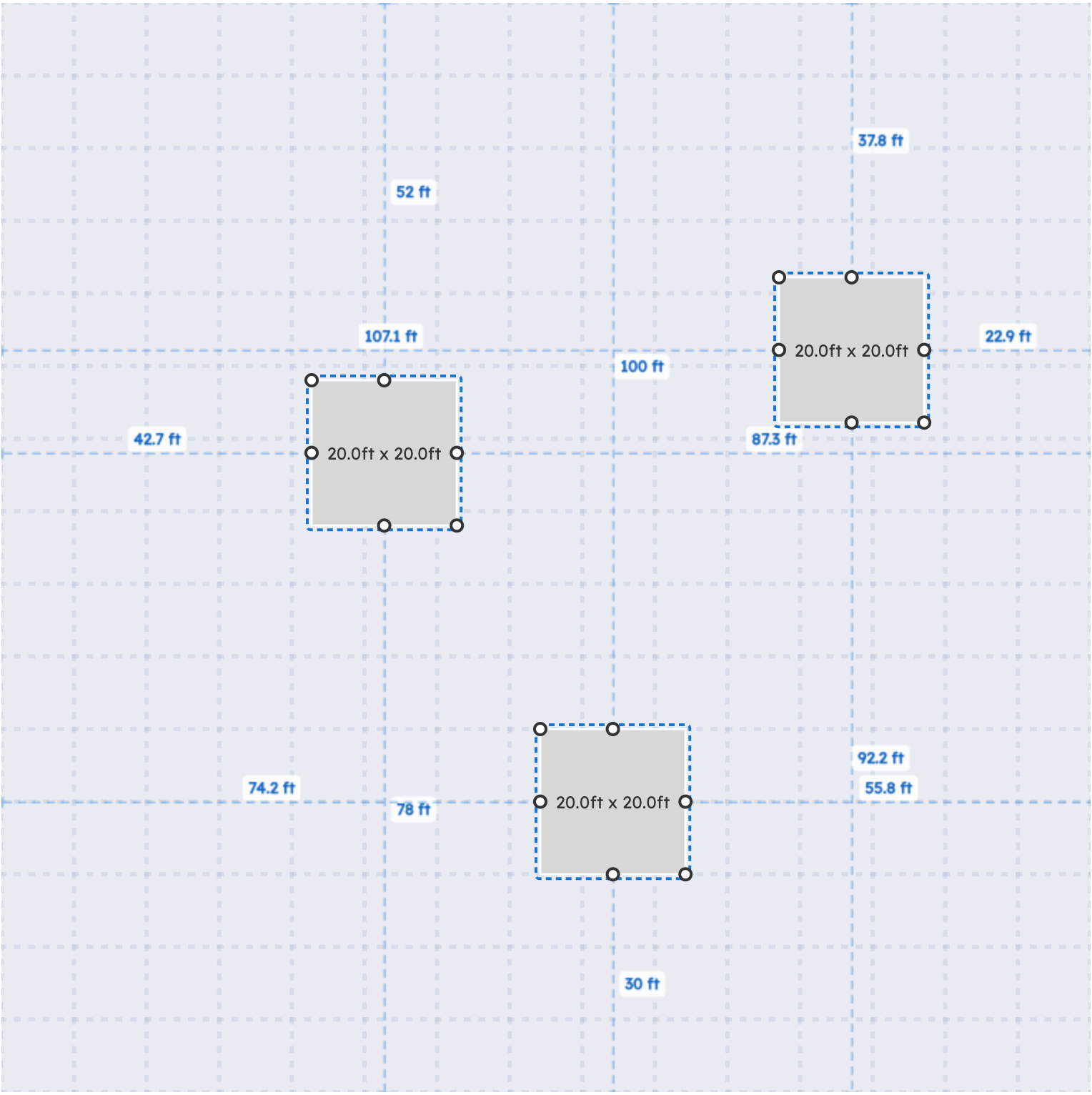
Multi-select three objects, right-click, move them as a group. Standard editor stuff, finally there.
- Multi-select: drag a marquee or shift-click to select several objects, then move, duplicate, or delete them as a group.
- More rectangle modifiers: rotate handles, smarter resize behavior, snap-to-grid for clean alignment.
- Right-click context menu: works across object types now. Open it on an object for the actions you'd expect.
- Toggle object labels: hide all the object labels when they're cluttering the view (great for screenshots and presentations).
- Hide reference objects: drop reference points out of the editor when you're focused on aircraft placement.
Keep editing. We'll keep filling in the missing pieces.
Tenant Editing on the Aircraft List
A specific request, from a specific customer (Kyle, this one's yours). You can now change an aircraft's tenant directly from the aircraft list. No jumping into the hangar view, no settings menu, no separate dialog. Click the tenant cell and edit.
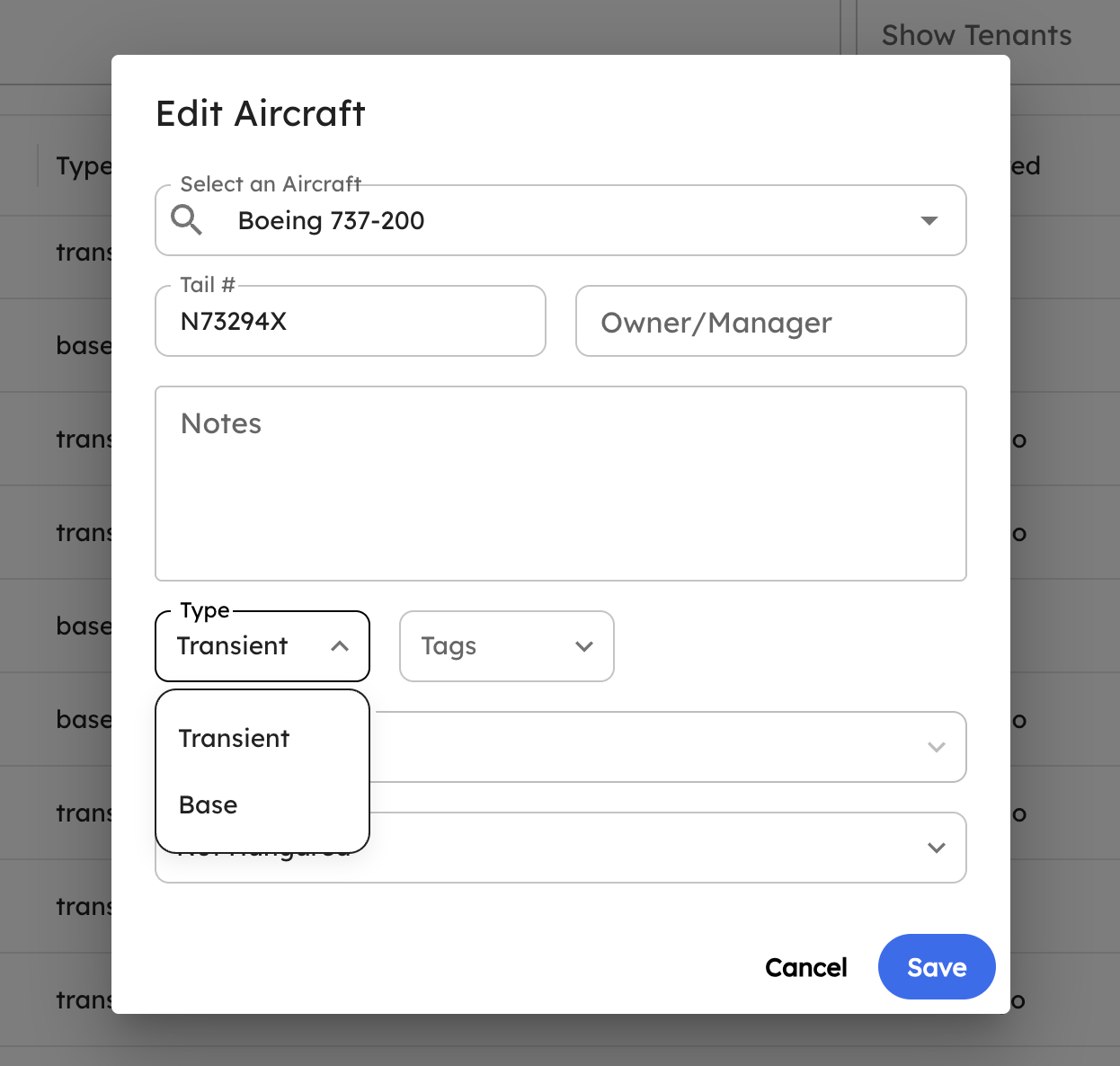
Click the tenant cell. Pick a new tenant. Done. The change propagates everywhere.
Small change, but if you're cleaning up tenant assignments for a dozen aircraft at a time, it adds up.
New Aircraft
April additions to the library:
- Cessna L-19 / O-1 Bird Dog
- Van's Aircraft RV-14 / RV-14A
- Cessna 400 / Corvalis family
- Varga 2150 Kachina
- McDonnell Douglas DC-9-15RC
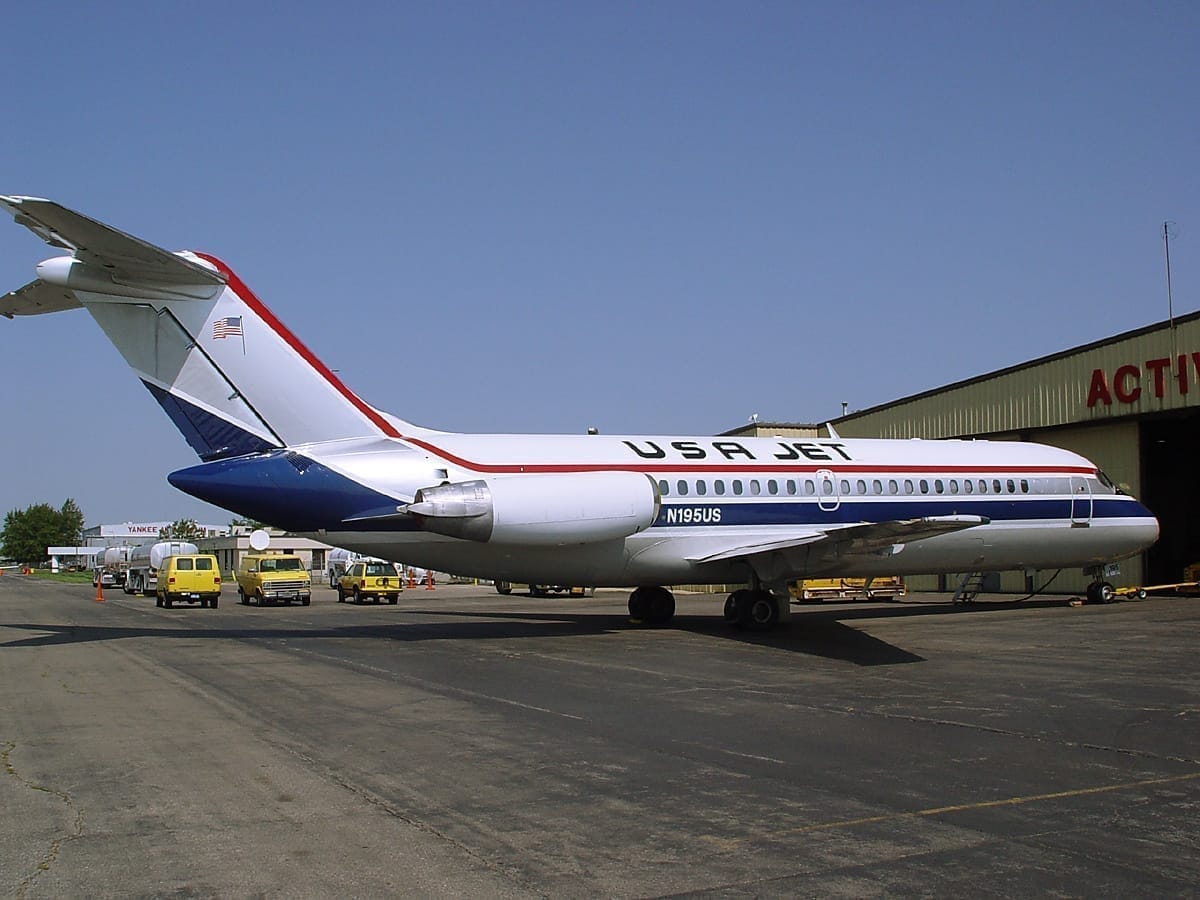
The DC-9-15RC. Older, shorter, and not what most FBOs see every day, but if you do, now we have it. Photo: Dmitry Avdeev, Wikimedia Commons (CC BY-SA 3.0).
A vintage liaison plane, a workhorse homebuilt, a stretched piston single, a 1970s trainer, and a singleton retro jetliner. If you need an aircraft that's not in the library, email support@airplx.com and we'll add it.
Bug Fixes
- Hangar reference objects: a regression where reference objects didn't render after editing. Fixed.
- Hangar card: aircraft departing the same day they arrived were briefly hidden from the card. Fixed.
- Various other stability fixes from customer reports. If you reported something and it's working now, thank you.
What's Next
The big one on deck: the mobile app. More of the workflows your ramp crew runs on iPads and phones, less of the "open the laptop to do this one thing." More to share soon.
As always, the roadmap is shaped by what you tell us. Email us at hi@airplx.com.
Want to see these features in action? Schedule a quick demo or email us: hi@airplx.com