What's New in AirPlx: February 2026
Published on February 23, 2026 • 5 min
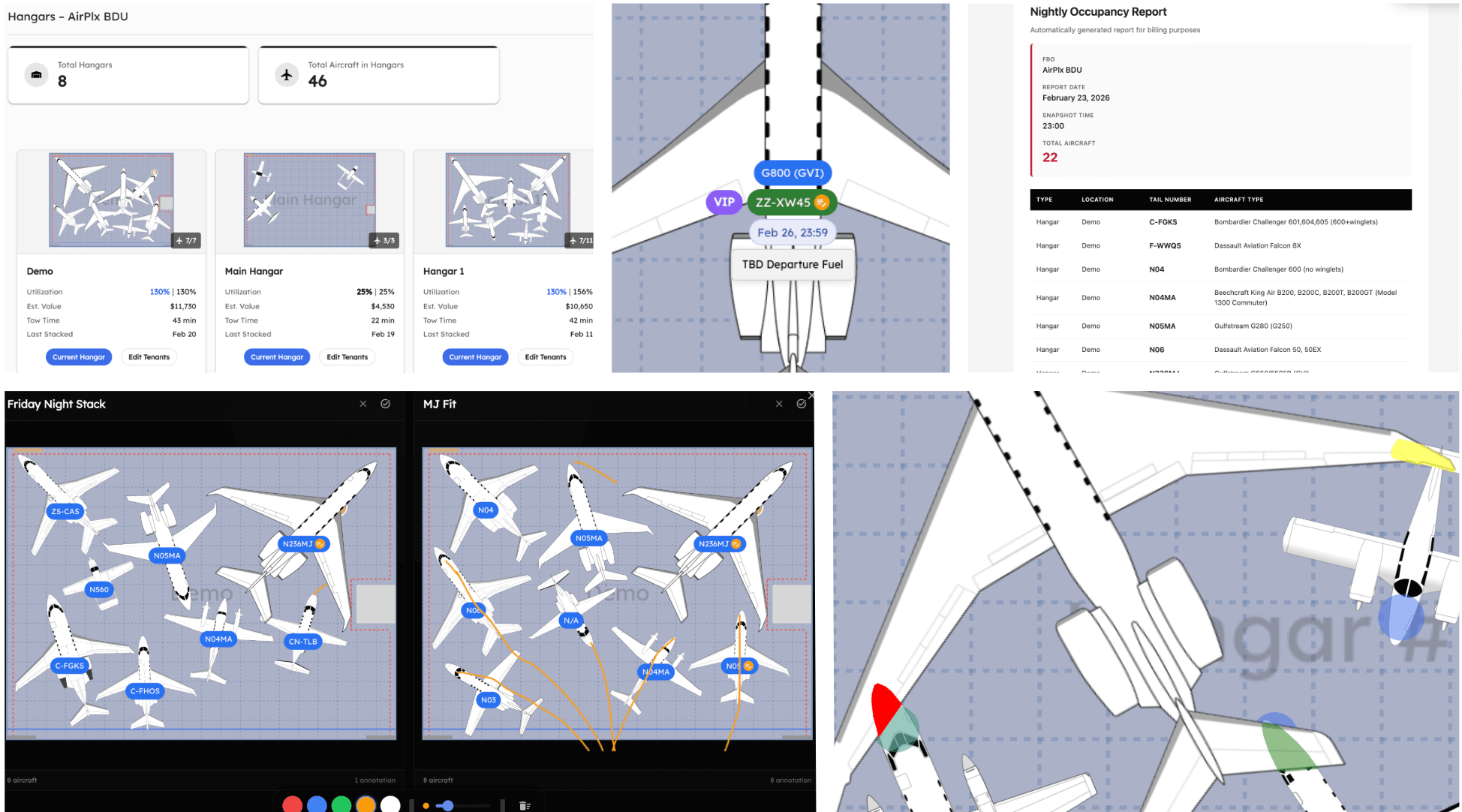
February was a big month. We shipped six major features, all driven by customer requests. The theme this month: giving you more information, faster, with less clicking around.
If you're using AirPlx and not sending us feature requests, you're letting other customers shape the product for you. We build what people ask for. Email us: hi@airplx.com.
Here's what shipped.
Smarter Overlapping Detection
This one's been on the request list for a long time, and we're thrilled to finally deliver it.
Previously, any overlap between two aircraft showed up as a big red warning. Overlap = bad. Simple, but not accurate. In reality, a wing tip passing over a fuselage at different heights isn't a collision. Your team knows this. They've been mentally filtering out false positives every time they look at the screen.
AirPlx now understands the actual height of each part of an aircraft. Wings, tail, fuselage, engines: each section has its own vertical profile. When two aircraft overlap on the 2D view, the system checks whether they would actually collide in 3D space.
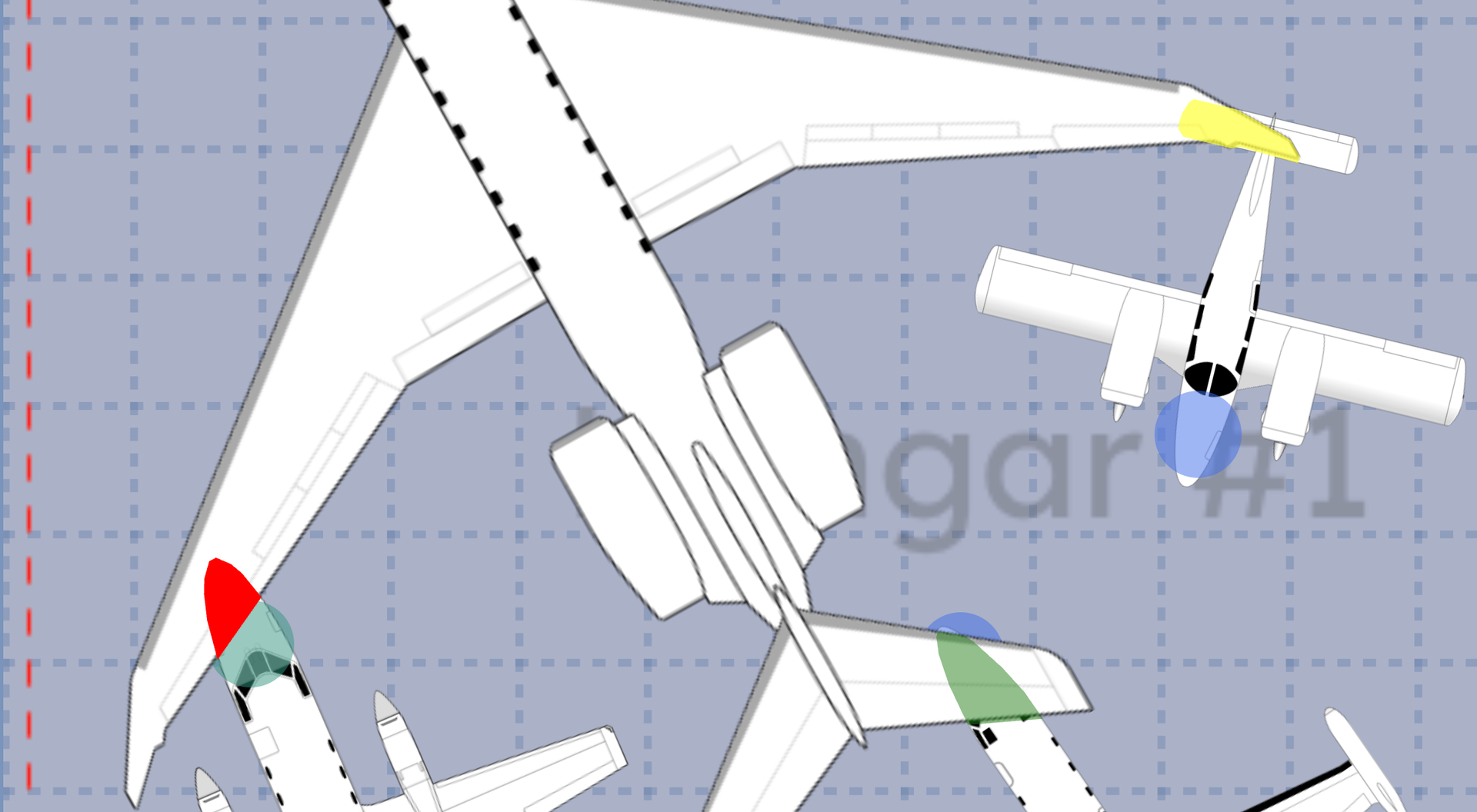 Red, yellow, and green. Collisions, SOP violations, and safe overlaps at a glance.
The result is a three-tier system:
- Red: Actual collision. The aircraft would physically contact each other. Move something.
- Yellow: No collision, but the overlap violates your spacing SOPs. Technically safe, physically fine, but outside your operating standards.
- Green: No collision and within SOPs. The overlap on screen is cosmetic only.
The vertical spacing thresholds are fully configurable. If your SOPs require 18 inches of vertical clearance, set that. If you're comfortable with 12, set that instead. AirPlx respects your rules, not ours.
This matters because it directly affects how many aircraft you can fit. When every overlap triggered a red warning, operators were leaving space on the table. They'd reposition aircraft to eliminate visual overlaps that were never real collisions.
Heads-Up View
How many hangars do you manage? If the answer is more than two, you've probably spent time clicking between them just to get a basic read on what's going on.
The new Heads-Up View shows all of your hangars and ramps on a single screen. No clicking. No tab switching. Just a dashboard with everything visible at once.
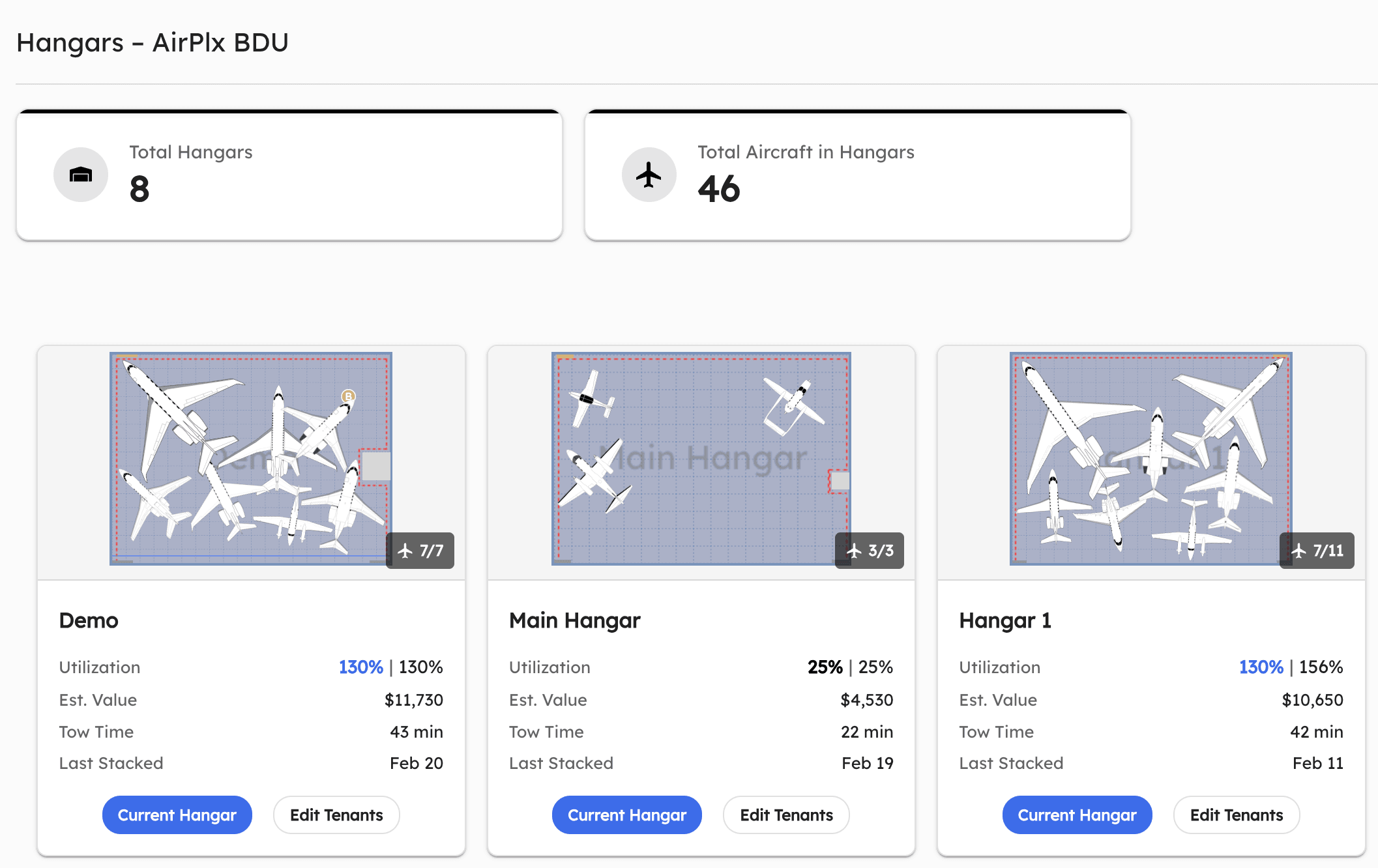 All 8 hangars at a glance. Utilization, estimated value, tow time, and aircraft count for each.
For each hangar and ramp, you get:
- Utilization: Both area-based and count-based percentages
- Estimated Value: Total value of aircraft currently stored
- Tow Time: Estimated time to execute the current layout
- Last Stacked: When the layout was last updated
- Aircraft Count: How many aircraft are currently placed
Click into any hangar to jump directly to its full view. Click "Edit Tenants" to manage tenant assignments without leaving the dashboard.
This is especially useful for GMs and operations directors who oversee multiple hangars. If your morning routine involves clicking through each hangar view individually just to get a read on utilization, this replaces that entire process with one screen.
Reports
We shipped two reporting features this month: an automated Nightly Occupancy Report and a full Report Builder.
Nightly Occupancy Report
Every night at a time you configure (default is 2300 local, configurable to any timezone), AirPlx takes a snapshot of every aircraft in your system and delivers it straight to your inbox.
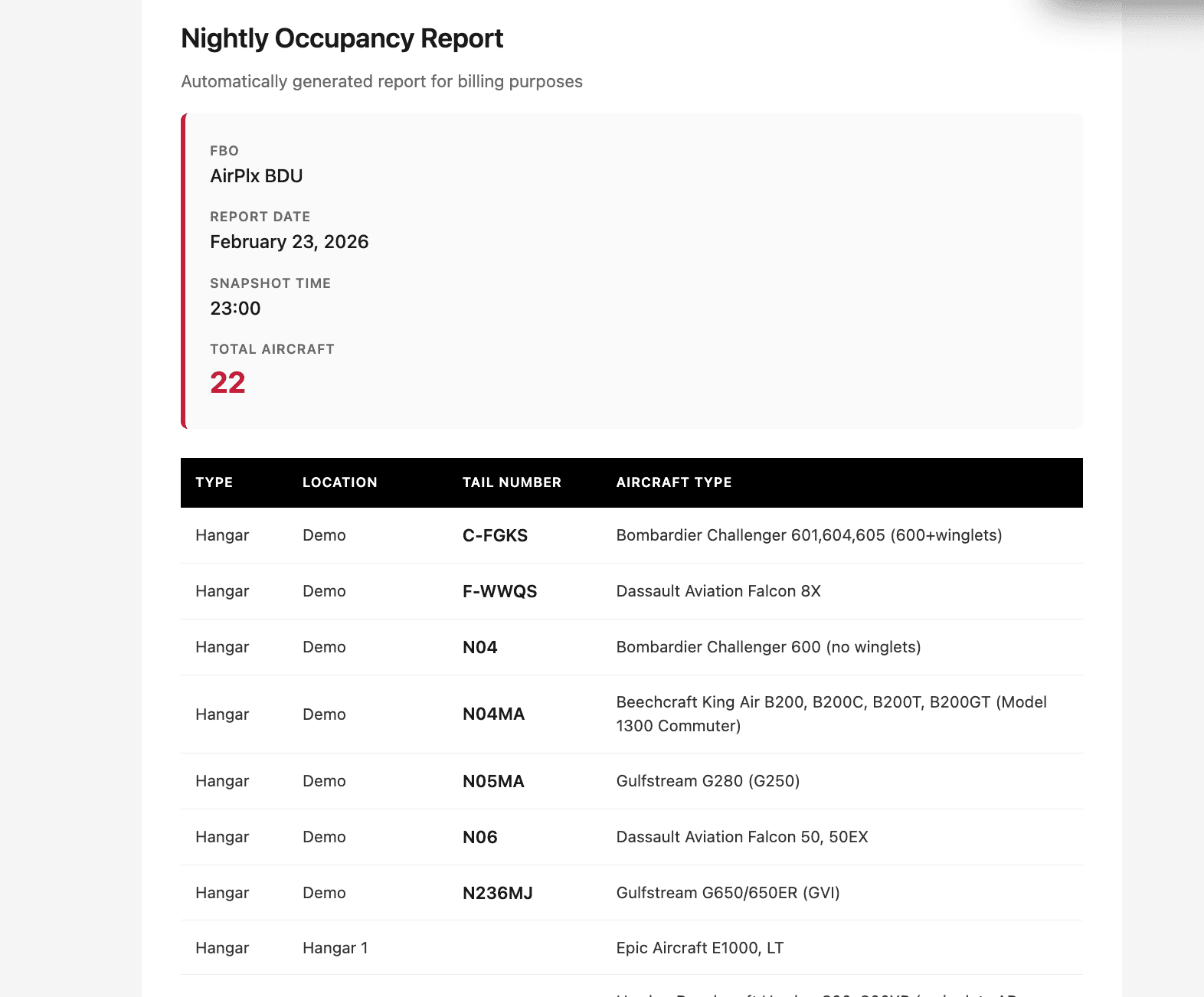 The nightly email. Every aircraft, organized by location, delivered automatically.
The email is print-friendly and formatted cleanly for quick scanning. But if you need the data in a spreadsheet, every report also comes as a CSV attachment.
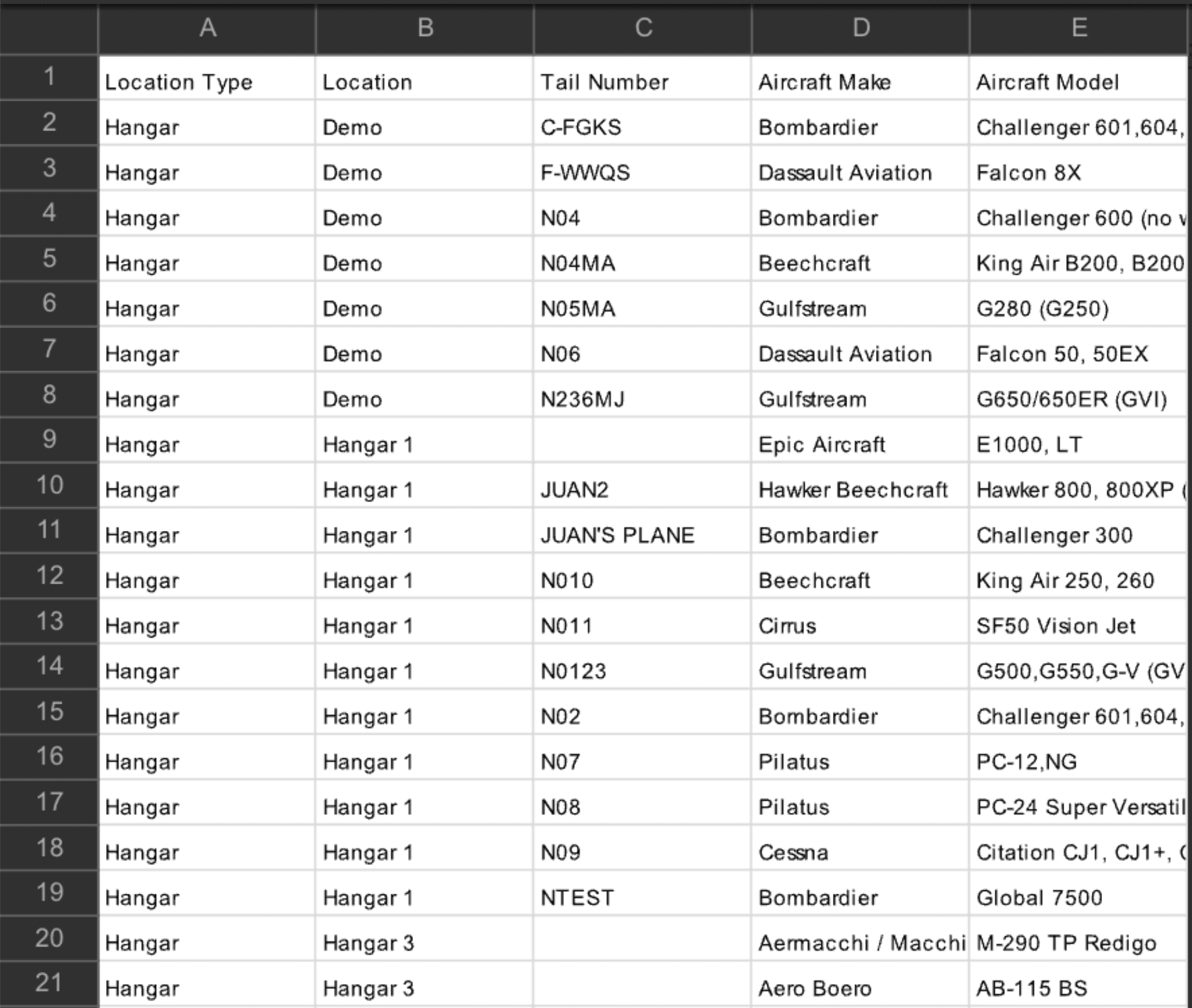 Same data, spreadsheet-ready. Location type, hangar, tail number, make, and model.
This solves two problems we kept hearing about:
- Billing: If you're charging nightly hangar fees, you need a record of who was in each hangar on each night. Three customers at mid-size FBOs told us they were spending 20-30 minutes per night on manual occupancy checks: walking hangars, writing down tail numbers, cross-referencing with the front desk. This automates that entirely. Over a month, that's 10+ hours of labor redirected to actual operations.
- Accountability: "Where is N236MJ?" Instead of radioing three people, check the report. It runs automatically whether you remember to check or not.
Configure it in Reports > Nightly Occupancy Report > Configure.
Report Builder
The Nightly Occupancy Report covers the common case. But every FBO thinks about their operations differently. Some want a morning printout showing just Hangar 1 and 2 with visual renderings. Others want a landscape layout with all ramps plus a notes section for the morning briefing.
The Report Builder lets you create exactly the report you need.
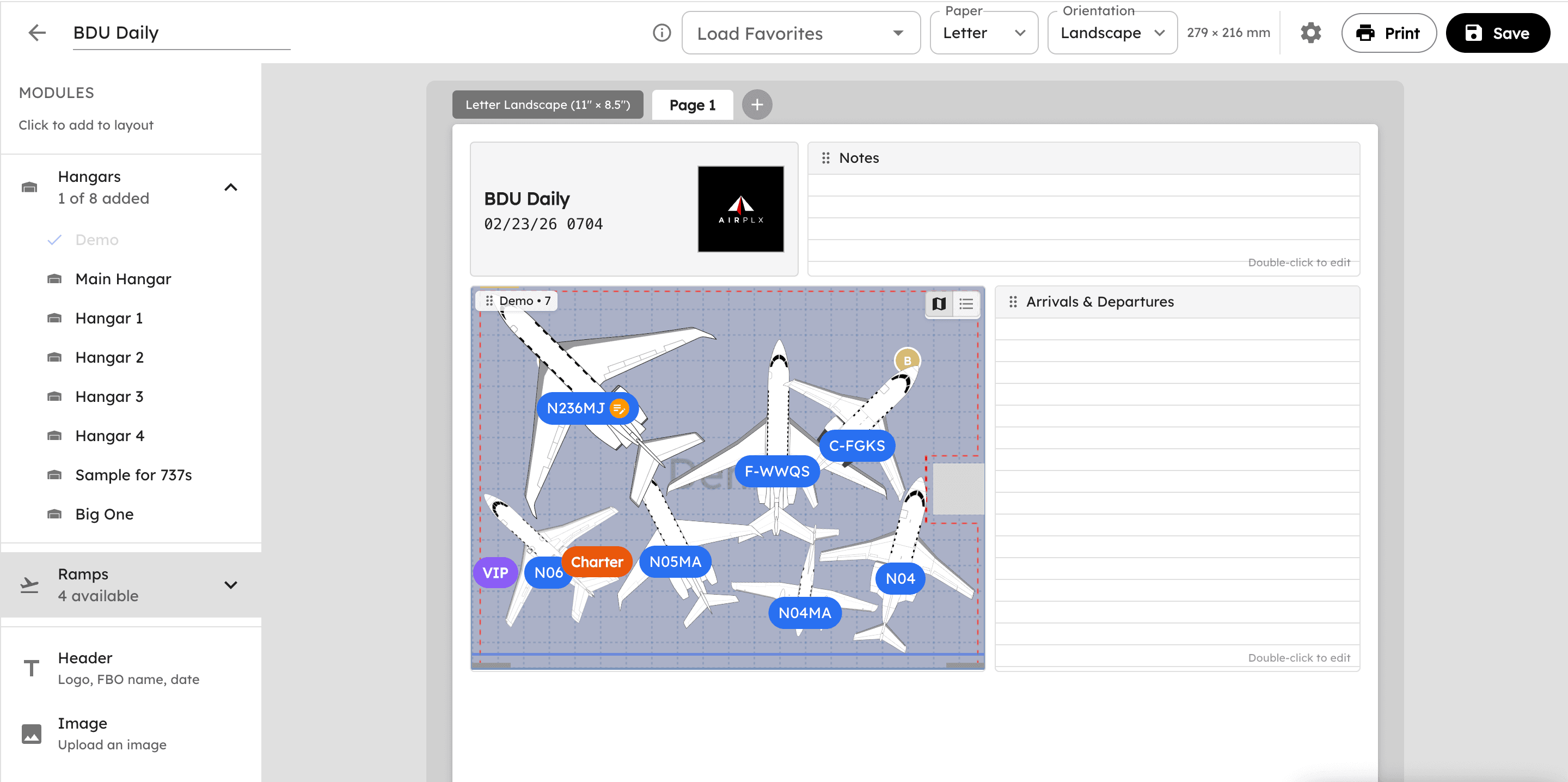 Drag-and-drop report editor. Pick your hangars, add notes sections, include your logo.
Available modules:
- Hangar/Ramp visualizations: Visual rendering of any hangar or ramp layout
- Occupancy lists: Tabular list of aircraft by location
- Header: Your FBO name, logo, and date
- Images: Upload custom images or diagrams
- Notes: Free-text areas for briefing notes, instructions, or checklists
- Tables: Custom tables for any additional information you need
Every report is designed to be print-friendly first. Letter or landscape, your choice. The output looks clean on paper because that's where most of these reports end up: pinned to the wall in the ops office, carried on a clipboard during the morning walk, or handed to line crew at shift change.
Print now or schedule for automatic email delivery on whatever cadence you need. Daily, weekly, or custom.
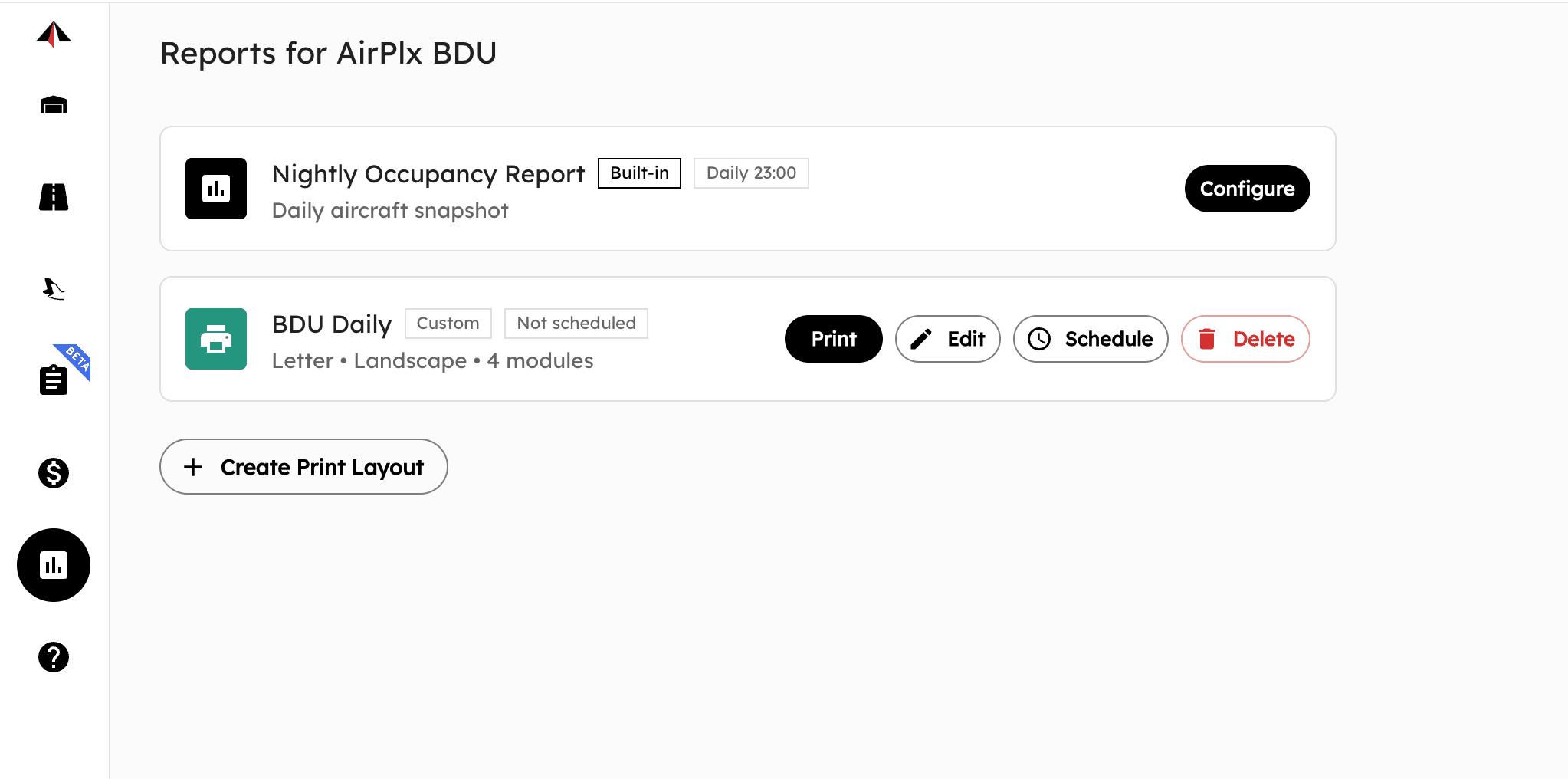 The Reports page. Built-in reports and custom reports live side by side.
Layout Comparison
Your team is debating two ways to stack the hangar for Friday night. One approach has the G650 nose-in on the east wall. The other tucks it in the southwest corner to make room for a late-arriving Citation. Which one is better?
Previously, you'd save both as favorites, then flip back and forth between them trying to remember what changed. Now you can view them side by side.
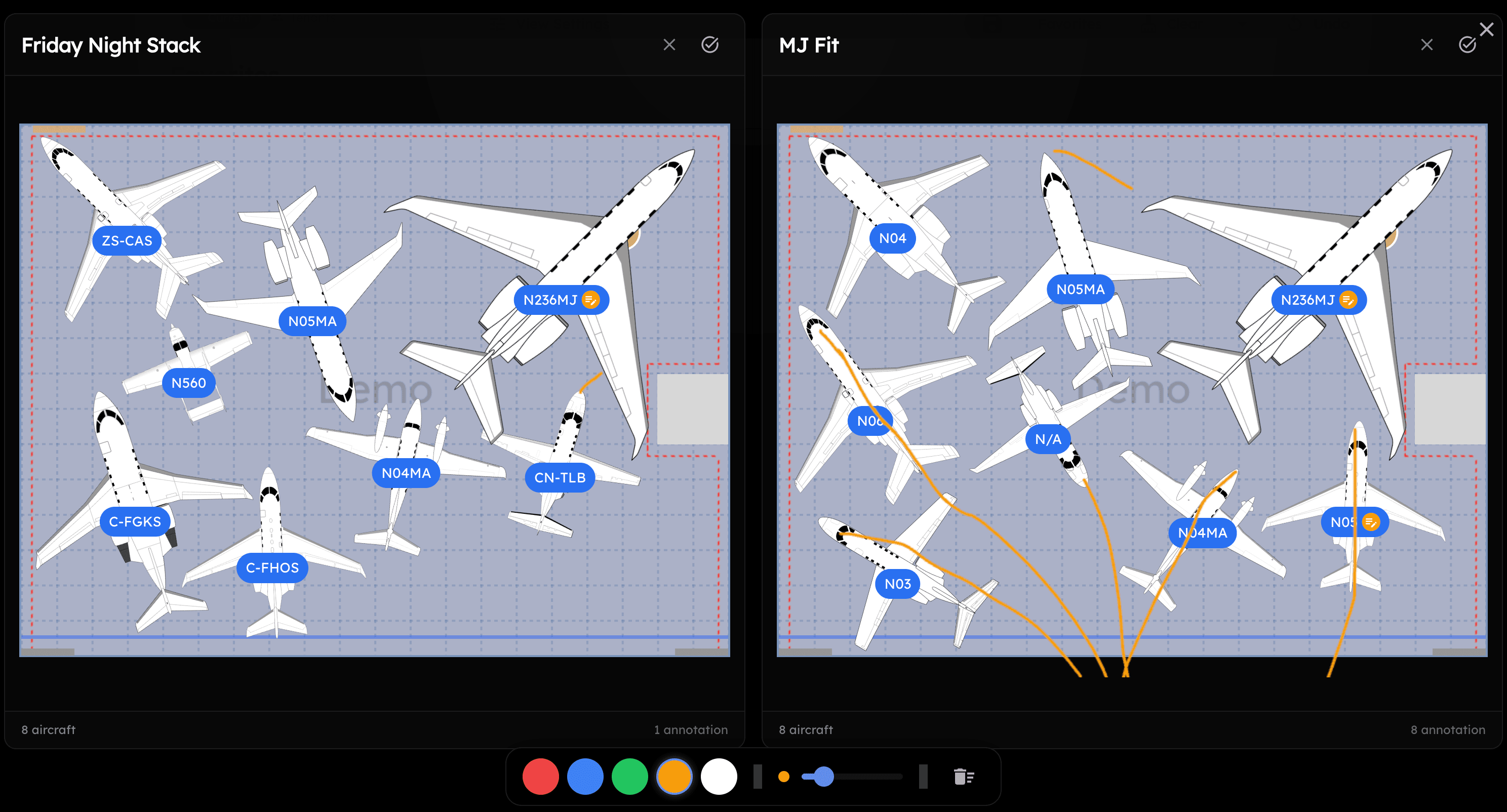 Two layouts, side by side. Same hangar, different approaches. Annotations visible on each.
Save two or more layouts as favorites. Go to the Favorites tab, select the ones you want to compare, and click Compare. Both layouts appear side by side with full annotation and label support.
This is a planning tool. Pull it up on the big screen in the ops office. Walk through the tradeoffs with your team. Channel your inner John Madden and draw all over it. Figure out the best approach before you start towing.
Enhanced Labels
Aircraft labels now show more information with better organization.
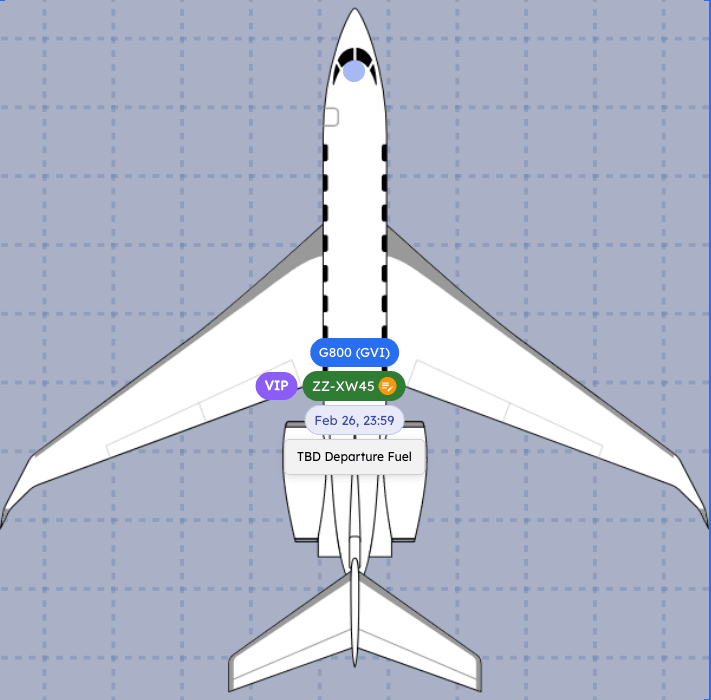 A Challenger 300 with its tag ("On Jacks"), tail number, and departure date, all visible at once.
Labels can now display:
- Tail number
- Aircraft model
- Departure date
- Notes
- Tags (like "On Jacks", "VIP", "Charter")
Each label type supports three modes: always visible, visible on hover, or hidden. So you can show tail numbers always, show departure dates on hover, and hide notes entirely. Configure it however makes sense for your workflow.
The UI is cleaner and better organized. More information available when you need it, less clutter when you don't.
Hangar Reference Points
A lot of FBOs use reference points on the hangar floor. They might not be painted lines, but everyone on the team knows what "Point Alpha" means. It's faster and more precise than saying "pretty close to the back left corner, maybe 10 or 20 feet from the wall."
You can now add reference points to your hangars in AirPlx.
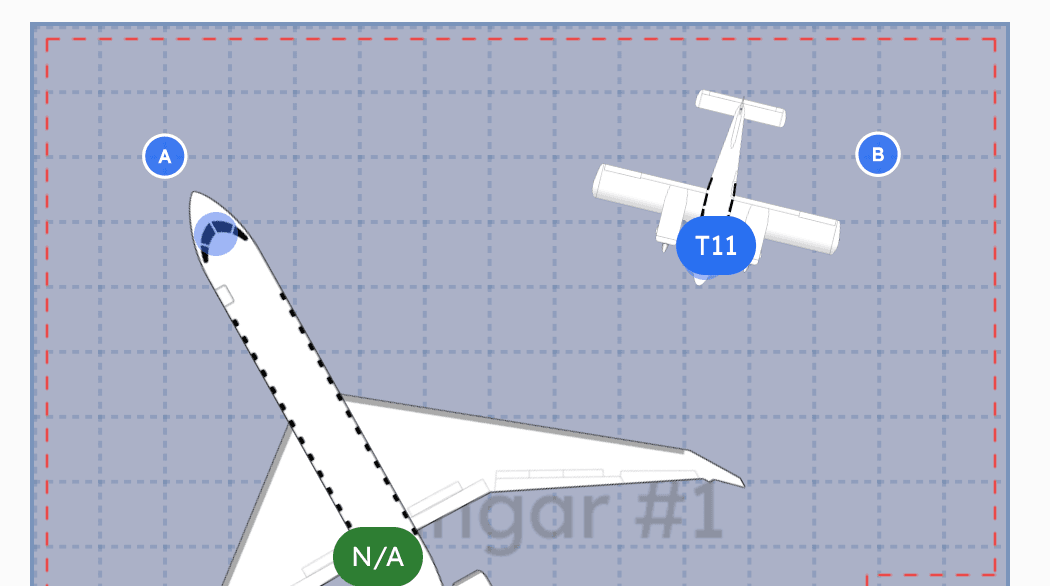
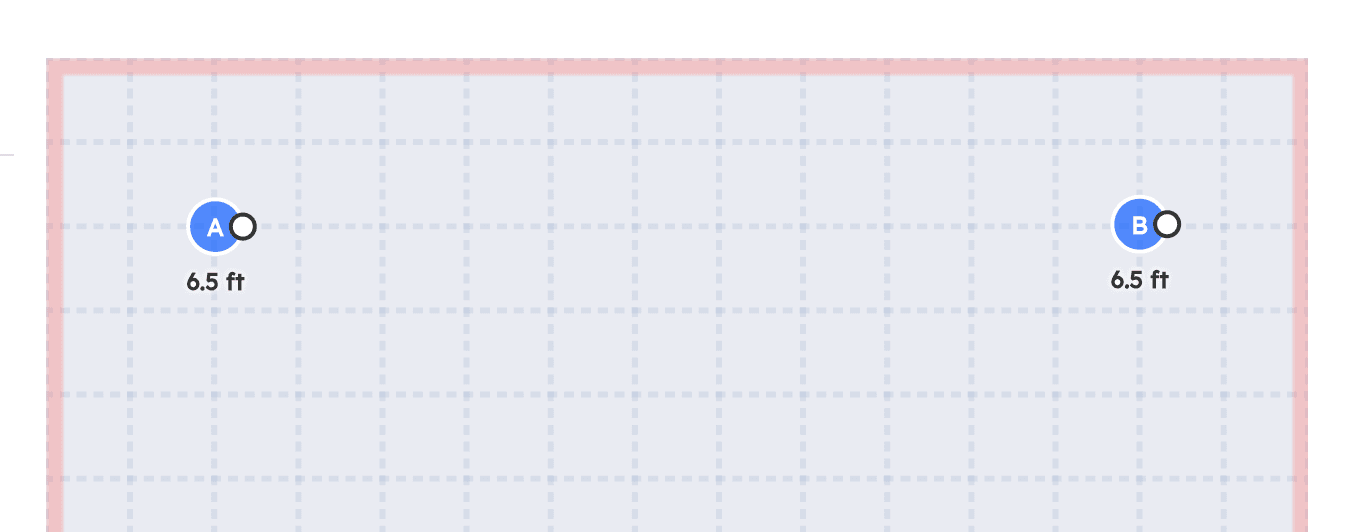
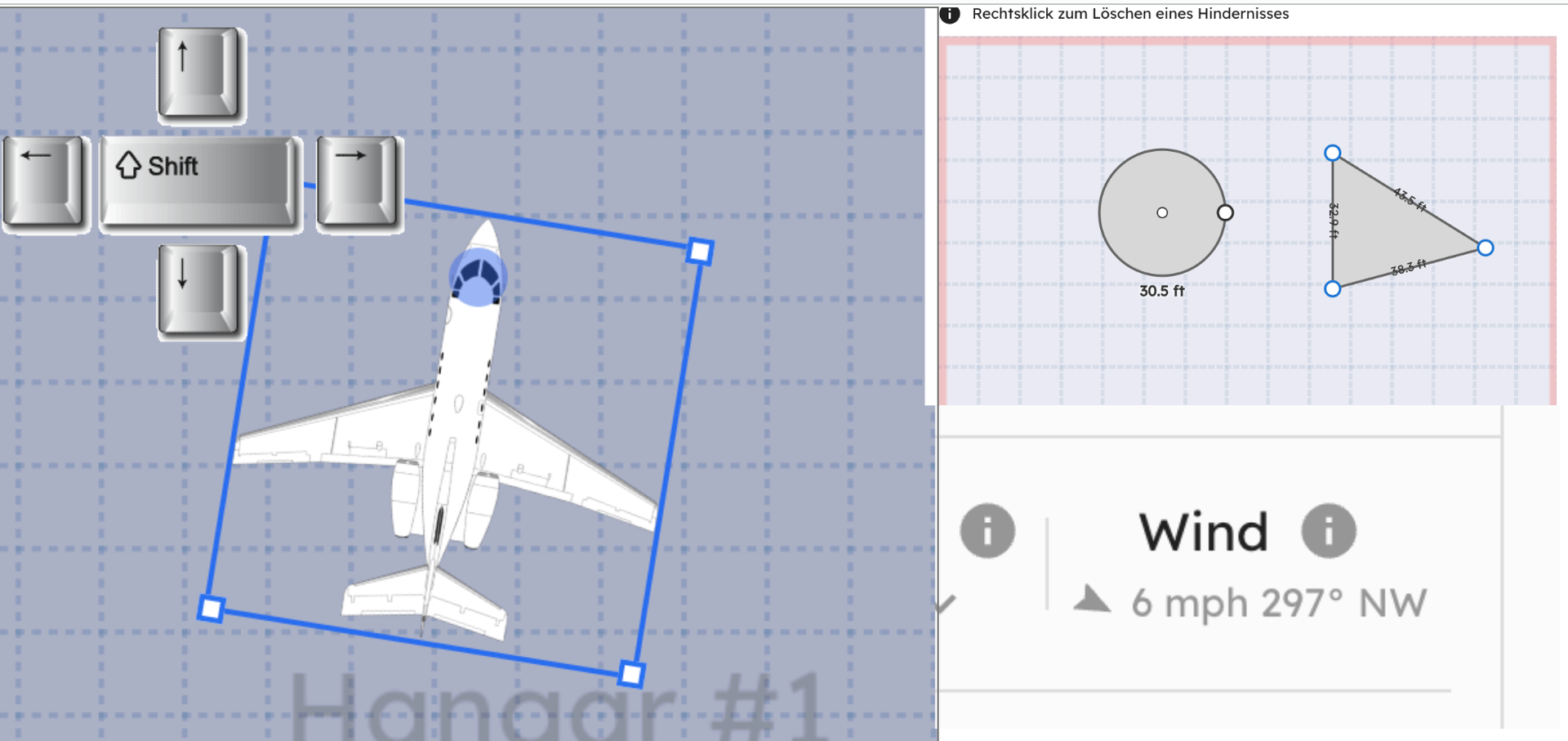
Reference points in the hangar view (left) and the editor where you place and name them (right). Drag them anywhere.
The points are visual only. They don't obstruct towing paths or interfere with auto-stacking. They're there so your team can look at a layout in AirPlx and talk about it the same way they talk about it on the floor. "Move the Citation to Bravo" means the same thing on screen as it does on the radio.
Reference points show up in the hangar view, in printed reports, and in any exported layouts.
Updated Favorites
The Favorites panel got a redesign focused on speed and usability.
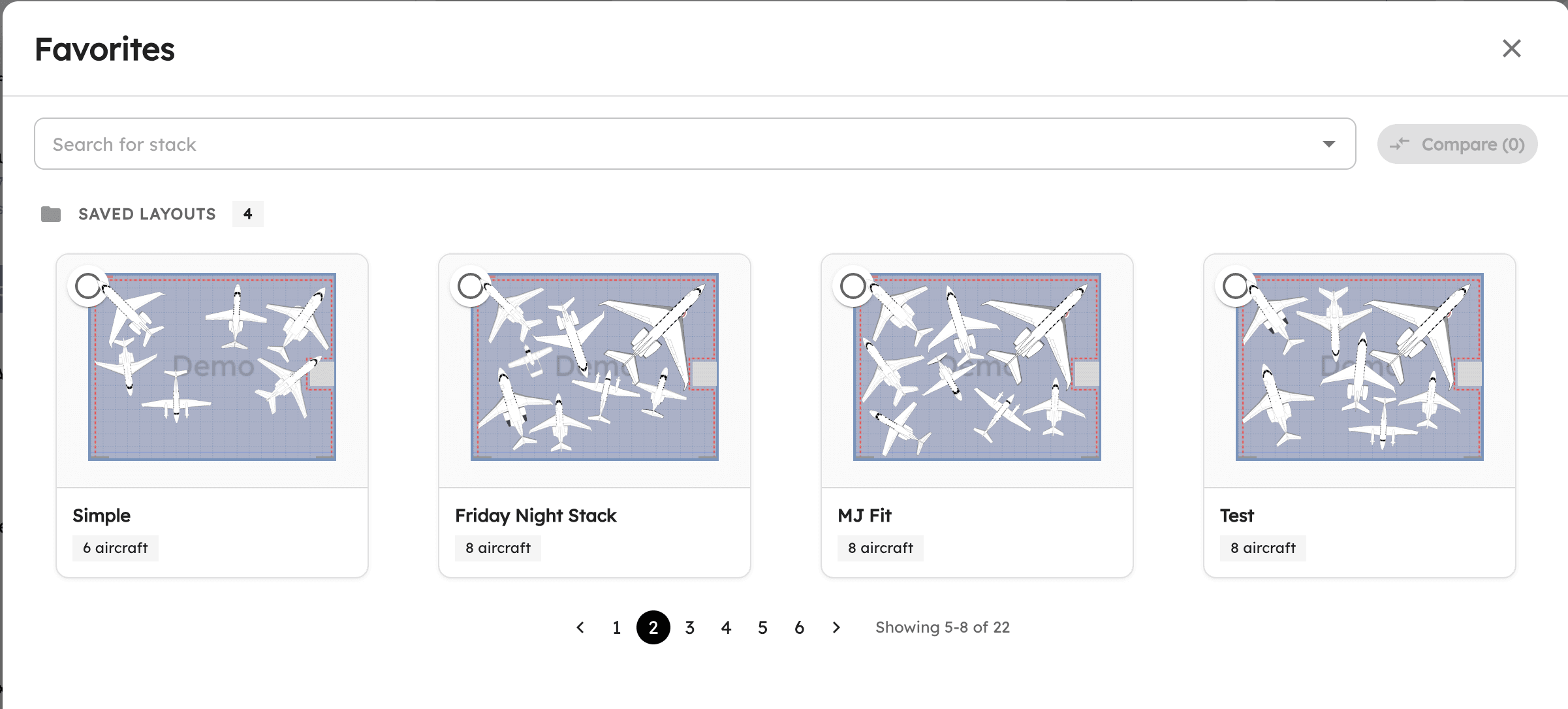 Cleaner layout, thumbnail previews, and pagination for large collections.
The big change: favorites now load instantly. Previously, if you had 20+ saved layouts, opening the Favorites panel could take several seconds while it rendered all of them. Now it uses pagination and lazy loading. The panel opens immediately regardless of how many favorites you've saved.
Date-aware favorites are coming soon. You'll be able to save layouts tied to specific dates and look at your schedule going forward. More on that in a future update.
100,000+ New Tail Numbers
We added over 100,000 new tail numbers to the database, significantly expanding global coverage. The bulk of this expansion came from European registries (Germany's D- prefix, France's F- prefix, UK's G- prefix, and several others), Latin American registries (Brazil's PP/PR/PT- prefixes, Argentina's LV-), and expanded coverage of Middle Eastern and Asia-Pacific registrations. We source registration data from national civil aviation authorities and cross-reference with ICAO's nationality mark standards to keep the data accurate.
We also improved search matching for hyphenated tail numbers. Searching "CNBF" now matches both "C-NBF" and "CNBF". No more guessing whether to include the hyphen.
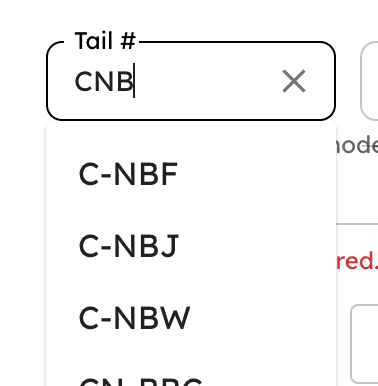 Hyphen-flexible search. Type it however you remember it.
This means fewer manual aircraft lookups and less time spent entering dimensions by hand. If a tail number is in our database, you get the aircraft type, manufacturer, and dimensions instantly.
6 New Aircraft
We added six new aircraft to the library this month, including some big ones.
 The Boeing 777-300ER. 242 feet of wingspan. Good luck fitting that one nose-in.
The full list:
- Airbus A330-900
- Boeing 737-300
- Boeing 777-200ER
- Boeing 777-300ER
- Piper PA-11 Cub Special
- XtremeAir Sbach 342
Everything from a vintage taildragger to widebody commercial jets.
If you need an aircraft that's not in the library, let us know at hi@airplx.com and we'll add it.
Bug Fixes
- Fixed an issue where aircraft labels occasionally overlapped with obstacle markers in dense hangar layouts, making both unreadable.
- Various additional bug fixes based on direct customer feedback. If you reported something and it's been fixed, thank you. Keep the reports coming.
What's Next
Date-aware favorites are at the top of the list. You'll be able to save layouts tied to specific dates and view your hangar schedule days or weeks out. We're also working on automated scheduling suggestions, where AirPlx proposes stacking plans based on your upcoming arrivals and departures. And we're expanding the Report Builder with new modules, including a weekly summary report that rolls up utilization and revenue across all your locations.
As always, the roadmap is shaped by what you tell us. Email us at hi@airplx.com with what you need.
Want to see these features in action? Schedule a quick demo or email us: hi@airplx.com
Related Articles

Start AutoStacking
See how AirPlx plans, parks, and predicts your ramp moves in one place
 Copyright 2024, AirPlx, Inc.