What's New in AirPlx: December 2025
Published on December 20, 2025 • 5 min
Everything in this update came directly from customer feedback. We don't get enough of it, honestly. If you've got something to share: hi@airplx.com.
Here's what shipped.
Enhanced Multi-Hangar View: The CSR-to-Ops Handoff Problem
This was the most requested feature. The workflow gap between your CSR team and your Ops team has always been awkward—CSR confirms an overnight, Ops figures out where it actually goes. Two teams, two mental models, lots of radio chatter in between.
Ground handling miscommunication isn't just annoying—it's expensive. According to NBAA's ground handling safety research, coordination failures between ramp teams lead to delays, repositioning, and in worst cases, incidents that can cost tens of thousands per event. The industry loses over $5 billion annually to ground handling incidents, and communication breakdown is consistently cited as a primary cause.
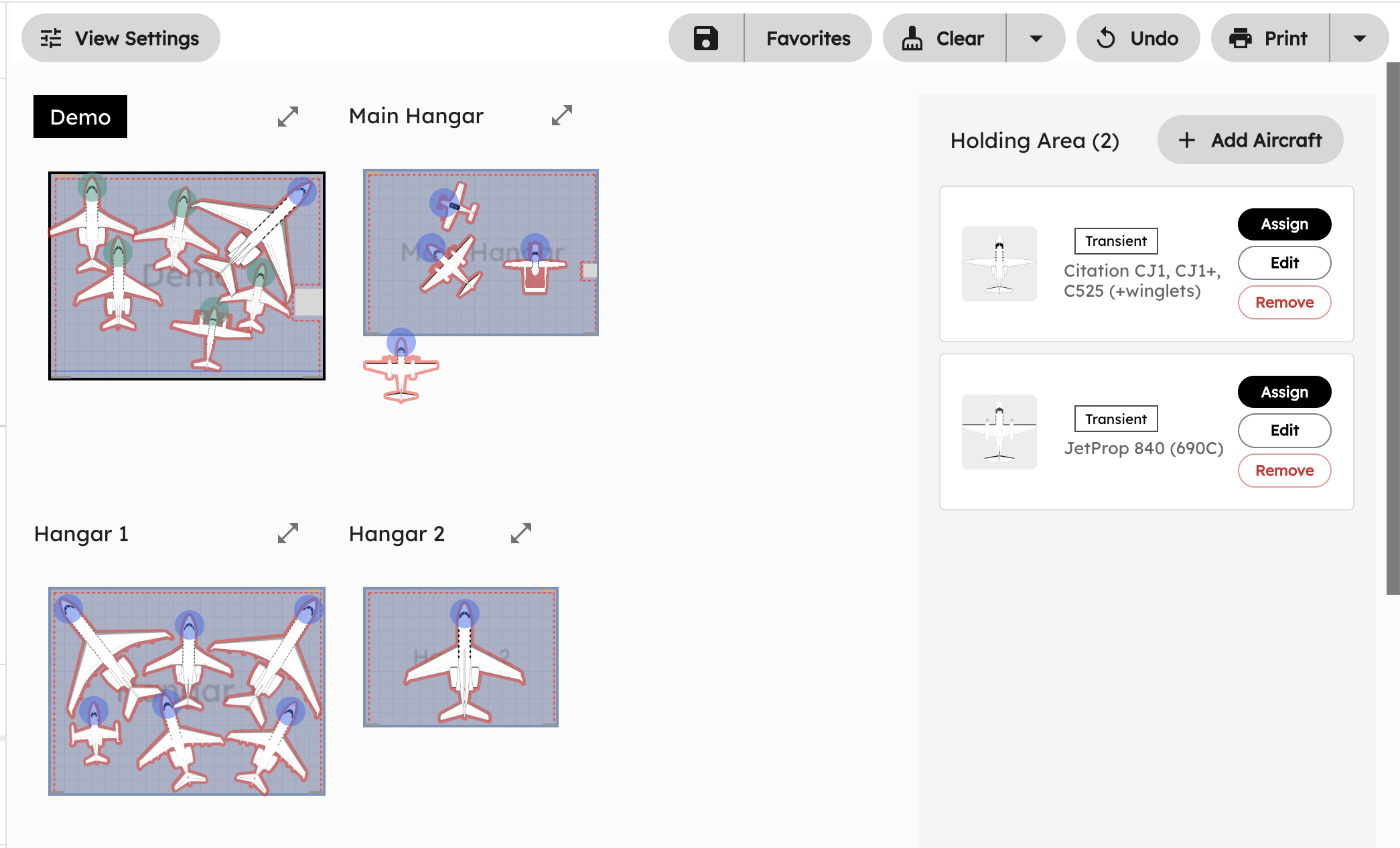
The new multi-hangar view with a shared Holding Area fixes the handoff problem.
CSR takes the call, confirms the overnight, and drops the aircraft into the Holding Area. They don't need to know which hangar has space—that's not their job. They just confirm the customer and add the aircraft to the queue.
Four hangars visible at once. Holding Area shows aircraft waiting for assignment.
Ops sees the same Holding Area. They can see every hangar's current state, know exactly where there's room, and assign the aircraft with one click. The handoff is instant. No radio call asking "where's that Citation going?" No walking over to check the board.
The key changes:
- Persistent Holding Area: Aircraft stay in the Holding Area until Ops explicitly assigns them. No more "I thought you already moved it" confusion.
- Shared visibility: CSR and Ops see the same queue. Everyone's working from the same list.
- Simplified assignment: Click "Assign" on any aircraft in the Holding Area, pick the hangar, done.
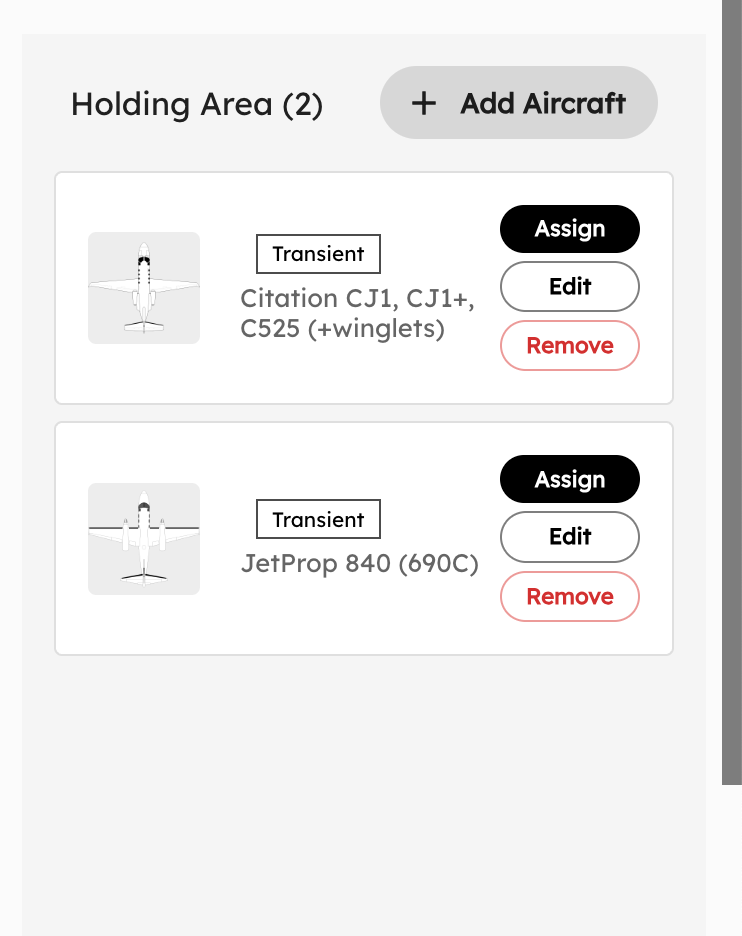 Transient aircraft waiting in the Holding Area. CSR added them; Ops assigns them.
The design philosophy here is role-appropriate access. CSRs don't need to understand hangar tetris. Ops doesn't need to take customer calls. But both teams need to see the same aircraft queue. Now they do.
We saw this play out at an FBO last Friday. Three transients called within 20 minutes for overnight hangar. Before: CSR takes each call, radios Ops asking "do we have room?", waits for response, confirms or declines. That's 3-5 minutes of back-and-forth per aircraft. Now: CSR adds all three to the Holding Area while on the calls. Ops sees all three, knows exactly what space is available, assigns all three in under a minute. The customer gets a faster answer, and your team isn't playing telephone.
Global Tail Number Lookup: 29 Countries and Counting
You know the drill. Customer calls with a tail number. You pull up the FAA N-Number Registry, search for it, find out it's a Challenger 350, figure out the wingspan, then enter everything manually. That lookup alone takes 2-3 minutes—longer if the FAA site is slow or you need to cross-reference dimensions.
Or if it's not a US tail? Good luck. You're digging through Transport Canada, EASA registries, or just asking the customer to tell you what they're flying. Foreign registry lookups can take 5+ minutes if you're unfamiliar with the interface.
We fixed this.
AirPlx now has aircraft registrations from 29 countries pre-loaded. Type the tail, we return the aircraft type, manufacturer, and dimensions instantly. No external lookups required.
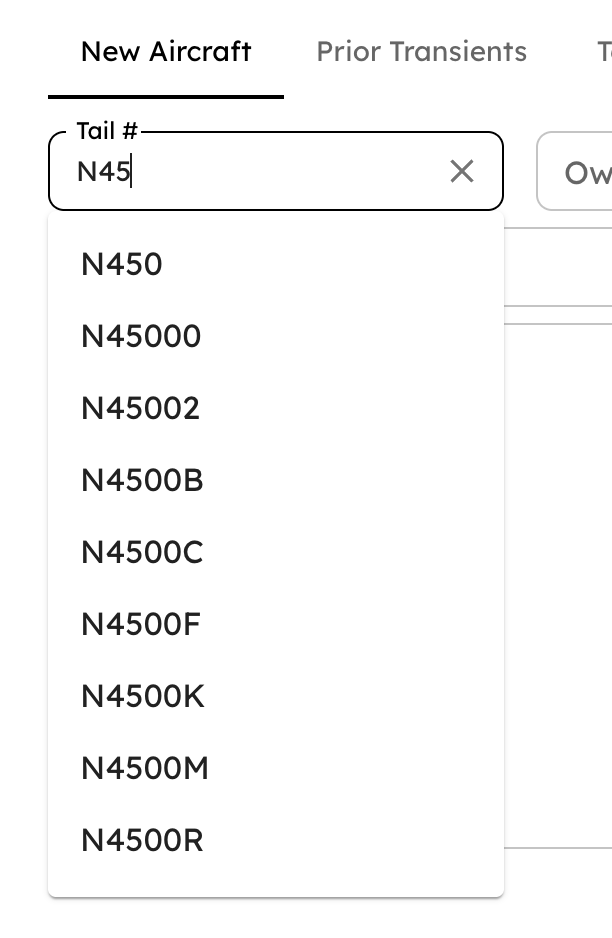
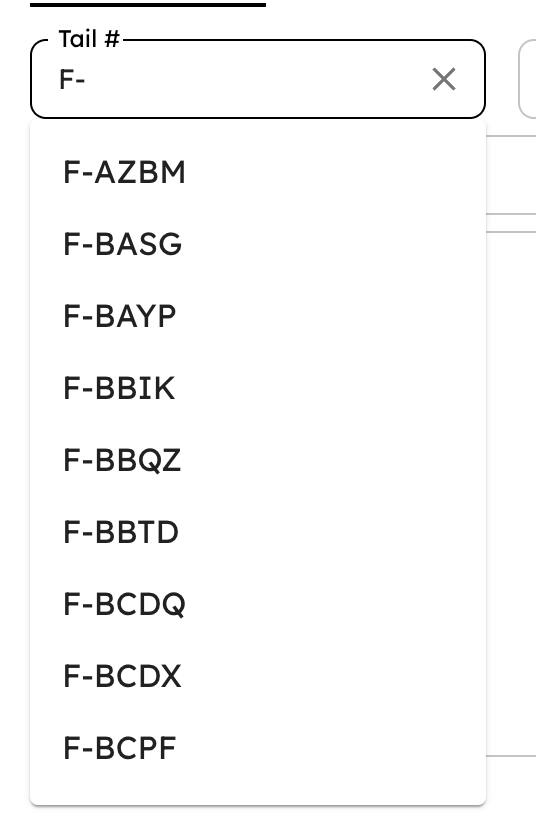
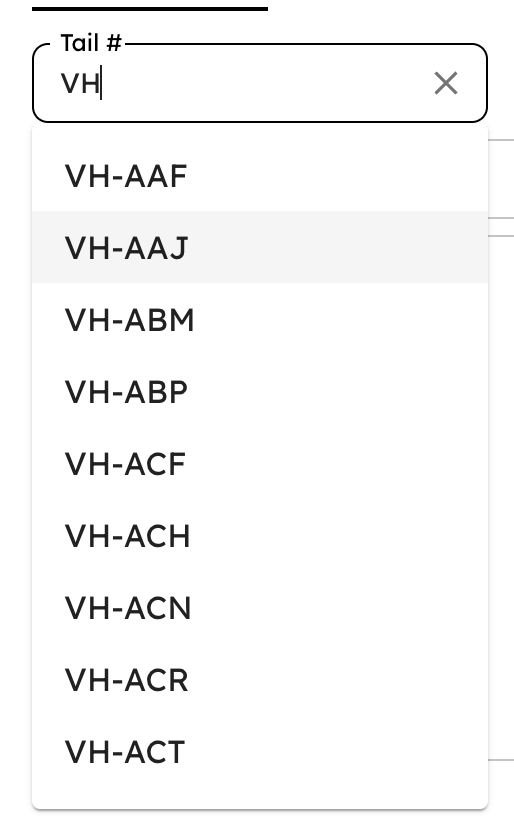
Tail number autocomplete across US (N-), French (F-), and Australian (VH-) registries.
If you process 15 transient aircraft per day and each lookup saves 2 minutes, that's 30 minutes daily. Over a month, that's 15 hours your CSRs get back for actual customer service instead of registry detective work.
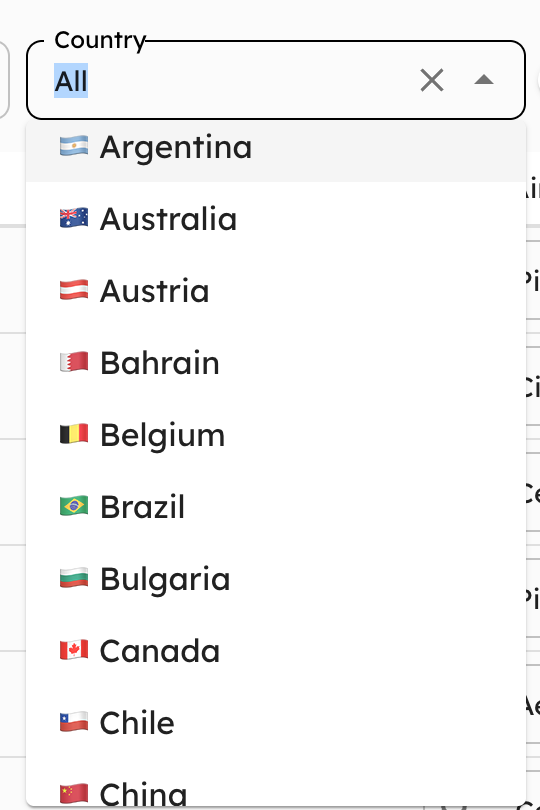 29 countries supported. We auto-detect the registry from the tail prefix.
The registries we've integrated:
- North America: US (FAA N-numbers), Canada (Transport Canada C- registrations), Mexico
- Europe: UK (G-), Germany (D-), France (F-), Spain (EC-), Italy (I-), Netherlands, Belgium, Austria, Switzerland, and more
- South America: Brazil (PP/PR/PT-), Argentina (LV-), Chile
- Asia-Pacific: Australia (VH-), Japan, South Korea
- Middle East: UAE, Bahrain, Saudi Arabia
The ICAO aircraft registration system assigns each country a prefix—N for the US, G for the UK, C for Canada. We parse the prefix automatically, hit the right registry, and return the aircraft data.
For Canadian tails specifically (added in October), we're pulling from the Transport Canada Civil Aircraft Register, which covers all C-XXXX and CF-XXX registrations.
This matters because international traffic is growing. According to Aviation Week's 2025 traffic analysis, international traffic to US airports rose 1% in the first half of 2025, and regions like Asia-Pacific, Latin America, and the Middle East are seeing 30%+ increases in business aviation activity. More international flights means more non-US tails showing up at your ramp. You shouldn't need to be a registry detective to know what's landing.
Dark Mode
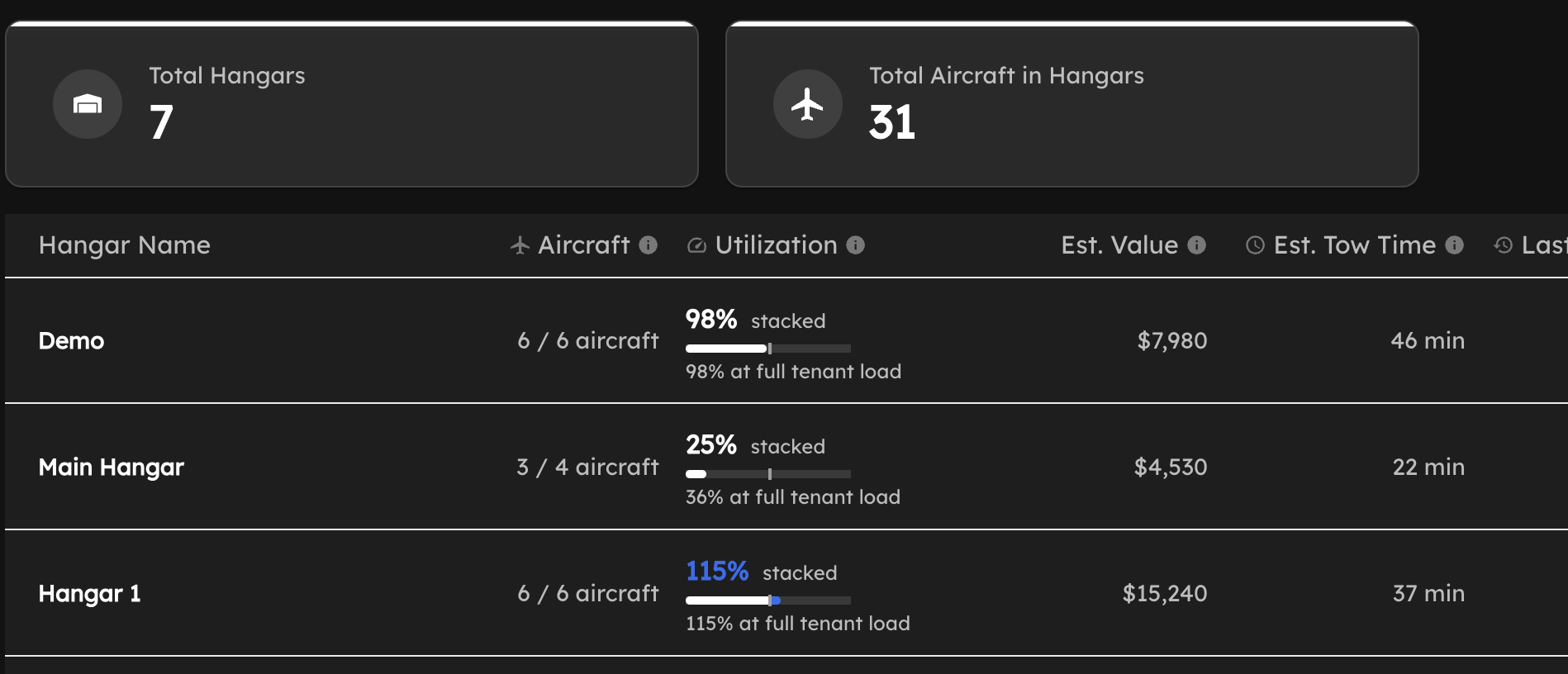 Dark mode. Easier on the eyes during night operations.
Not much to explain here. If you're working night ops or just prefer dark interfaces, it's in your settings.
The dashboard, hangar views, and all core interfaces support it. Your preference persists across sessions.
French and Spanish Language Support
AirPlx now supports French and Spanish interfaces for our international customers.
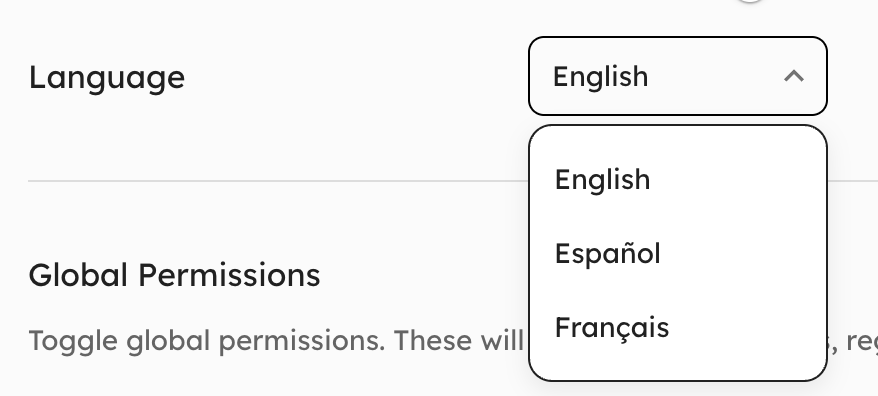 Language selection in user preferences. Spanish and French now available.
Each team member picks their preferred language independently. The CSR who's more comfortable in Spanish sees "Favoritos" and "Limpiar." The Ops manager who prefers English sees "Favorites" and "Clear." Same system, same data, different language.
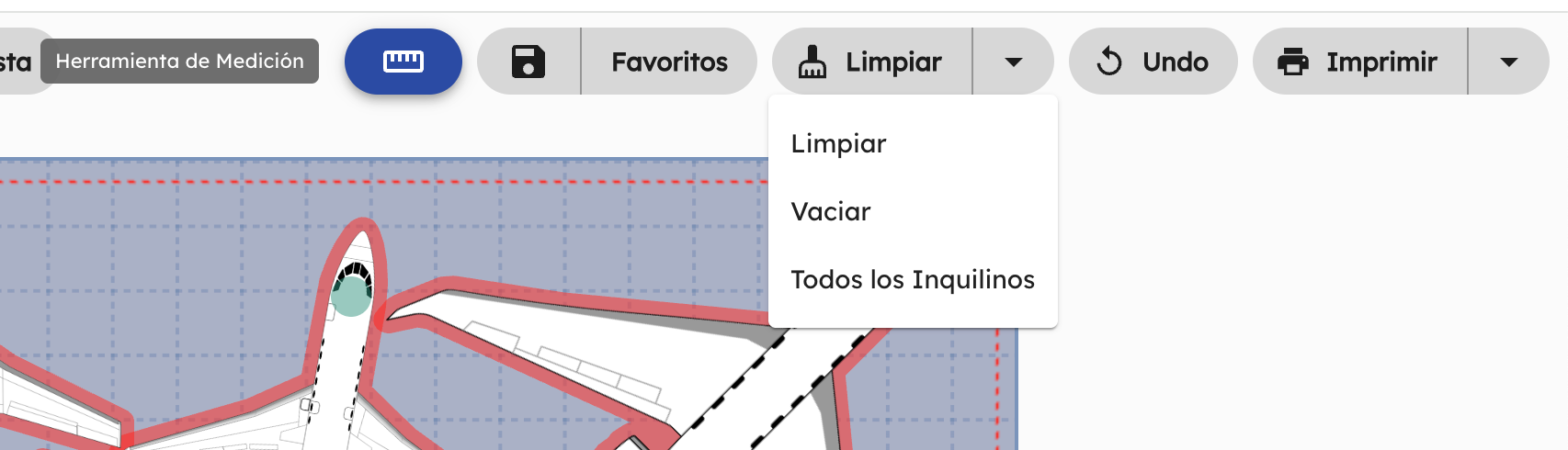 Spanish interface with context menus fully translated.
This isn't Google Translate bolted on. We worked with native speakers to get the aviation terminology right. "Hangar" is "Hangar" (it's the same word), but "Holding Area" is "Área de Espera" and "Tow Time" is "Tiempo de Remolque."
French support was a priority for our Canadian customers, where bilingual operations are common. Spanish serves FBOs across Latin America, Europe, and teams with Spanish-speaking staff worldwide.
Other Improvements
A few more things that shipped this month.
Dynamic Permissions & New User Roles
You can now configure role permissions directly in the app—no support ticket required. Want your Operator role to modify layouts but not see estimated values? Toggle it yourself.
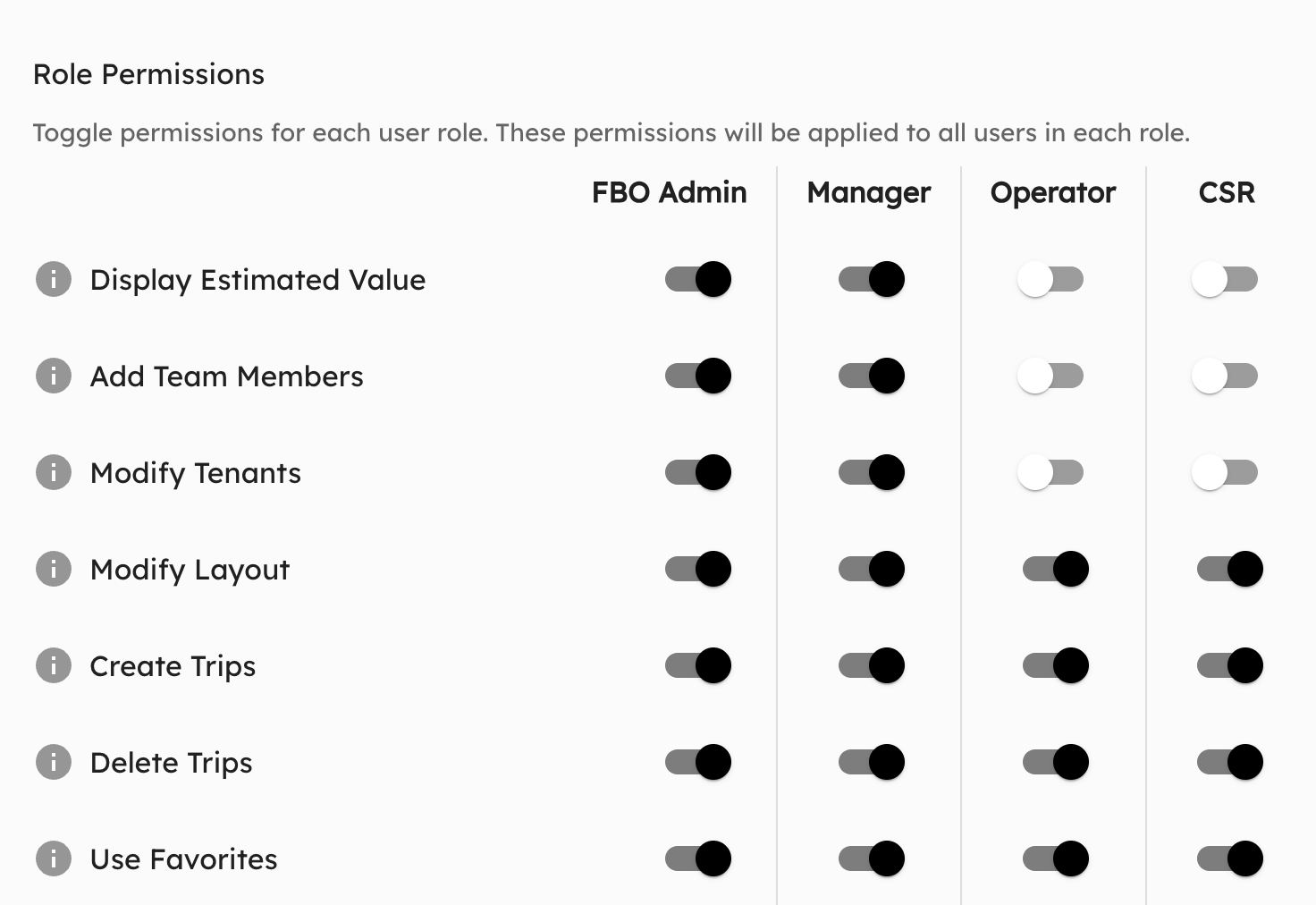 Configure permissions per role. Changes apply immediately to all users in that role.
We also added two new roles: FBO Admin and CSR. Combined with Manager and Operator, you now have four distinct permission levels to match how your team actually works.
Performance: 8x Faster Load Times
Initial app load dropped from 2 seconds to 0.25 seconds. You'll notice it immediately when opening AirPlx.
Hangar Name Watermark
Each hangar now displays its name as a centered watermark on the floor plan.
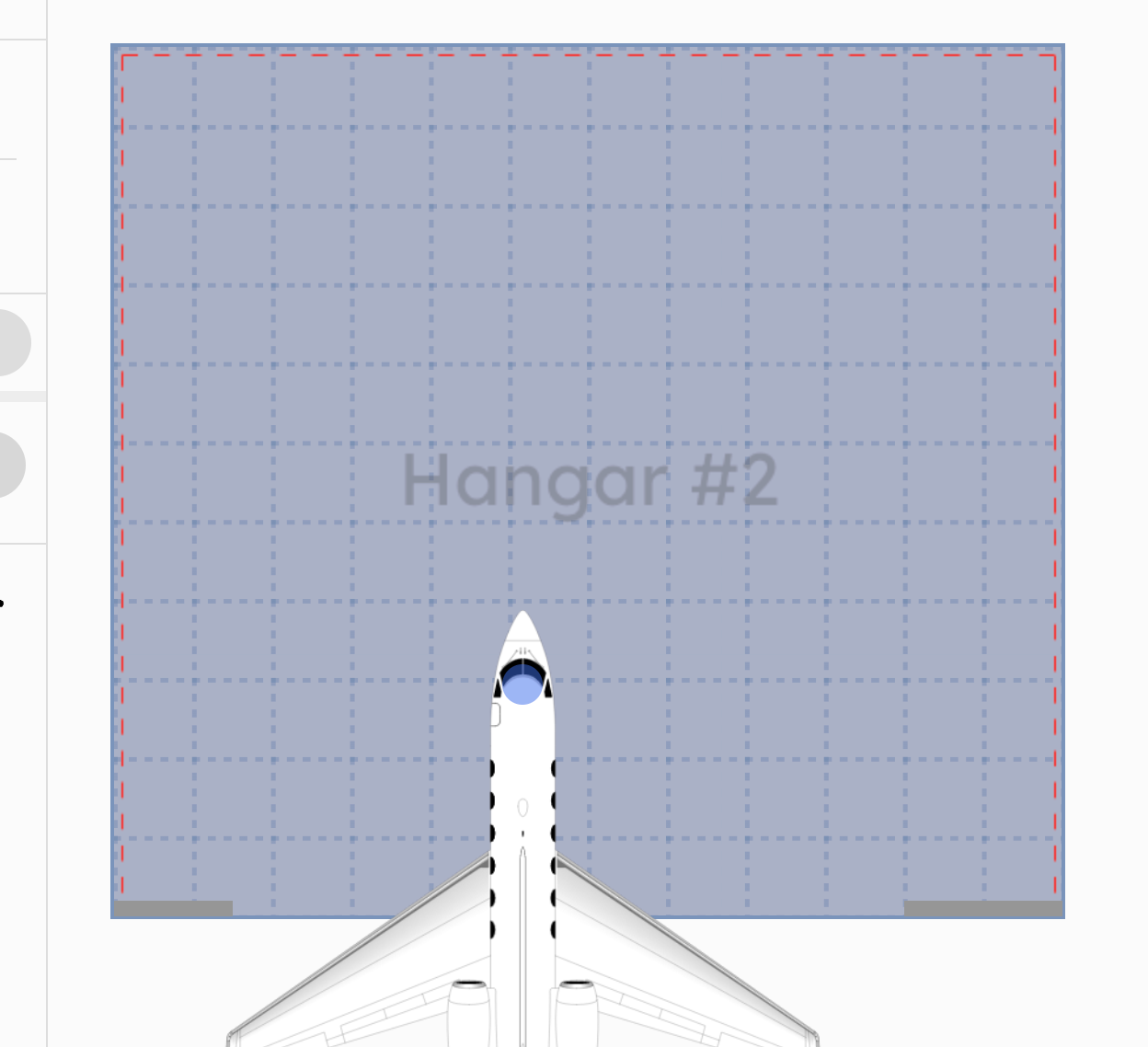 Always know which hangar you're looking at—helpful when sharing screens or working across multiple tabs.
iPad & Touch Support
We optimized the hangar and ramp views for tablets. You can now drag aircraft with your finger, making AirPlx practical for iPads on the ramp.
New Towing Equipment
Added additional tugs and towing equipment to the library.
What's Next
We're still iterating on all of this based on what we hear from actual users. If the Holding Area workflow doesn't quite match how your team operates, tell us. If you need a registry we haven't integrated, tell us that too.
Want to see these features in action? Schedule a 15-minute demo and we'll walk through the multi-hangar view with your actual hangar layout. No sales pitch—just a look at whether this fits how your team works.
Or just email us: hi@airplx.com
Sources & References
- FAA N-Number Inquiry - Official US aircraft registration lookup
- Transport Canada Civil Aircraft Register - Canadian aircraft registration database
- Aircraft Registration Prefixes - Wikipedia list of international registration codes by country
- ICAO Nationality Marks - International standards for aircraft identification
- Handle With Care - NBAA Ground Handling Safety - Ground handling coordination best practices
- Ground Handling Incidents Cost Analysis - Industry cost data for ground handling incidents
- Global Business Aviation Market Expansion 2025 - International traffic growth trends
- Aviation Week 2025 Traffic Forecast - US international traffic analysis
Related Articles
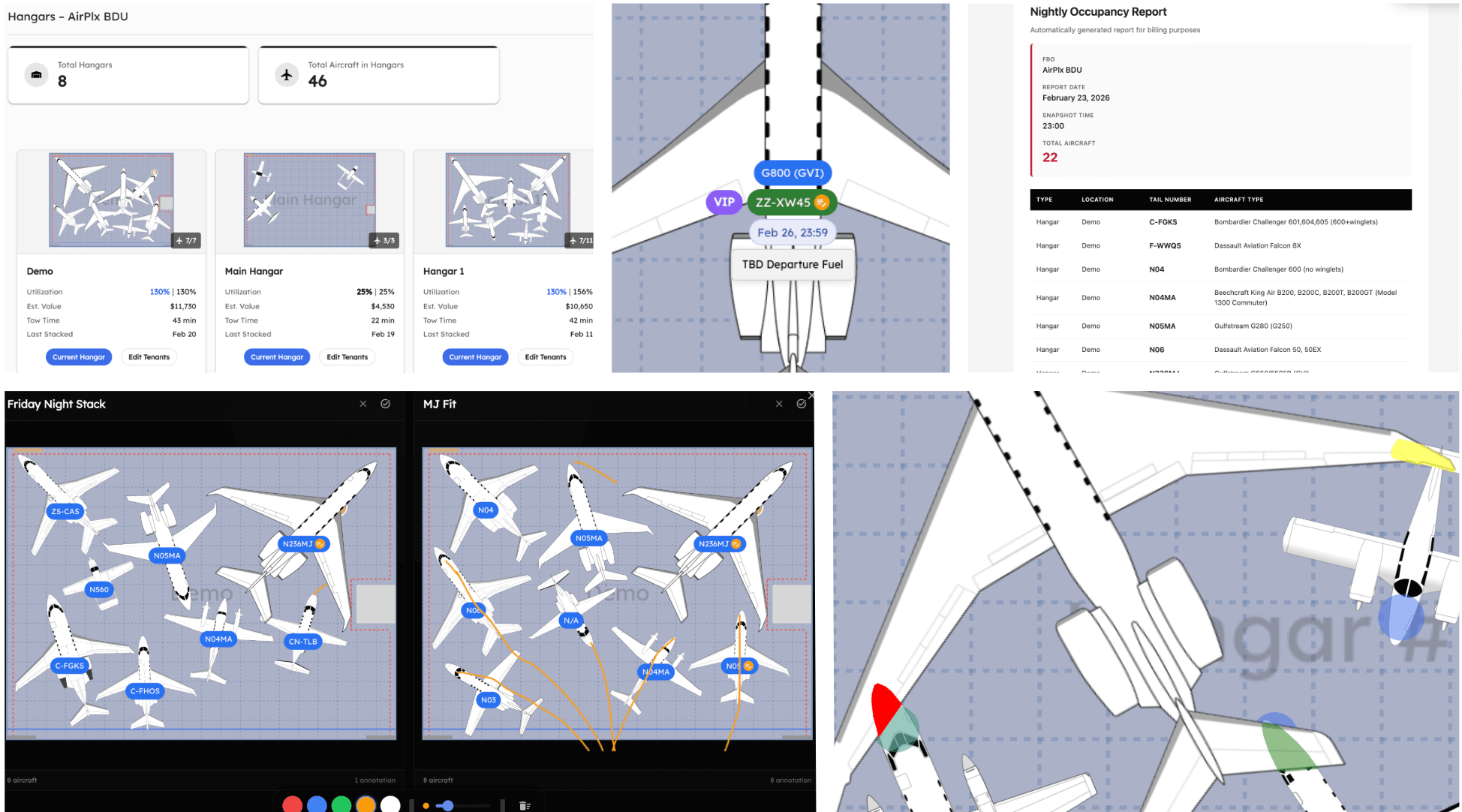

Start AutoStacking
See how AirPlx plans, parks, and predicts your ramp moves in one place
 Copyright 2024, AirPlx, Inc.